2.4 Driver Installation
2.4.1 Firmware Loader Driver Installation
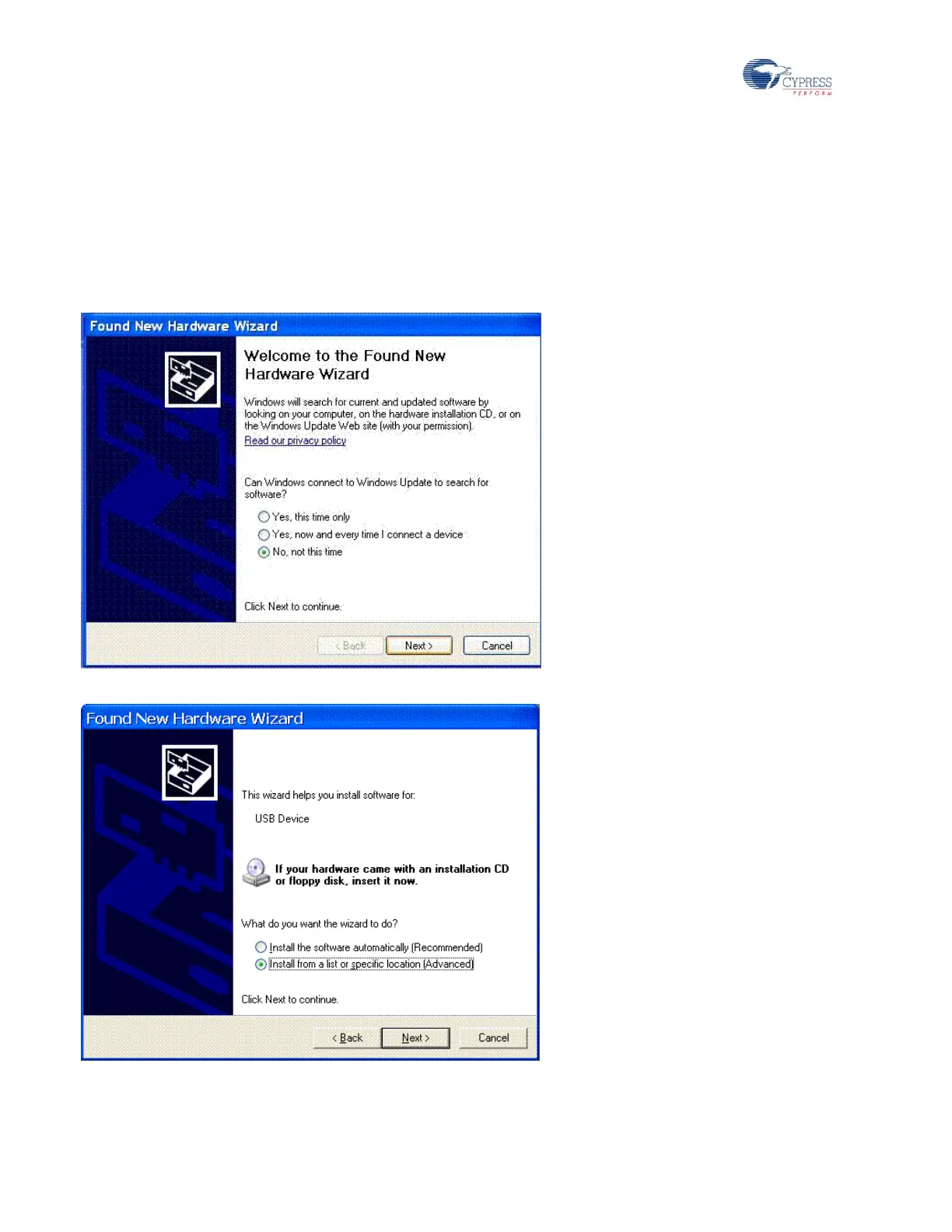
If TV Dongle does not have EEPROM to store the program, the hardware will be enumerated as a USB device. The
Cypress firmware loader driver then needs to be installed. Follow these instructions to install the driver.
Click on the No, not this time option and then click Next.
Select Install from a list or specific location (Advanced) and then click Next.
Browse to the folder \..\CY_FX2LP_LGS_ DMB-TH_TV Dongle\Driver\8G75 or \..\CY_FX2LP_LGS_ DMB-TH_TV
Dongle\Driver\8GL5 based on the demodulator used in the design; click Next.


 To Next Page