Cyrus iR14 Remote control User Instrucons
7
Learning TV and Satellite commands
In addion to controlling Cyrus components, the remote
control can learn the commands from two other remote
control handsets. These will normally be a TV and a Satellite
or terrestrial TV set-top box, programmed to the TV and
SAT buons, but could also be other audio components
including a Cyrus tuner or DVD player etc.
All keys may be programmed with the excepon of the
groups marked CONTROL and SOURCE and the SETUP key.
Preparaon for learning
Check the following points before aempng to learn any
commands -
Check that both remote controls have fresh baeries.•
Choose a locaon on a tabletop that is not brightly lit. •
Subdued light is beer, away from bright natural or
indoor lighng.
Check that you have enough me to spare to complete •
the learning process for all the keys you want to use.
Learning commands
In this example, the Cyrus remote control will be learning
commands from a ‘reference’ Satellite receiver remote
control.
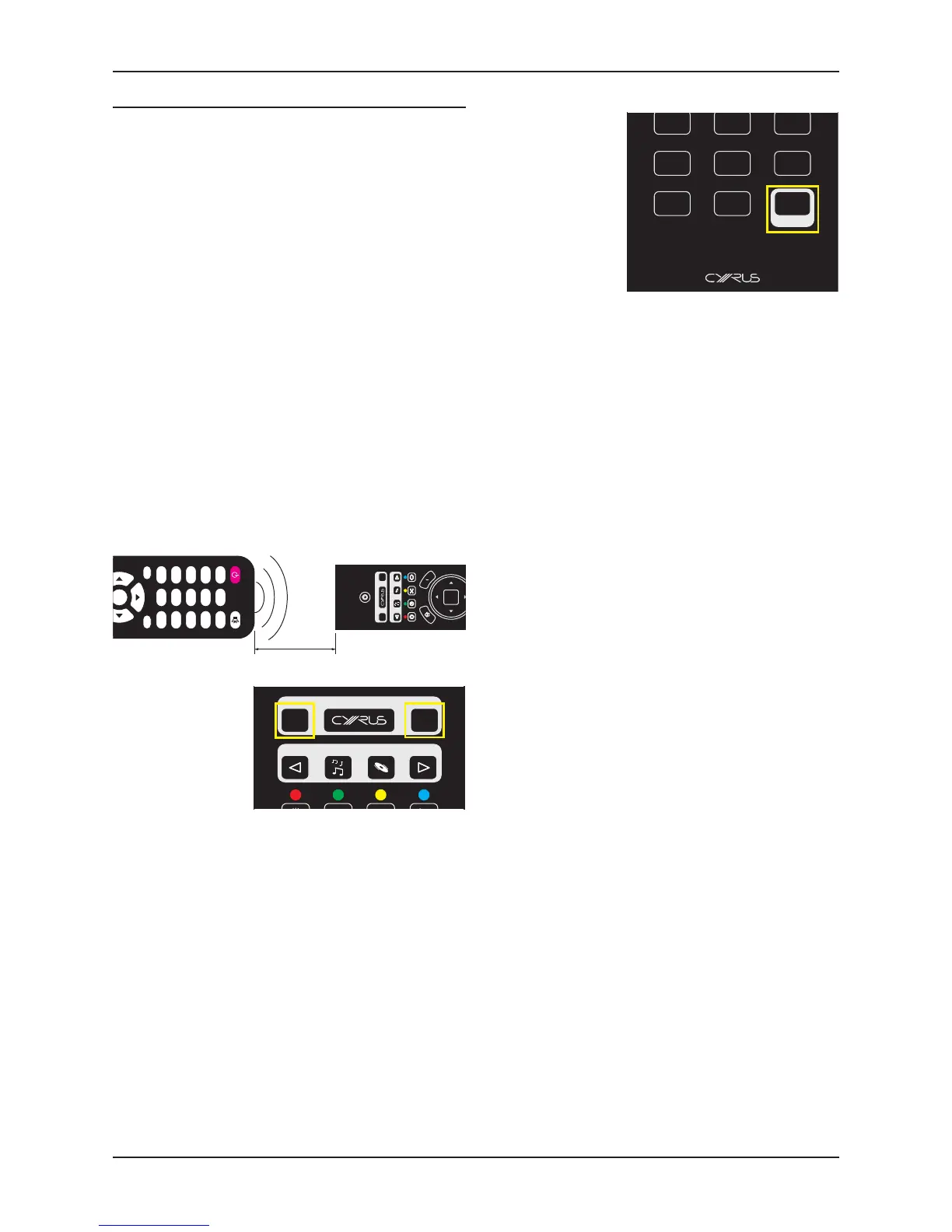
Set the two remote controls up facing each other, spaced 1.
by about 5cm.
The keypad will light and the key you selected will be red.
Press the TV or 2.
SAT key to select
the mode that you
want to program.
Press and hold the 3.
SETUP key.
The mode key will change to white. Aer about three
seconds, the mode key will light red again. This indicates
that the remote control is ready to learn codes.
Release the SETUP key.4.
The remote control is now waing to learn commands. The
keypad will light connually and the mode key will light pale
red.
On the reference remote control, press and hold the rst 5.
key you want to learn (for example, volume up) unl the
mode key ashes red.
This indicates that the command has been received.
Release the key on the reference remote control.6.
Press a key on the Cyrus remote control (volume up 7.
in this example) to select where you want to save that
command.
The mode key will stop ashing. This indicates that the
command has been saved successfully.
If the learning process was successful, the remote control
will be ready to learn the next command.
Repeat steps 5 to 7 for each command you want to 8.
learn.
When you have completed learning all commands -
Press the SETUP key.•
The mode key will change to white. Aer a few seconds the
backlight will switch o.


 To Next Page