Cyrusher Sports Team
www.cyrusher.com
info@cyrusher.com
3 / 27
for working)
ERR: Error Code
Operation Setting:
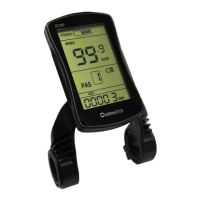
In default setting of S700 bike computer:
⚫ Please note that PAS 0 means only throttle works;
⚫ PAS 1-5 means only Pedal assistant works but throttle does not work.
1. Turn on/ Turn off bike computer: Press for seconds to turn or turn off the
bike computer;
2. Turn on/ Turn off bike front light: After turning on the bike computer and press
for 3 seconds to turn on or turn off front light.
3. Active walk mode(Optional) : After turning on the bike computer and press
for 3 seconds to active the walk mode
4. Increase/ Decrease PAS Level: After turning on the bike computer and press
to increase the PAS Level and Press to decrease PAS level.
5. ODO/TRIP/ERR/TIME Checking: After turning on the bike computer and press
one time to switch and check data of ODO/TRIP/ERR/TIME. (Images Below)


 To Next Page