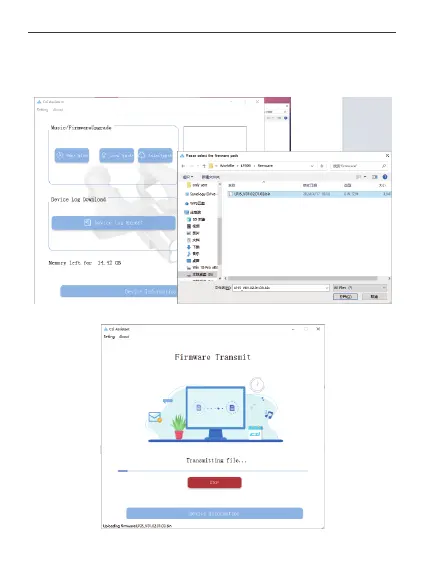
② Offline upgrade: Users download the firmware of the corresponding load to PC locally
from the official website and upgrade this specified firmware.
Click the Offline Upgrade button, then select the firmware you have downloaded from the
official website, click Select Firmware or drag and drop the firmware to start the upgrade.
Starts transferring firmware to the device.
33



 To Next Page