Need help?
Do you have a question about the D-D The Aquarium Solution H2Ocean P4 and is the answer not in the manual?
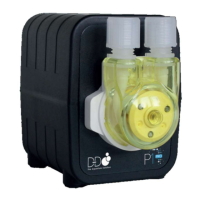
Overview of the D-D P4 Cloud 4-channel intelligent dosing pump with WIFI control.
Details key features like compact design, quality pump heads, and durable tubing.
Guidance on checking for delivery damage and verifying all included parts.
Explanation of the red Wi-Fi and green power indicator light meanings.
Recommendations for placement to prevent siphoning and ensure stability.
Instructions for downloading the mobile application via QR codes.
Steps to create and log into the Kamoer remote app account.
Guide to establishing a Wi-Fi connection between the pump and your network.
How to select a device and begin setting dosing plans.
Detailed configuration of cycle times, dosing volumes, and dose splitting.
Modifying specific dosing times and volumes within a plan.
Changing the name and time frame for an entire dosing plan.
Steps to manually add a specific volume of liquid via the app.
Detailed steps to calibrate pump heads for accurate liquid delivery.
Changing names for the dosing pump and individual pump heads.
Instructions for updating the unit's firmware through the app.
How to set or sync the device's internal clock.
Steps to restore the pump to its original factory default configuration.
Instructions for deleting the pump from the Kamoer Remote App.
Details the 12-month warranty for material and workmanship.
 General
| Brand | D-D The Aquarium Solution |
|---|---|
| Model | H2Ocean P4 |
| Category | Aquariums |
| Language | English |

 To Next Page