11 - GB GB - 12
ENGLISH
ENGLISH
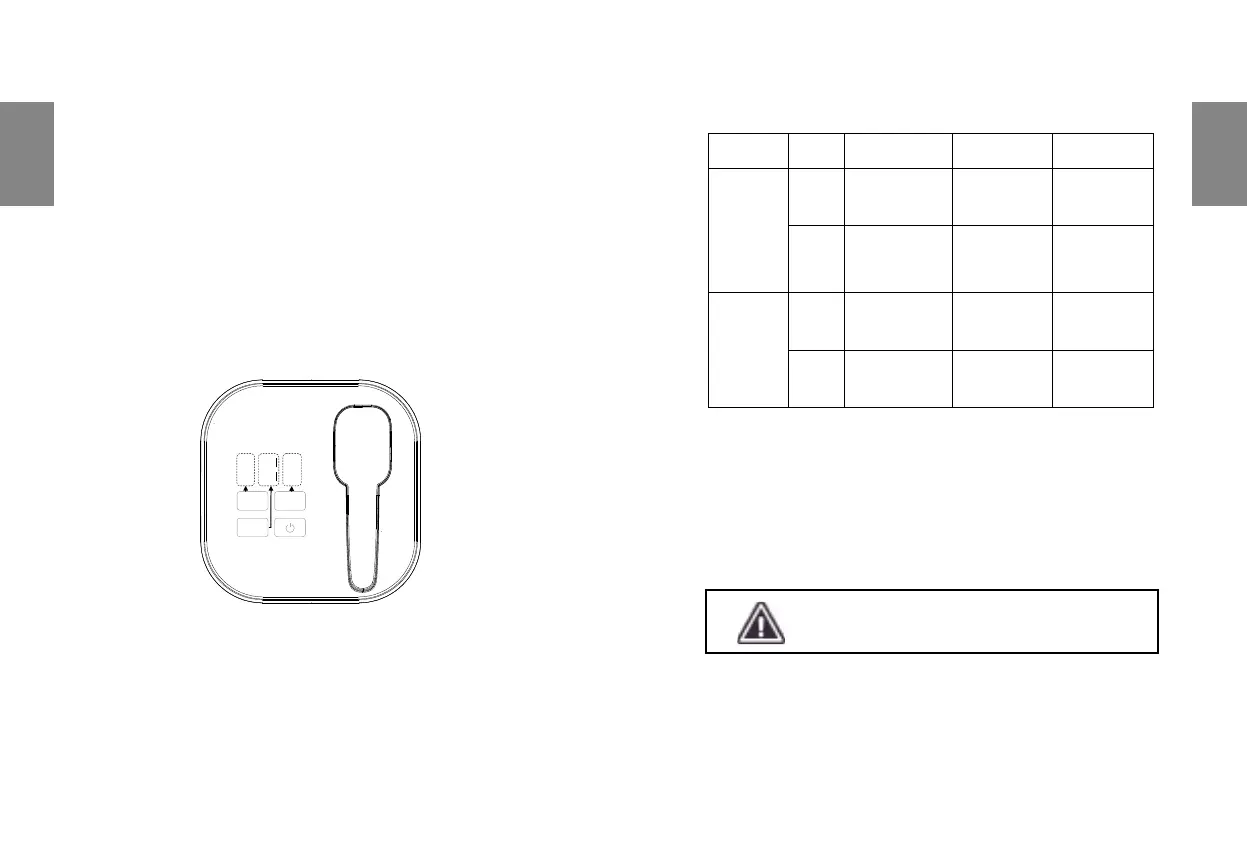
3) Charge Indicator
- Charge Indicator is on,charging ash is completed;
- Charge Indicator is o,the inrument is charging.
4) Power-on & Trouble Indicator
- It shows white when the inrument is working properly;
- It will ash red when a fault condition occurs after booting.
5) Cooling Function
After the instrument is turned on, the cooling area begins to cool continuously.
There is a clear sense of coldness when touching the cooling area for
20 seconds after starting the instrument.
6) Operation parameters setting method
- There are two functions HR (Hair Removal) and SR (Skin Rejuvenation)
which can be switched by pressing the Function button;
- There are two modes EXP (Classic Mode) and OPT (Fa Mode) which
can be switched by pressing the Mode button;
- Energy scope is 1~3 which can be switched by pressing the Energy button.
DESCRIPTION OF WORKING METHODS
7) Unlock Function
For safety, this instrument is equipped with unlock function:
- Double-click the handle’s trigger,the unlock indicator lights, and the
unlock is successful;
- After successful unlocking,if there is no light-emitting operation within
30 seconds,the unlocking indicator is o and that means the ashes
cannot be released.Double-click the handle trigger to unlock again;
8) Make treatment
- Set treatment parameters;
- Double-click the handle trigger to unlock;
- Make the tip fully touch the skin of targeted area;
- Both charge indicator and unlock indicator are on.Press the trigger to
make ashes;
FUNCTION MODE
PRESS
TRIGGER
FLASHING
TYPE
STOP
FLASHING
HR
EXP
Press the
trigger once
Release 2
ashes
—
OPT
Long time
pressing the
trigger
Release
ashes
with 0.5Hz
frequency;
Release the
trigger;
SR
EXP
Press the
trigger once
Release 1
ash
—
OPT
Long time
pressing the
trigger
Release
ashes with
1Hz frequency
Release the
trigger;
Do not look directly at the light outlet and wear
goggles when making ashes.The light outlet
faces the ground when not in operation.


 To Next Page