14
Installing the DWL-650+
Drivers and Utility
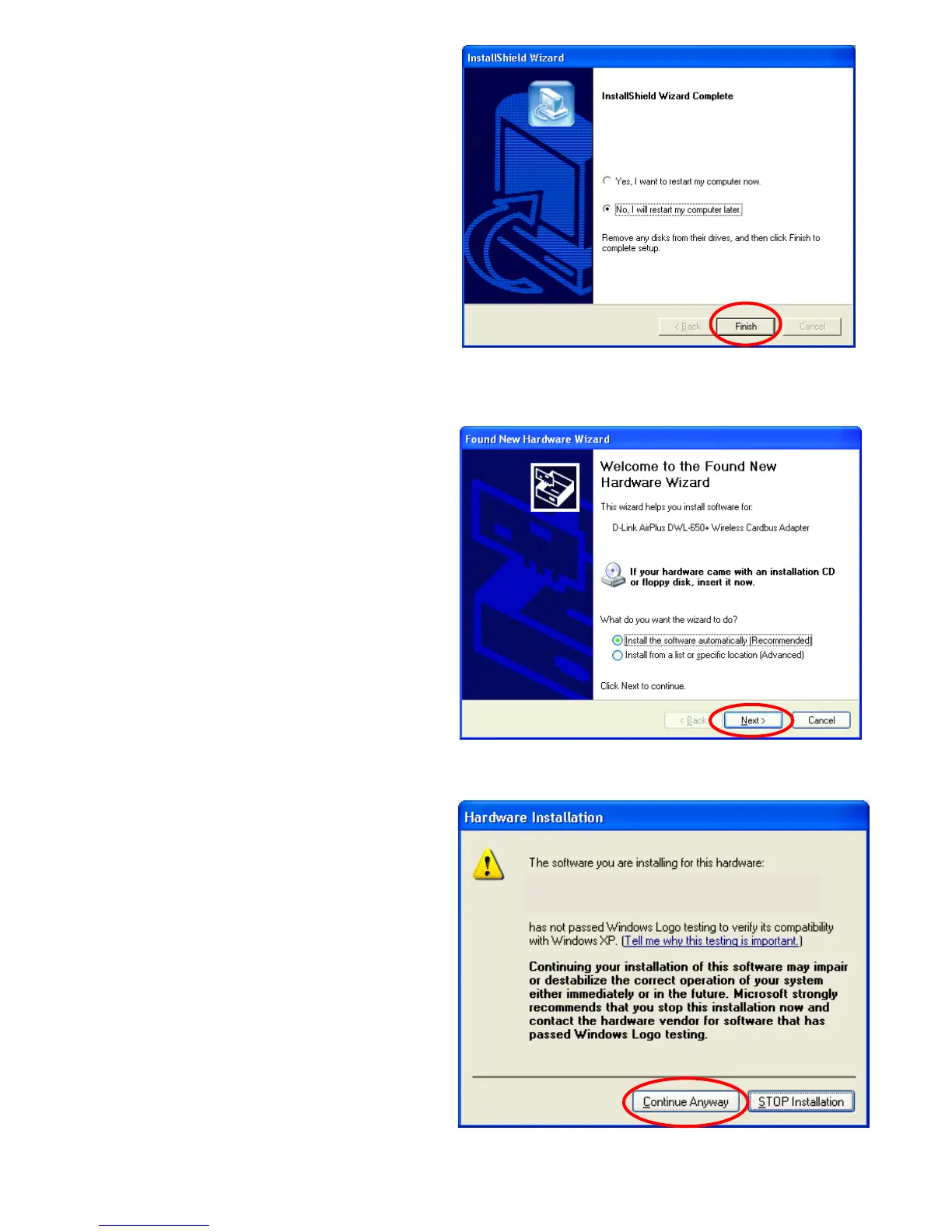
• Select No, I will restart my
computer later.
• Click Finish
• Shut down your laptop computer.
• Insert the DWL-650+ into the Cardbus slot.
• Restart your laptop computer
• Click Next at the Welcome
screen (Fig. 5.2.4)
Fig. 5.2.3
Fig. 5.2.4
The InstallShield Wizard has successfully
installed D-Link AirPlus DWL-650+ Utility and
Driver. Before you can use the program, you
must restart
uter.
D-Link AirPlus DWL-650+ Wireless Cardbus Adapter
Fig. 5.2.5
For Windows XP, Fig.
5.2.5 may appear after the
laptop computer restarts.
Click Continue Anyway
to finalize the installation.
(This device has been
successfully tested to
work on Windows XP,
as well as Windows 2000,
Windows Me and
Windows 98.
Microsoft certification is
pending.)







 To Next Page