19
Configuration Utility
Site Survey
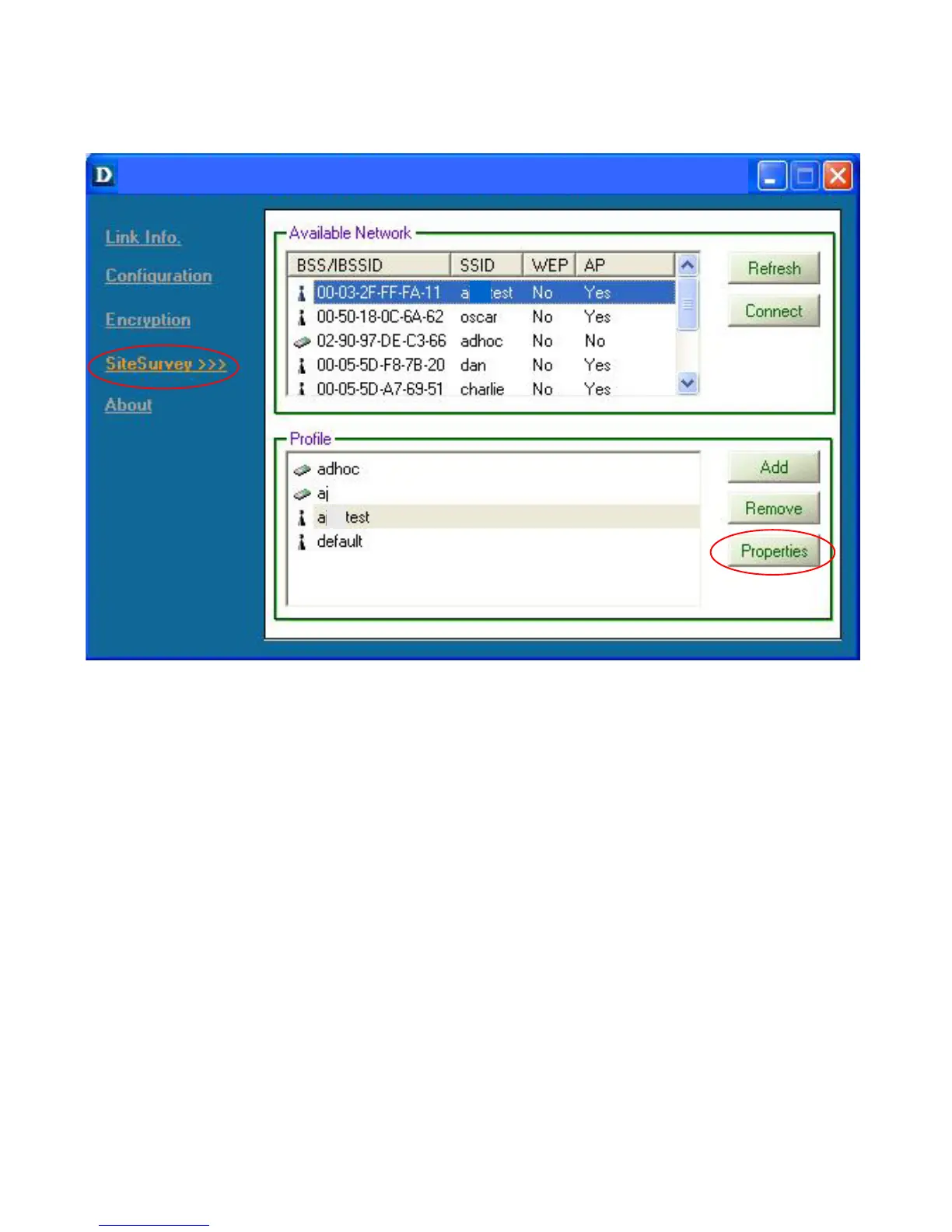
Available Networks
The top section of the window displays the Available Networks. Scroll up
and down the list and highlight the network to which you wish to connect.
Click on the Connect button.
Profiles
In the lower half of the screen, you can manage the profiles that you have
created for the wireless network at home, at the office and in public places.
Scroll up and down and highlight the profile that you wish to configure. You
can ADD or REMOVE a profile, or configure the Properties of the profile in
order to connect with an available network.
Properties
Click on Properties and the screen on the next page will appear.
Fig. 6.6
D-Link AirPlus DWL-650+ 2.4GHz Wireless Cardbus Adapter







 To Next Page