2 D-Link Nuclias Cloud-Managed Wireless VPN Gateway
ENGLISH
About This Guide
This guide gives step by step instructions for
setting up D-Link DBG-X1000. Please note that
the model you have purchased may appear
slightly dierent from those shown in the illustra-
tions.
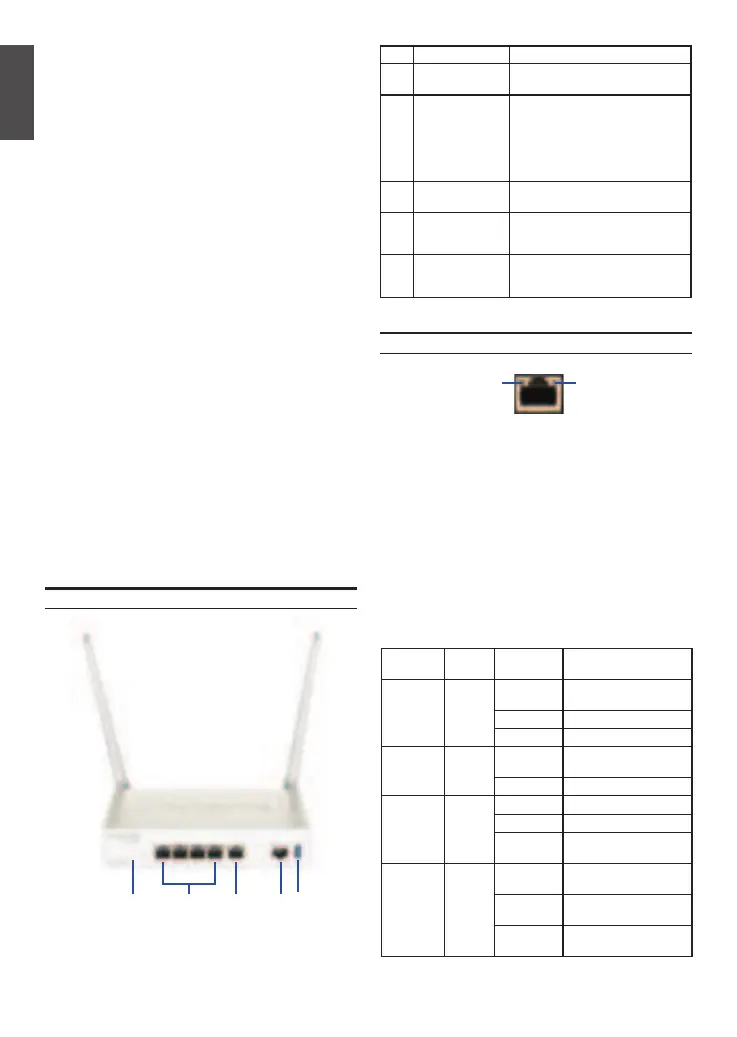
Item Feature Description
A LED
(Top to bottom)
Power LED: Indicates the device is
powered on.
B USB Port (1) It can support various USB 2.0, 3.0
devices below:
1.Flash Disk or Hard Disk for
network sharing.
2.Printer (It will be supported by
future rmware upgrade)
C Gigabit LAN port
(1-4)
Connect Ethernet devices, such as
computers, switches and hubs.
D Gigabit WAN
port (1)
One auto MDI/MDIX WAN ports
are the connection for the Ethernet
cable to the cable or DSL modem.
E Console Port (1) Used to access Command Line
Interface (CLI) via RJ45-to-DB9
console Cable.
Table 1: DBG-X1000 Front Panel Descriptions
Device Status LEDs and Ethernet Port LEDs
The device LEDs show information about current
device status. When the device power up, the
POWER/STATUS LED will show solid orange
during power on process. Startup takes one minute
approximately to complete, the LED will change
to solid green. If you want to turn the device o
and on again, we recommend you wait a few
seconds between shutting it down and powering it
back. The Ethernet LEDs show the status of each
Ethernet port. Table 2 lists the name, color, status
and description of each device LED.
Figure 2. Ethernet RJ-45 Port LEDs
TX/RX
Status
Link
Speed
Unpacking the Product
Open the shipping carton and carefully unpack its
contents. Please consult the packing list located
in following information to make sure all items are
present and undamaged. If any item is missing
or damaged, please contact your local D-Link
reseller for replacement.
- One (1) DBG-X1000 One (1) 12V/2A Power
Adapter
- One (1) Console Cable (RJ45-to-DB9 Cable)
- One (1) Ethernet (CAT5 UTP/Straight Through)
Cable
- Four (4) Rubber foot
- Two (2) Antenna
Product Overview
This chapter provides detailed descriptions of the
DBG-X1000 device and its components.
LED
Indicators
Color Status Description
Power Orange/
Green
Solid
Orange
Device during power-on
process
Solid Green Completion of power on
Light O The device is power-o
Cloud Orange/
Green
Solid
Orange
Cloud Connecting
Solid Green Cloud Connected
TX/RX
Status
Green Light O No Link.
Solid Green Link present.
Blinking
Green
Port is sending or
receiving data.
LINK
Speed
Green/
Orange
Light O Port is operating at
10Mbps.
Solid Green Port is operating at
100Mbps
Solid
Orange
Port is operating at
1000Mbps
Table 2: Device Status LED Descriptions
Front Panel
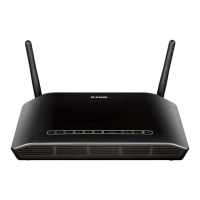
Figure 1. DBG-X1000 Front Panel
A C ED B



 To Next Page