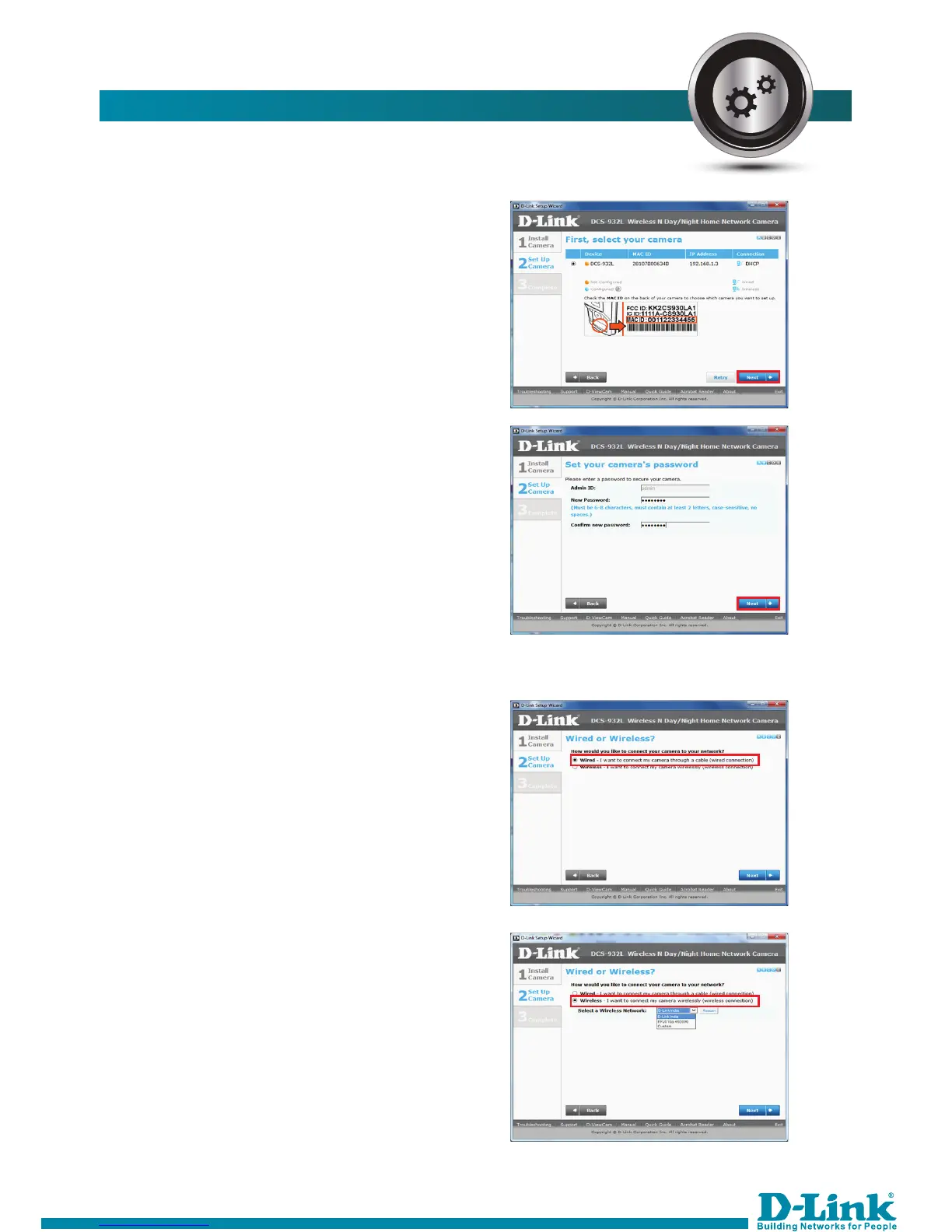
12. The setup will detect the camera
with the IP address. Click Next. If
not detected then kindly check
the connectivity and then retry.
If there is no password set for camera,
you have to set it when below
window appears and click Next.
HOW TO CONFIGURE THE INTERNET:-
HOW TO CONFIGURE THE INTERNET:-
Select Wired if camera is connected
through Ethernet cable to router.
OR
Select wireless if camera is connected
through wirelessly to router.
13.



 To Next Page