HOW TO CONFIGURE THE INTERNET:-
HOW TO CONFIGURE THE INTERNET:-
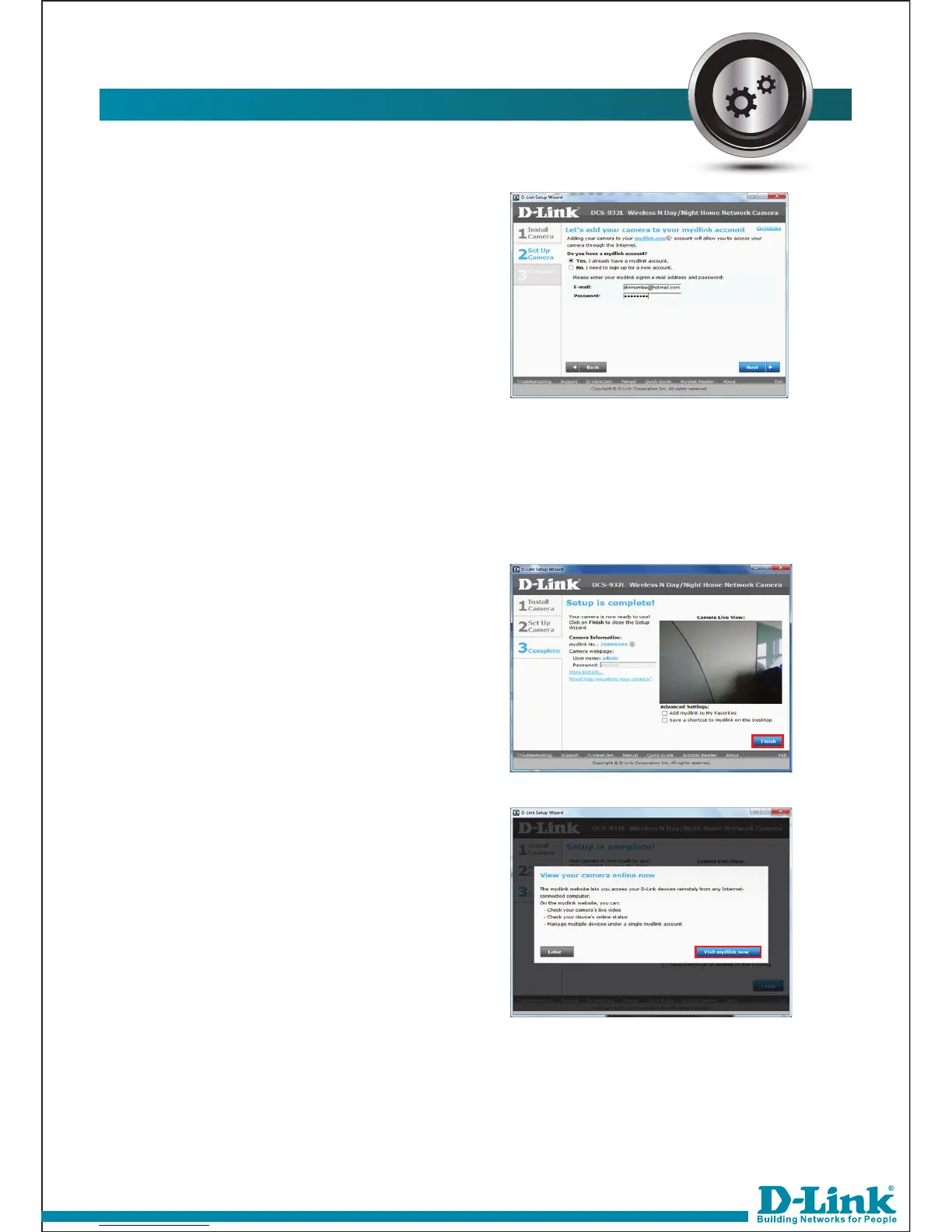
If you already have a mydlink
account, then select Yes. If you
don’t have, select No and register
for same.
If you have registered MyDlink
account then put username and
password. For Ex: Username:
dinmumbai@hotmail.com
Password: *******
14.
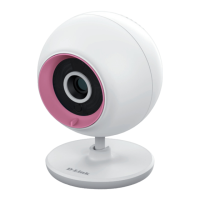
You are ready to view the camera
from MyDlink website. Click Finish
to exit the wizard.
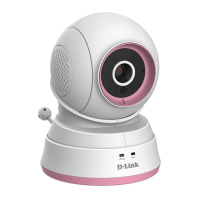
Click on Visit mydlink now to visit
the site.
15.



 To Next Page