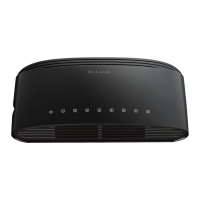
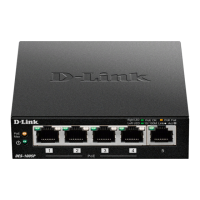
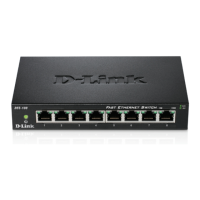
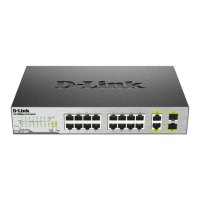
This document describes the D-Link DES-1008P+, an 8-port 10/100 Mbps unmanaged Fast Ethernet switch with 8 Power over Ethernet (PoE) ports. This switch is designed to provide power and data connectivity to PoE-enabled devices such as network cameras, making it suitable for home and small office businesses with limited budgets.
Function Description:
The DES-1008P+ is an unmanaged switch, meaning it operates without requiring complex configuration. It provides eight 10/100 Mbps Fast Ethernet ports, all of which are PoE-capable. This allows the switch to simultaneously transmit data and supply electrical power to compatible devices over a single Ethernet cable, simplifying network deployment and reducing the need for separate power outlets for PoE devices. The switch adheres to IEEE 802.3af/at PoE standards, ensuring compatibility with a wide range of PoE devices.
Important Technical Specifications:
Standards:
- IEEE 802.3 10BASE-T Ethernet
- IEEE 802.3u 100BASE-TX Fast Ethernet
- IEEE 802.3x Flow Control
- IEEE 802.3af PoE
- IEEE 802.3at PoE
PoE Functions:
- Compliance: IEEE 802.3af/at (ports 1-8)
- Power Output per Device: Up to 30 W
- Total PoE Budget: 140 W
Data Transfer Rates:
- Ethernet:
- 10 Mbps (half-duplex)
- 20 Mbps (full-duplex)
- Fast Ethernet:
- 100 Mbps (half-duplex)
- 200 Mbps (full-duplex)
Power Adapter:
- AC Input: 100-240 VAC, 50/60 Hz
Dimensions:
Indicators:
- Per Port: PoE Status
- Per Device: Power, PoE Max1, PoE Max2
Operating Environment:
- Operating Temperature: 0 to 40 °C
- Storage Temperature: -40 to 70 °C
- Operating Humidity: 0% to 95% RH, non-condensing
- Storage Humidity: 0% to 95% RH, non-condensing
Certifications:
- CE, FCC, LVD, UL/cUL, CB, CCC
Usage Features:
Installation:
The installation process is straightforward. Users are advised to place the DES-1008P+ in a cool, dry location with adequate ventilation, away from strong electromagnetic sources, vibration, dust, and direct sunlight. A minimum clearance of 10 cm on the left and right-hand sides of the switch is recommended for proper airflow. The power adapter should be securely connected. A warning is provided against stacking any device on top of the switch.
Connecting to the Network:
- Power: Connect the AC power cord to a wall socket and then to the power outlet of the DES-1008P+. The Power LED will illuminate, indicating successful power-up.
- PoE Ports (Ports 1-8): These ports support the 802.3at standard, providing up to 30W per port for individual usage. The total PoE budget is 140 Watts. The switch prioritizes power delivery, with the first plug-first power principle. If the total power consumption exceeds the maximum budget, new PD devices will not receive power.
- Fast Ethernet Ports (Ports 1-8): These ports offer network speeds of either 10 Mbps or 100 Mbps and can operate in half-duplex or full-duplex modes. They support automatic MDI/MDIX crossover, eliminating the need for crossover cables or uplink ports. This means any port can be directly connected to a server, hub, router, or switch using regular straight-through twisted-pair Ethernet cables.
LED Indicators:
The switch features several LED indicators to monitor, diagnose, and troubleshoot potential issues:
- Power LED: Solid green indicates the device is powered on. Off indicates no power.
- PoE Max1 (Ports 1-4) LED:
- Solid green: Output power to PDs has reached 55W.
- Blinking: Output power to PDs has reached 70W (maximum capacity for ports 1-4).
- Off: Output power to PDs is less than 55W, or no PDs are connected.
- PoE Max2 (Ports 5-8) LED:
- Solid green: Output power to PDs has reached 55W.
- Blinking: Output power to PDs has reached 70W (maximum capacity for ports 5-8).
- Off: Output power to PDs is less than 55W, or no PDs are connected.
- Per PoE (Ports 1-8) LED:
- Solid green: PoE device is connected, and the port is successfully supplying power.
- Off: No PoE devices are connected.
Maintenance Features:
Troubleshooting:
The manual provides a troubleshooting section for common installation and configuration problems:
- If the Power LED is not lit: Check if the power cord is securely connected to both the wall socket and the back of the device.
- If a connected device is not detected: Verify if the port LED is lit or blinking. If not, try using a new LAN cable.
- If a PoE device is not powered by the DES-1008P+: Ensure that the PoE device is connected to one of the eight PoE-enabled ports (1 to 8) and that the total power consumed by all connected devices does not exceed the maximum power budget of 140 W.
Technical Support:
D-Link offers technical support for software and firmware updates, as well as user documentation. Contact information for various regions (Australia, India, Singapore, Thailand, Indonesia, Malaysia, Philippines, Vietnam, Korea, New Zealand, South Africa and Sub Sahara Region, Middle East - Dubai, UAE, Egypt, Kingdom of Saudi Arabia, Pakistan, Iran, Morocco, Lebanon RMA center, Bahrain, Kuwait, Türkiye) is provided, including phone numbers and email addresses. For Latin America, a dedicated support website and email are available. Users in Taiwan can contact D-Link for product-related issues and warranty repairs. Indonesian users can find support via phone and email. Japanese users are advised to contact their reseller for warranty information.

 Need help?



 To Next Page
 General