28
Using the Boot Menu
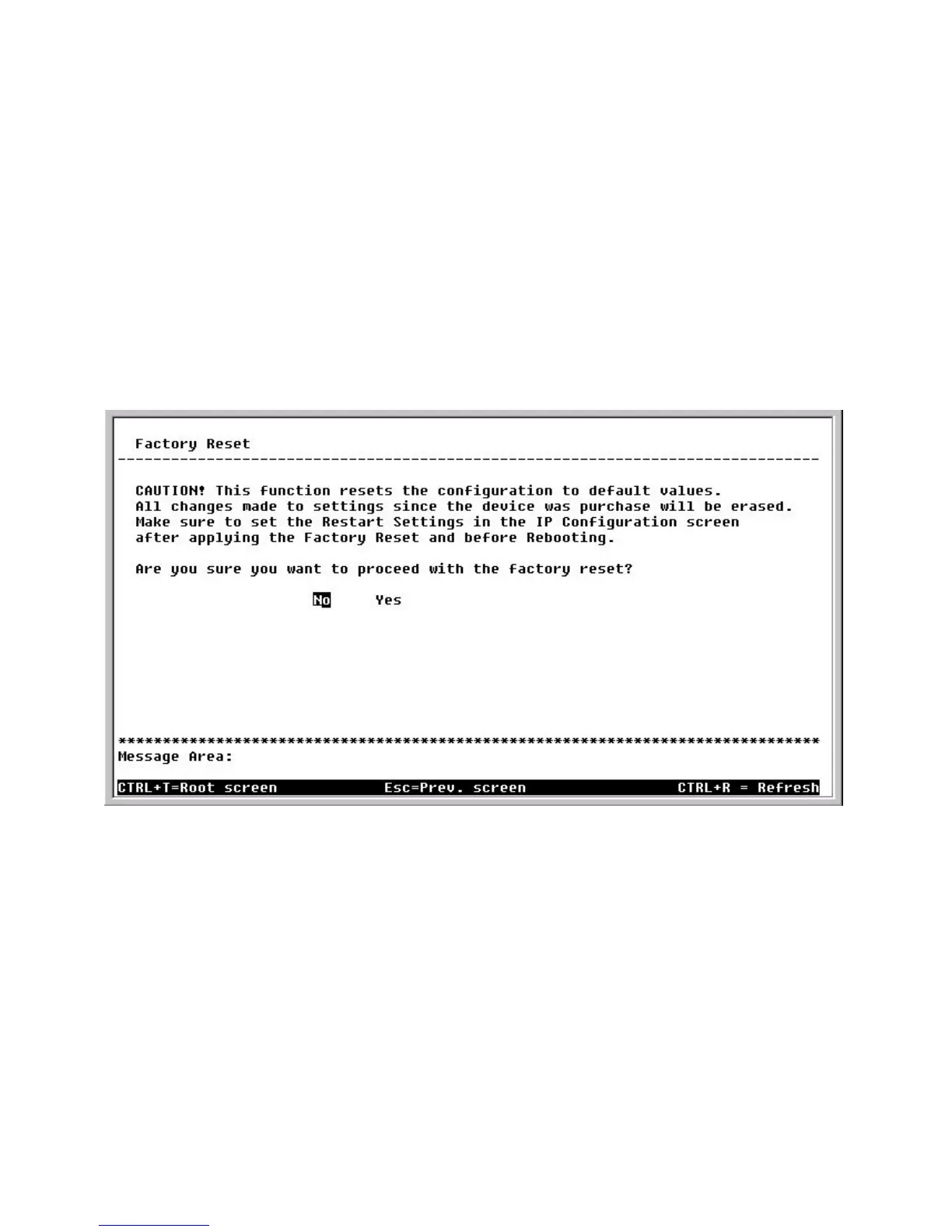
Factory Reset
Boot Menu—Factory Reset screen
Restart System
To perform a system reset, use the arrow keys to highlight the last menu item
on the Boot Menu, Restart System, and press <Enter>. The following Reboot
Device screen will be briefly displayed:
Note: After performing the Factory Reset, make sure to redefine the IP settings
for the device in the IP Configuration menu. Then perform a Restart System on
the device. After these three procedures are performed, your Factory Reset is
complete.
To perform a Factory Reset, use the arrow keys to highlight the fifth menu item
on the Boot Menu, Factory Reset, and press <Enter>. The Factory Reset
screen will be displayed:


 To Next Page