111D-Link DIR-1935 User Manual
Section 5 - Quick VPN
1
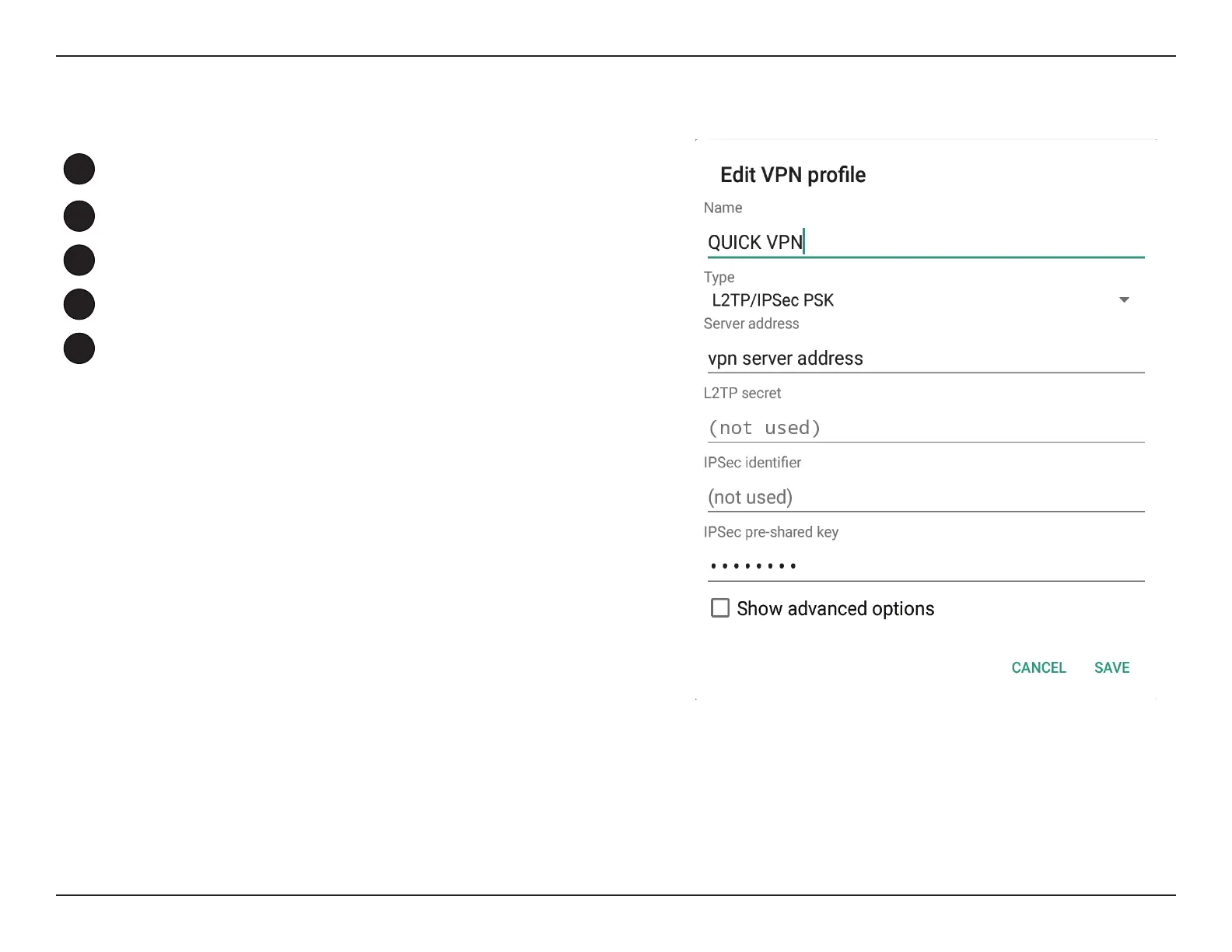
Enter a name for your VPN connection.
2
Select L2TP/IPSec PSK for Type.
3
Enter the IP/DDNS address of your Quick VPN server.
4
Enter your Passkey (PSK) in IPSec pre-shared key eld.
5
Choose Save.
Your Android device is now congured to connect to your Quick VPN server.
Edit VPN Prole










 To Next Page