133D-Link DIR-3040 User Manual
Section 6 - Quick VPN
1
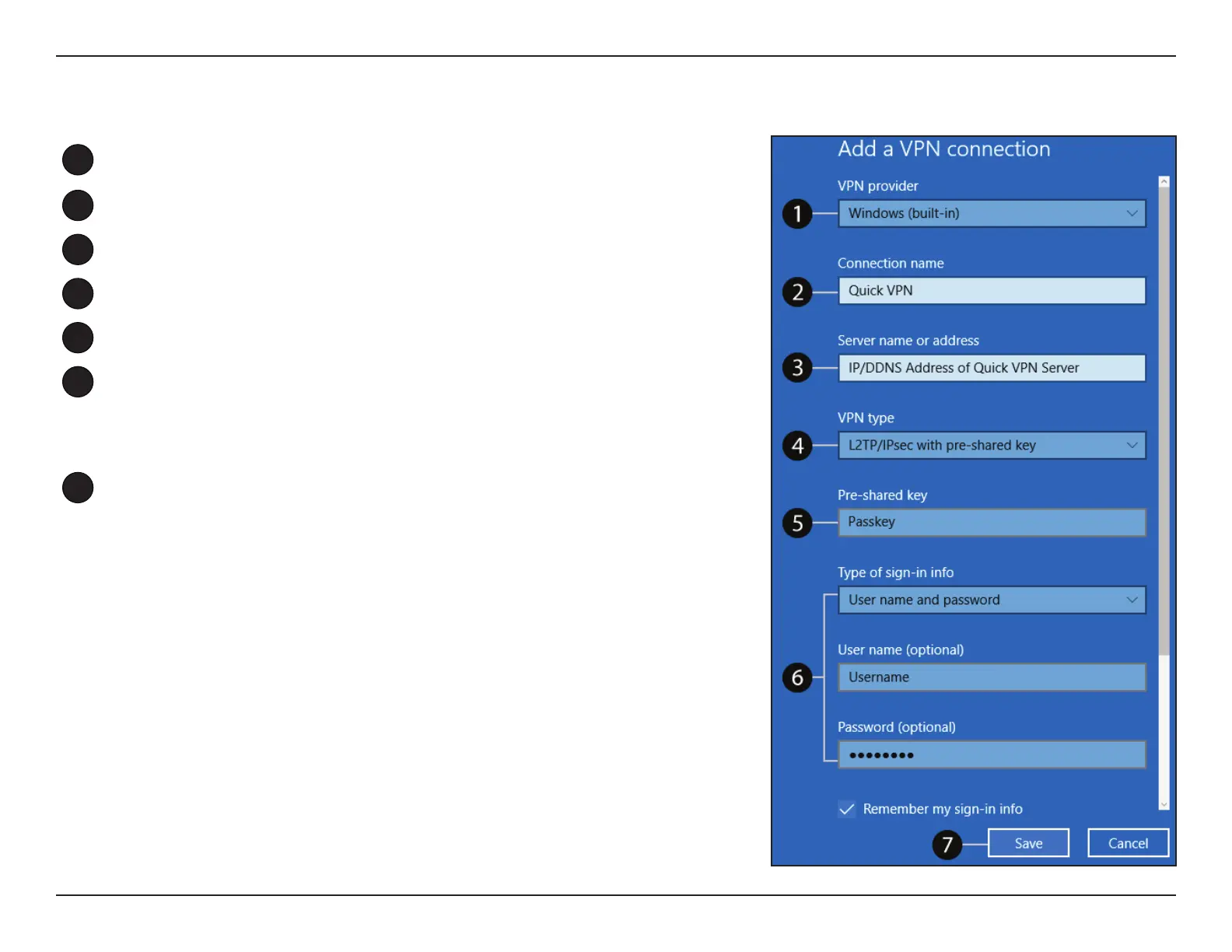
Select Windows (built-in) from the VPN Provider drop down menu.
2
Create a name for your VPN connection.
3
Enter your IP/DDNS address of your Quick VPN server.
4
Select L2TP/IPSec with pre-shared key from VPN type.
5
Enter the Passkey.
6
Select User name and password from Type of sign-in info.
If you would like windows to remember your sign-in information, enter
your User name, Password, and select Remember my sign-in info
7
Choose Save.
Your Windows 10 system is now congured to connect to your Quick VPN
server.


 To Next Page