14D-Link DIR-3040 User Manual
Section 2 - Installation
Modem
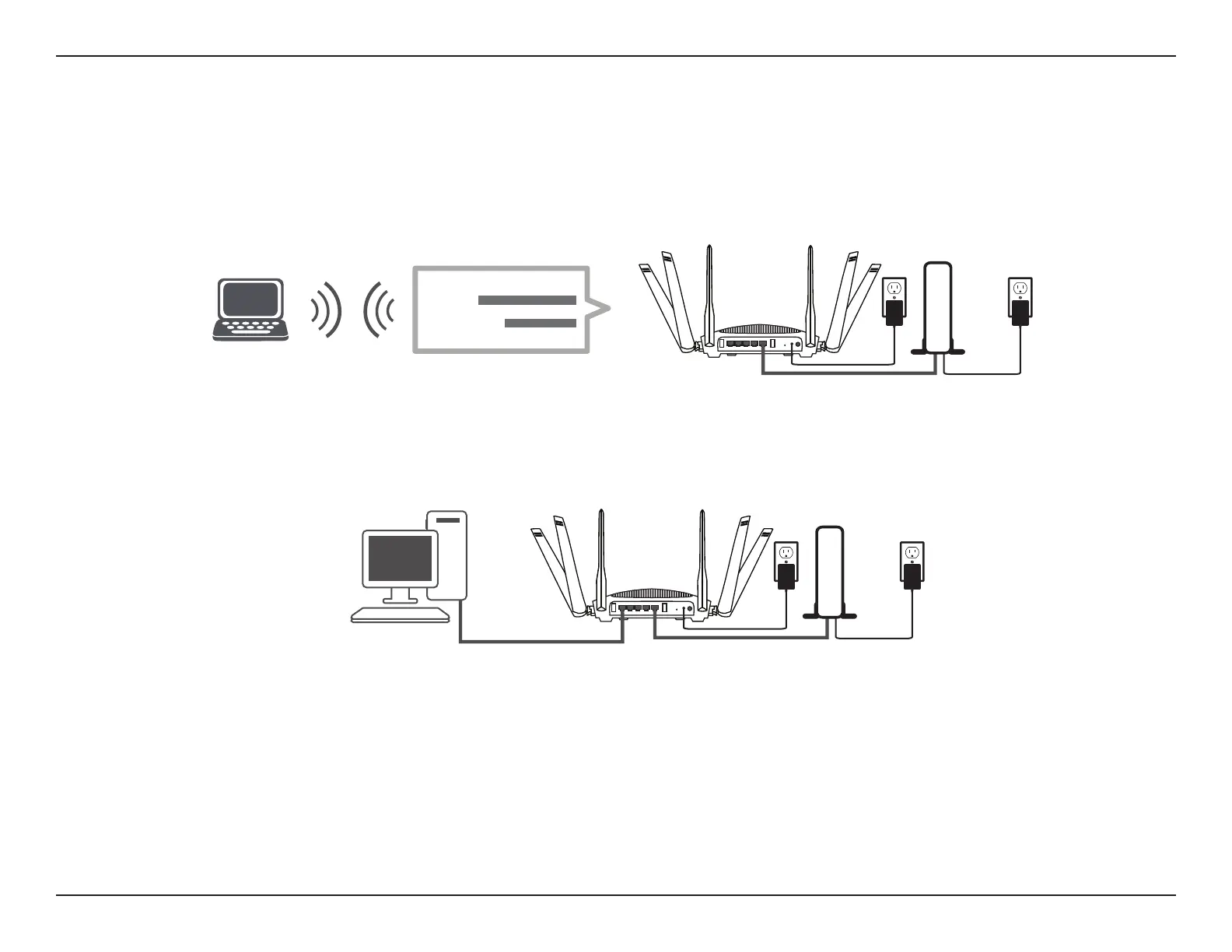
If you are conguring the router from a PC with a wired Ethernet connection, plug one end of an Ethernet cable into the
port labeled 1 on the back of the router, and the other end into the Ethernet port on your computer.
Step 8
If you are connecting to a broadband service that uses a dynamic connection (not PPPoE), you may be online already. Try
opening a web browser and connecting to a website. If the website does not load, proceed to Setup Wizard on page 15.
Step 7
If you are conguring the router wirelessly from a PC, connect to the Wi-Fi network printed on the label attached to the
bottom of your router or in the Quick Installation Card.
SSID:
Password:
Modem


 To Next Page