72D-Link DIR-600L User Manual
Section 10 - Connecting to a Secured Wireless Network (WEP, WPA-PSK & WPA2-PSK)
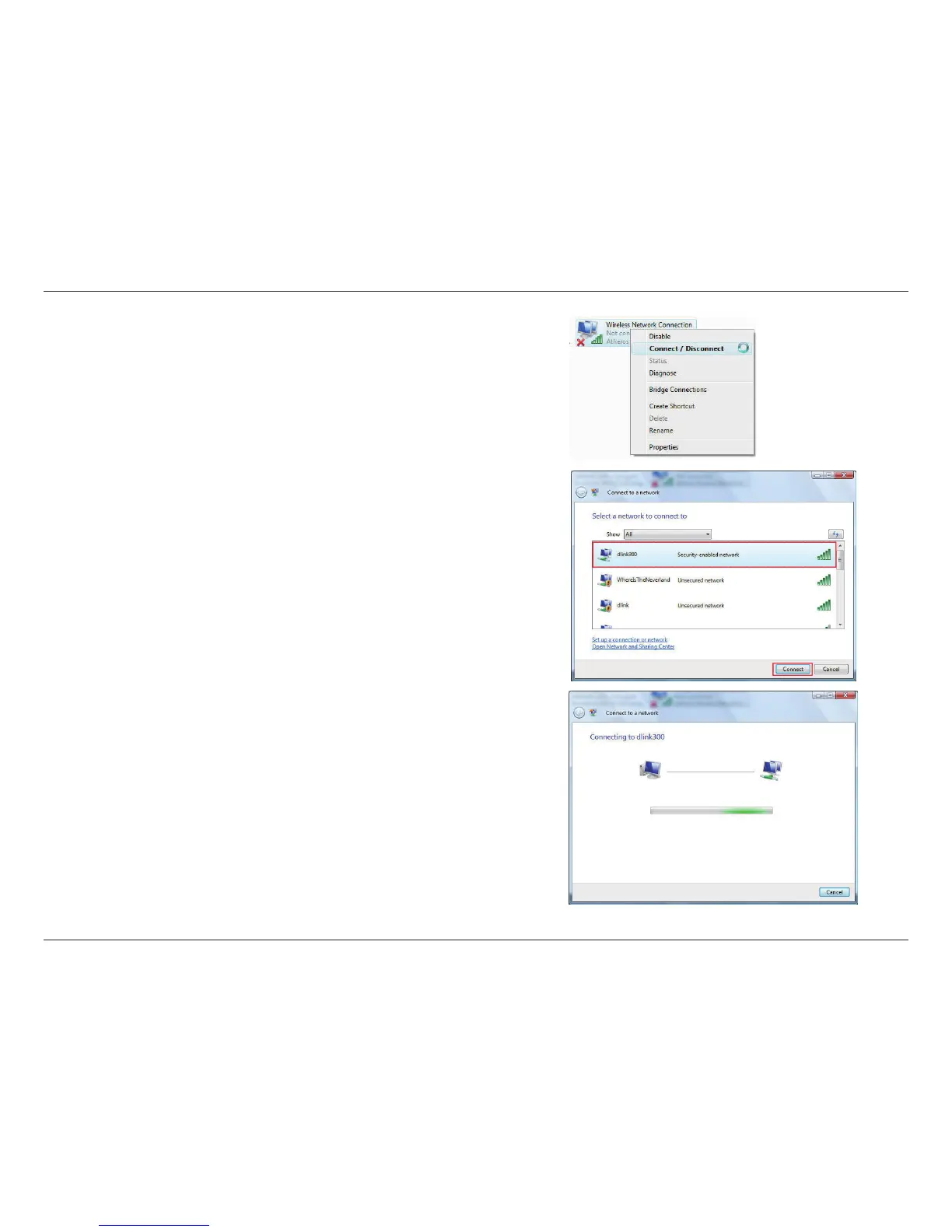
4. Select a network to connect to in the Select a network to connect to
window in the Connect to a network wizard and then click the Connect
button.
5. The following Connect to a network wizard window displays the system
progress.
3. Right-click the Wireless Network Connection entry and then select
Connect/Disconnect from the drop-down menu.












 To Next Page