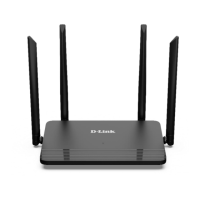
DIR-822 Quick Installation Guide
Default Settings
IP address of wireless router
192.168.0.1
Username (login)
admin
Password
admin
Name of wireless network
(SSID)
2.4GHz
dlink-XXXX
1
5GHz
dlink-XXXX-5GHz
2
Network key (PSK)
see the field Password
on the bottom panel of
the device
3
!
For security reasons, DIR-822 with default settings cannot connect to
the Internet. To get started, please set your own password used to
access the web-based interface and, if needed, configure other settings
recommended by your ISP.
1 See the field Wi-Fi Name (SSID) 2.4GHz on the bottom panel of the device. For the models of the
hardware version /RU the default network name is DIR_822C1A.
2 See the field Wi-Fi Name (SSID) 5GHz on the bottom panel of the device. For the models of the hardware
version /RU the default network name is DIR_822C1A-5G.
3 For the models of the hardware version /RU the default network key is WPS PIN.
3



 To Next Page