57D-Link DIR-868L User Manual
Section 3 - Usage
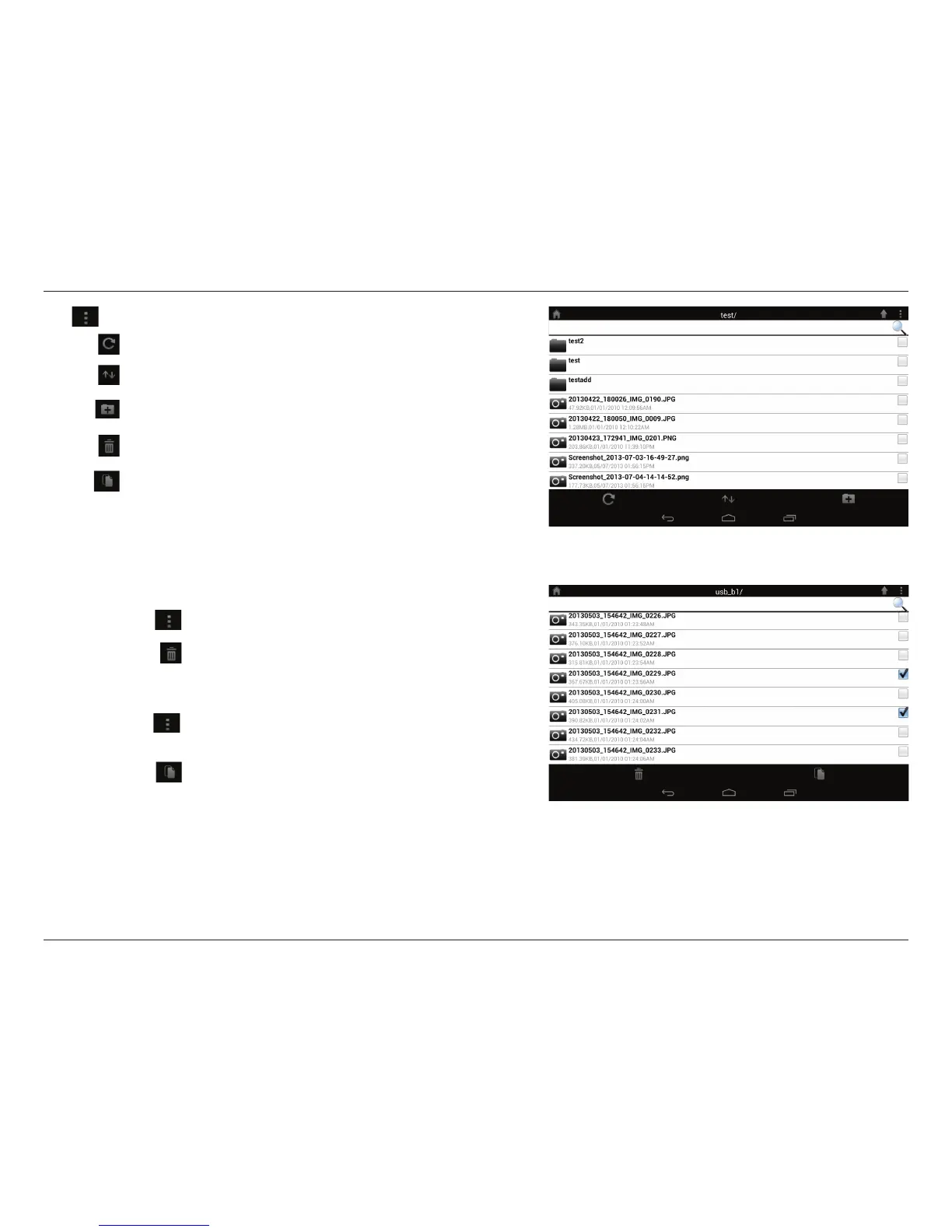
To copy les:
• Tap on
to select files for copying. Tick the box next
to each file for copying.
• Tap on
to browse to the destination.
Tap to select les and perform the following actions:
Tap to update the list of les.
Tap to sort the les by name, size, type, or date.
Tap to create a new folder.
Mark a le then tap this icon to delete it.
Mark a le then tap this icon to copy it.
To delete les:
• Tap on
and tick the box next to a file for deletion.
• Tap on
to delete your selected files. Tap OK to
confirm.





 To Next Page