43
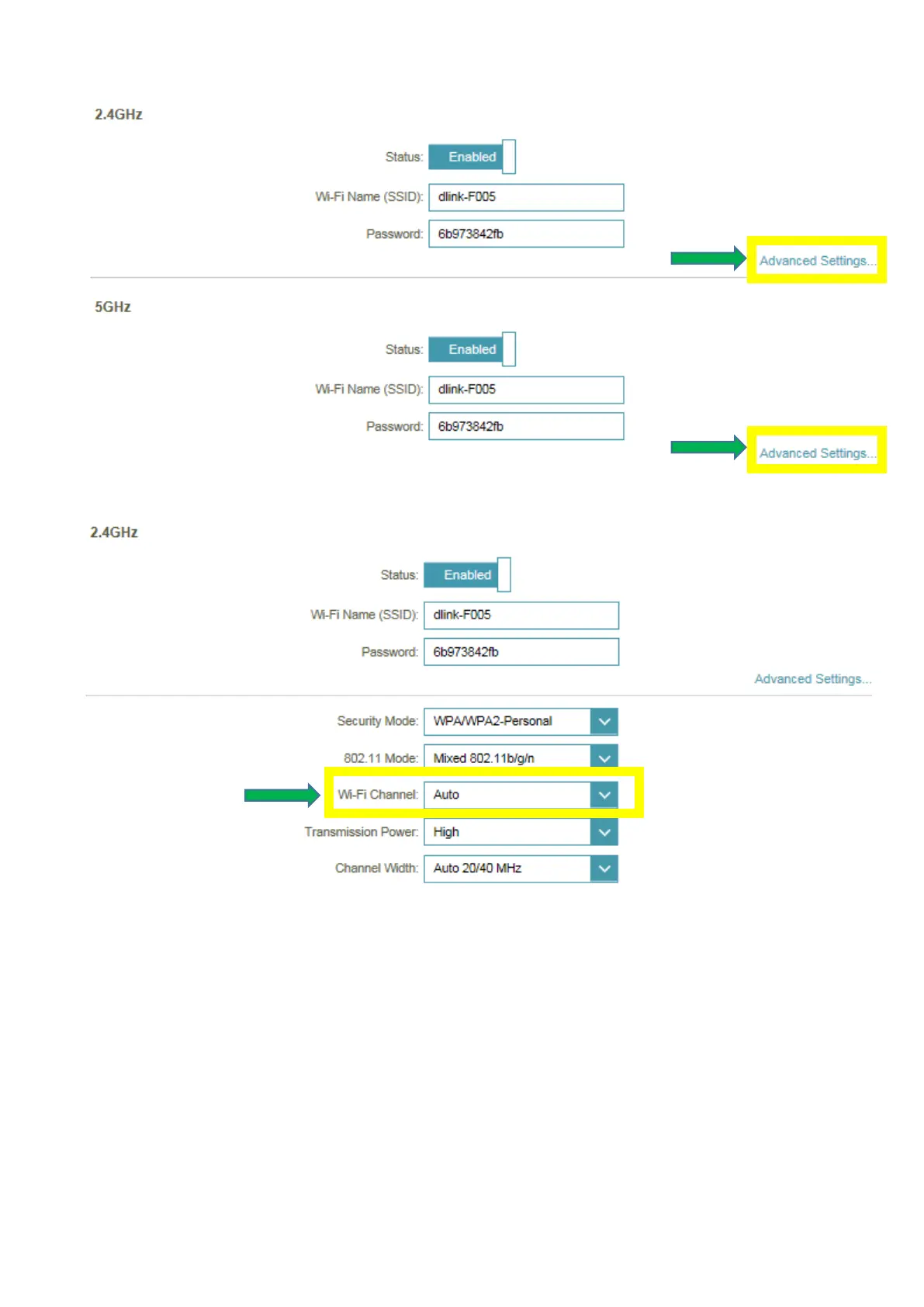
Step 2: Click Advanced Settings for both 2.4G and 5G bands:
Step 3: Click Wi-Fi Channel box, select your desired Channel and click Save
2. Check or change the location of your router-- even a subtle changes (2-3 feet) can make a big
difference.
- Ensure the router is in a well ventilated and open area (Do not put the router in a cabinet
or enclosed area)
- Other devices that use the 2.4Ghz/5Ghz wireless band will interfere with your wireless network,
these include- (Microwaves, wireless cameras, baby monitors). If needed, place the router or the
other devices in a different area if they are close to each other.



 To Next Page