71
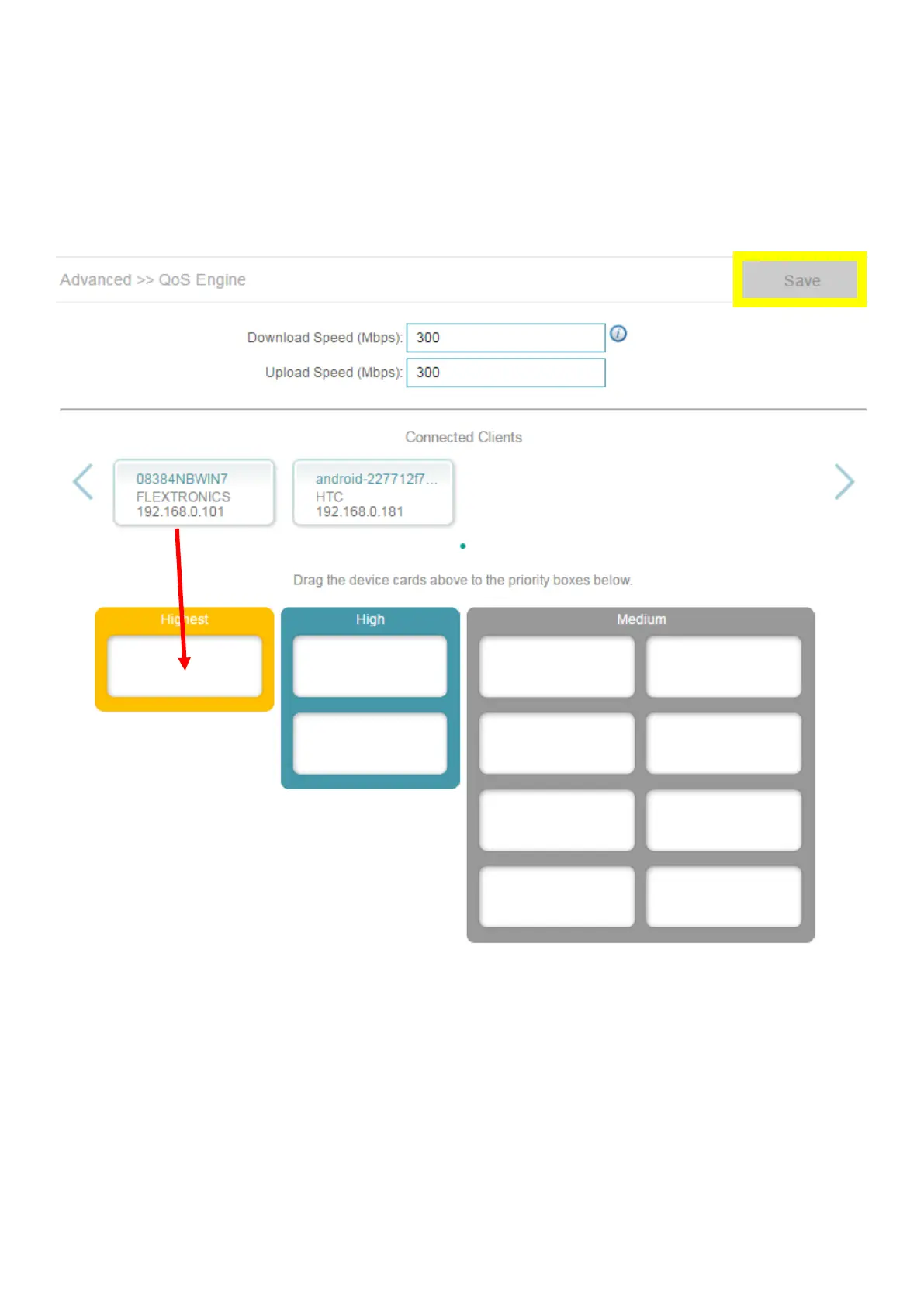
Step 2: To assign a priority level to a device, drag the device card from the Connected Clients list to
an empty slot and release the mouse button. The card will move to the priority slot. If you want to
remove a priority assignment from a device and return it to the All Devices list, click the cross icon in
the top right of the device card.
• A maximum of one device can be assigned Highest priority.
• A maximum of two devices can be assigned High priority.
• A maximum of eight devices can be assigned Medium priority.



 To Next Page