8D-Link DNS-323 Quick Install Guide
Configuration
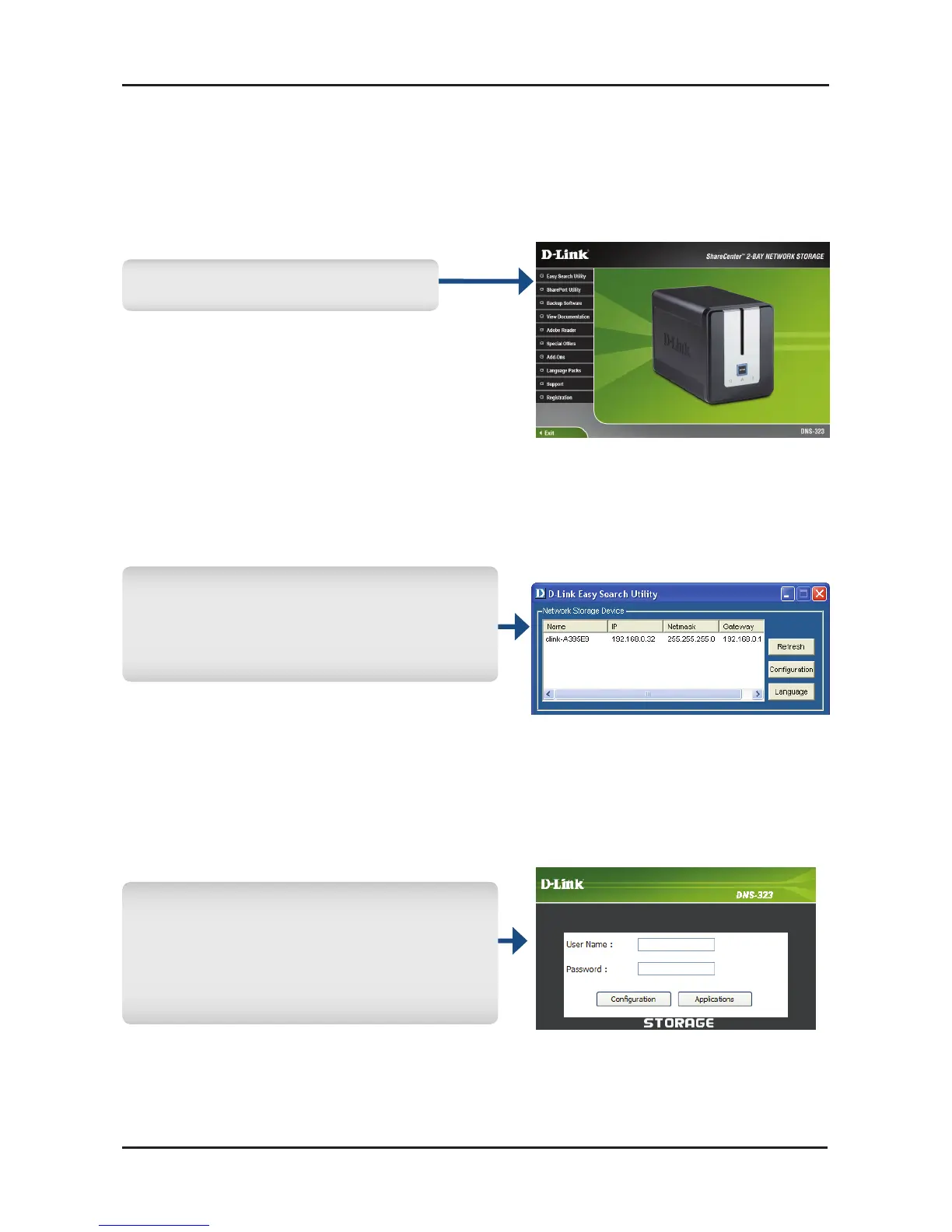
Togetstarted,inserttheDNS-323CDintoyourCD-ROMdriveand
clickonEasySearchUtility:
Highlight an available DNS-323
andclickCongurationtoaccess
theweb-basedutility.
Atthe login screen, typeadmin
fortheusernameandleavethe
passwordeldblank.Thenclick
Conguration.
Getting Started
SelectEasy Search Utility.



 To Next Page
 Loading...












