DSL-245GR Quick Installation Guide
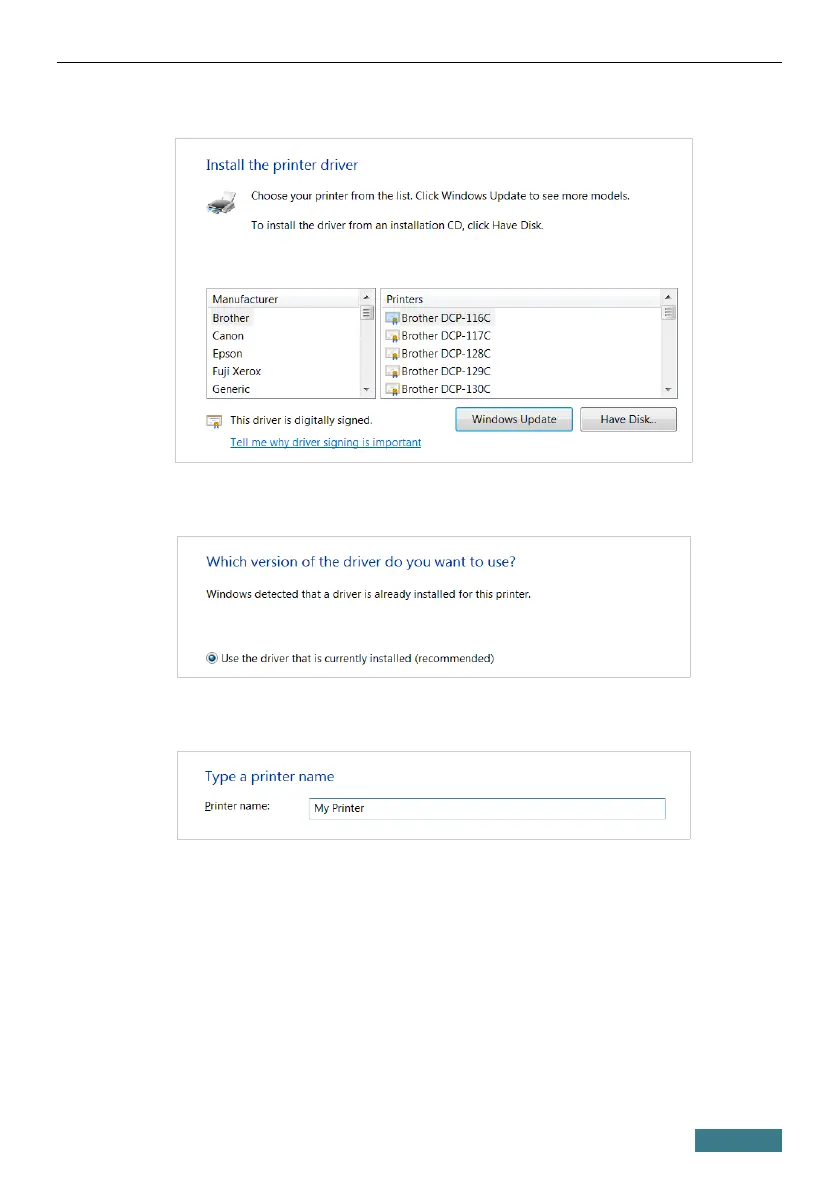
12. Select your printer and click the Next button.
13. Select the Use the driver that is currently installed choice of the
radio button and click the Next button.
14. Enter a name of the printer (you can specify any name) in the Printer
name field and click the Next button.
41



 To Next Page