Step 4: Wireless Security Settings
1. SSID Type: Root (Main Wireless)
2. Encryption: WPA2 Mixed/WPA2(AES)/WPA2(TKIP)
2.1. For Apple devices you will have to change the Encryption to WPA (AES)/WPA (TKIP)
3. WPA Authentication Mode: Personal (Pre-Shared Key)
4. Pre-Shared Key Format: Passphrase
5. Pre-Shared Key: must be a minimum of 8 characters
Note: Your wireless password will only be displayed in plain text the first time you type it in
your web browser.
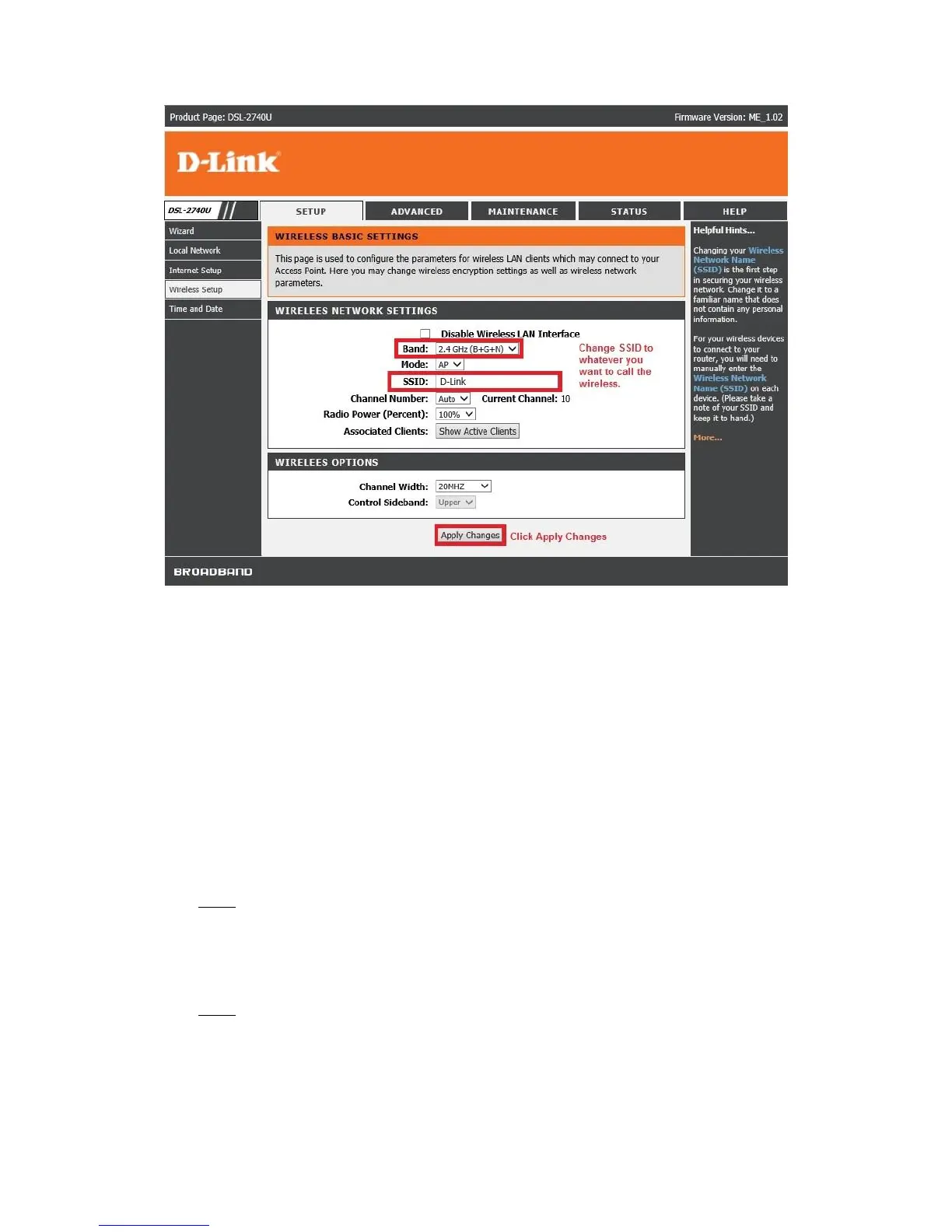
6. Click “Apply Changes”.
Note: Router will restart the WLAN (Wireless) after you click “Apply Changes”, takes 20
seconds.



 To Next Page
 Loading...












