Sharing Files
H. You will now be able to identify a particular folder or disk
drive to share. You may want to share a folder that both you
and a colleague/family member needs to access occasionally.
Or, maybe you want to share a CD-ROM drive so your other
computer that does not have one can read CD’s. Both of
these processes are the same. Only the disk drives and folders
that you specifically identify as shared will be accessible to
other computers on your network.
I. Find the disk drive or folder you want to share with
Windows Explorer or the "My Computer" icon on your desktop.
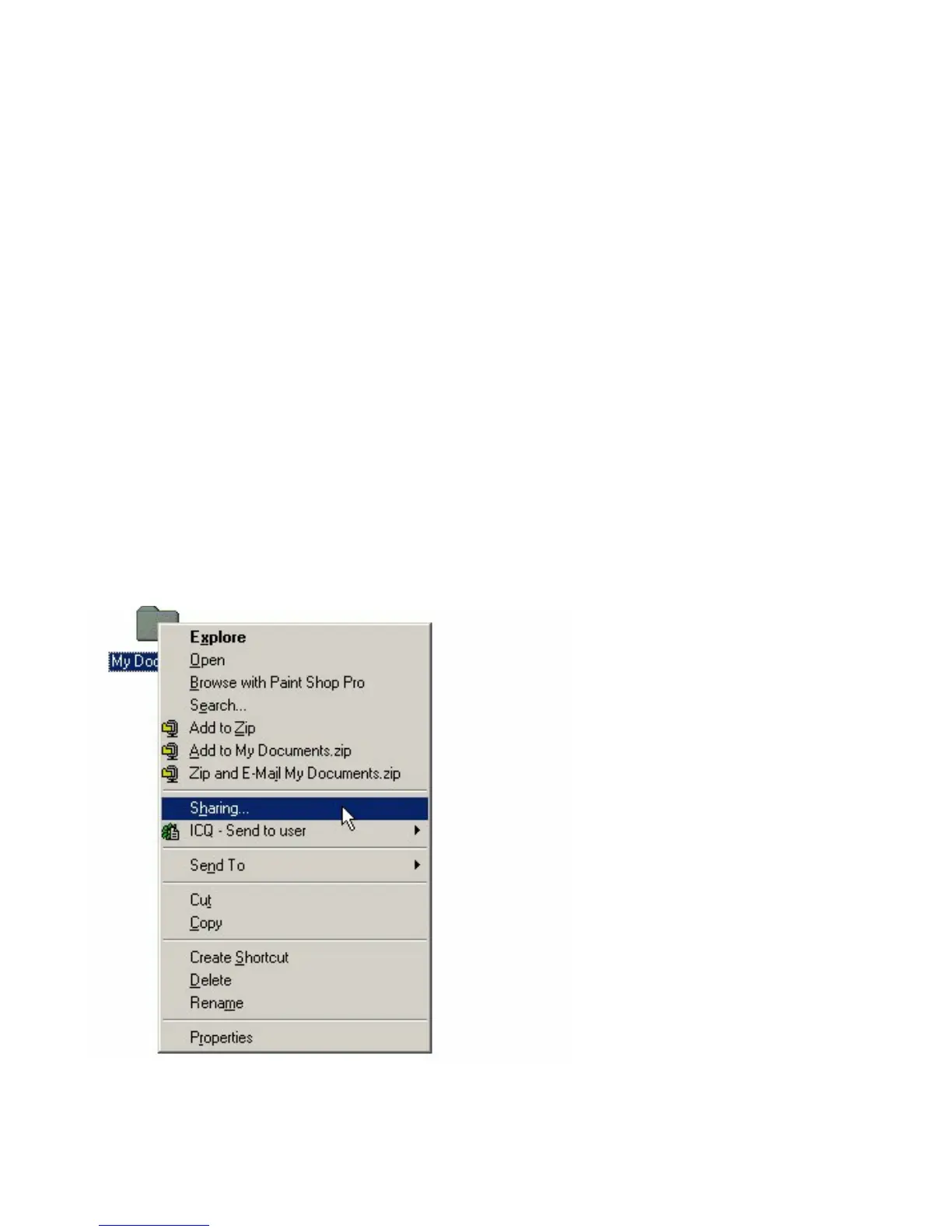
J. Right-click on the disk drive or folder icon and select "Sharing."
43











 To Next Page