11
DWL-3200AP User’s Manual
D-Link Systems, Inc.
Getting Started
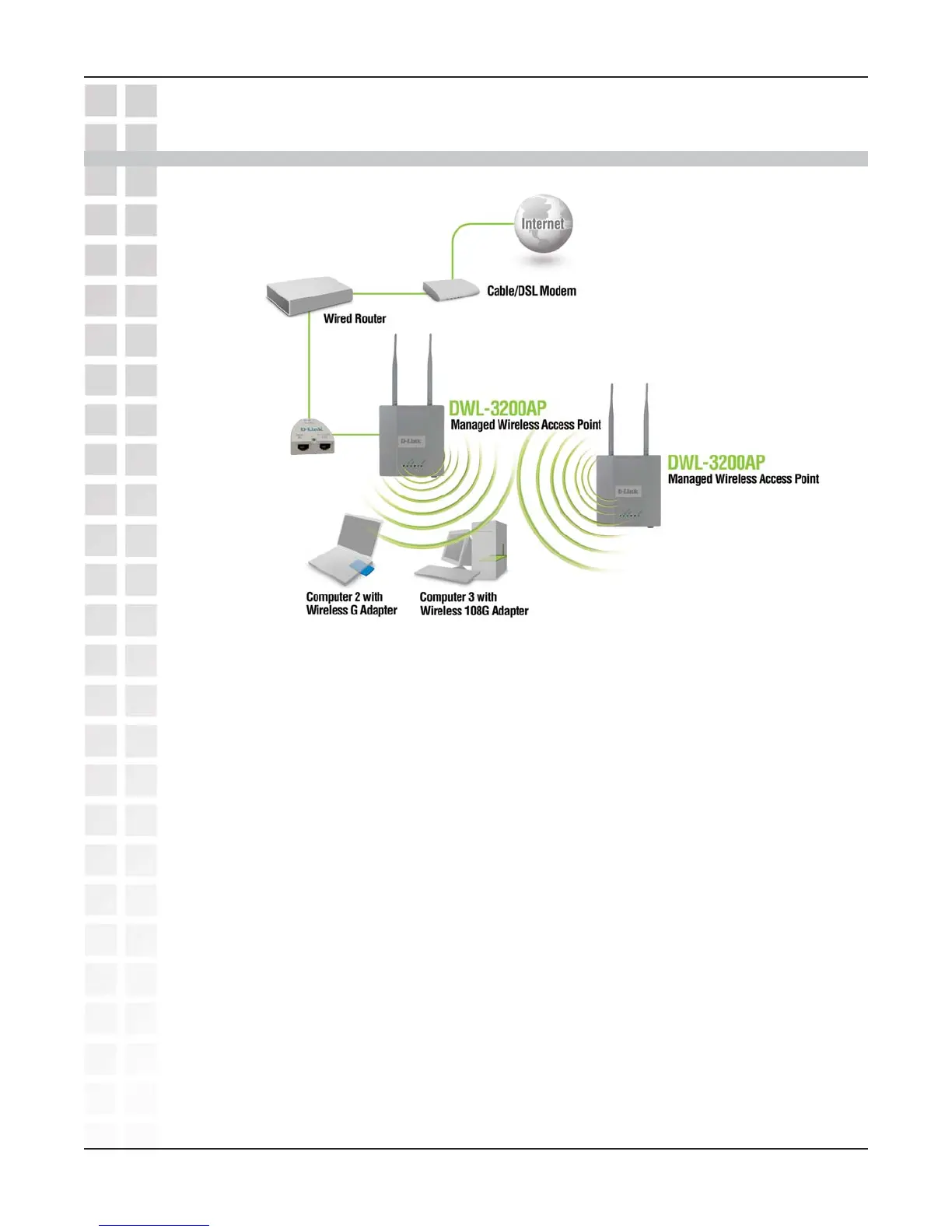
Consult with your Cable or DSL provider for proper installation of the modem.
Connect the Cable or DSL modem to a Router.
(
See the printed Quick Installation Guide included with your router.
)
If you are connecting a desktop computer to your network, install the D-Link
DWL-G520 wireless PCI adapter into an available PCI slot on your desktop
computer.
(See the printed Quick Installation Guide included with the network adapter.)
Install the drivers for the D-Link DWL-G650 wireless Cardbus adapter into a
laptop computer.
(
See the printed Quick Installation Guide included with the DWL-G650.
)
Connect the DWL-3200AP to the PoE base unit.
(
See the printed Quick Installation Guide included with the DWL-3200AP.
)
Connect the Ethernet Broadband Router to the PoE base unit.
(
See the printed Quick Installation Guide included with the DWL-3200AP.
)
2
3
4
5
6
7
You will need broadband Internet access.
11
11
1













 To Next Page