19
DWL-3200AP User’s Manual
D-Link Systems, Inc.
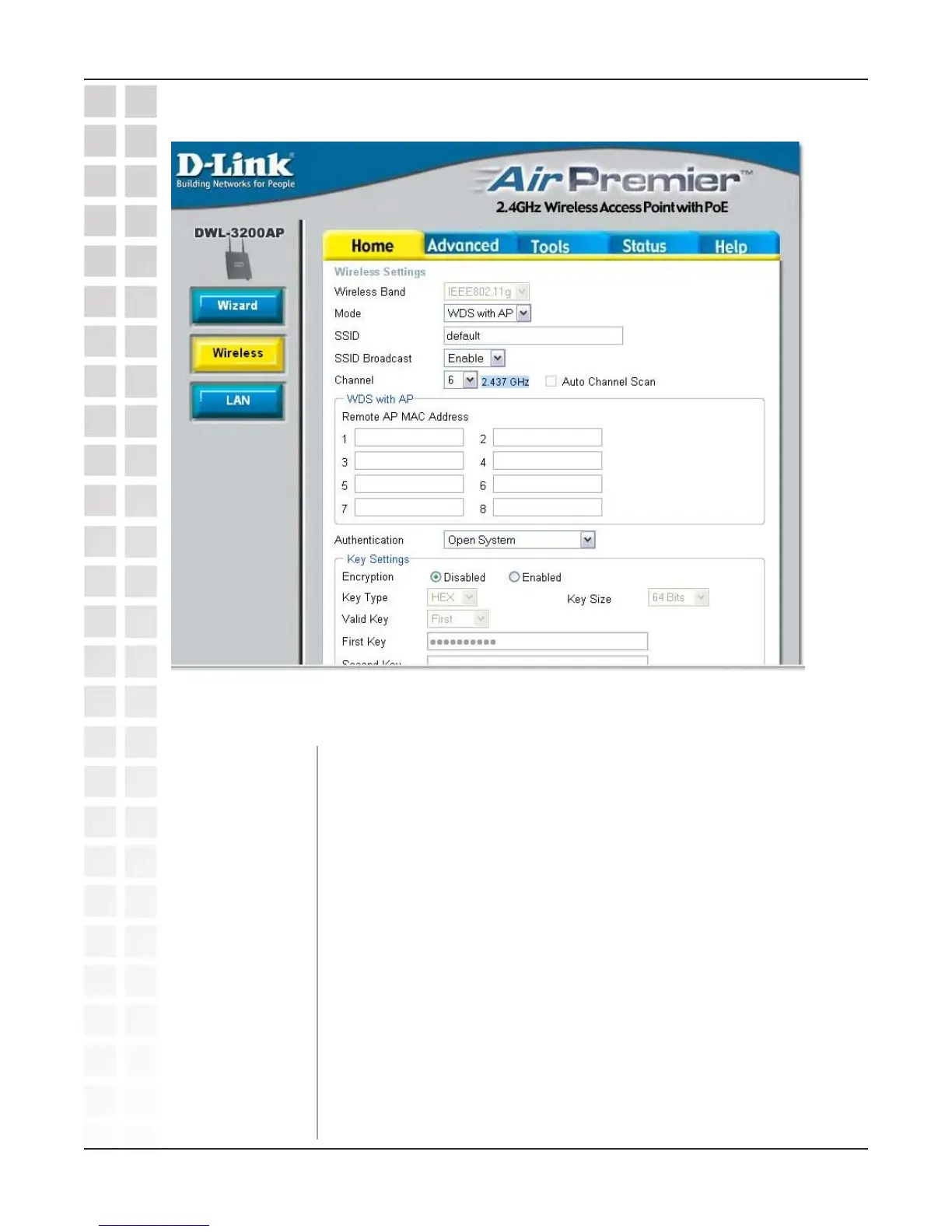
Home > Wireless > WDS with AP mode
WDS with AP mode is selected from the pull-down menu.
Service Set Identifier (SSID) is the name designated for a specific
wireless local area network (WLAN). The SSID’s factory default
setting is default. The SSID can be easily changed to connect to an
existing wireless network or to establish a new wireless network.
Enable or Disable SSID broadcast. Enabling this feature broadcasts
the SSID across the network.
6 is the default channel. All devices on the network must share the
same channel. (Note: The wireless adapters will automatically scan
and match the wireless setting.)
Select Enable or Disable. (Enable this feature to auto-select the
channel for best wireless performance.)
Mode:
SSID:
SSID Broadcast:
Channel:
Auto Channel Scan:
Wireless Band:
IEEE 802.11g
In WDS with AP mode, the DWL-3200AP wirelessly connects multiple networks, while
still functioning as a wireless AP.













 To Next Page