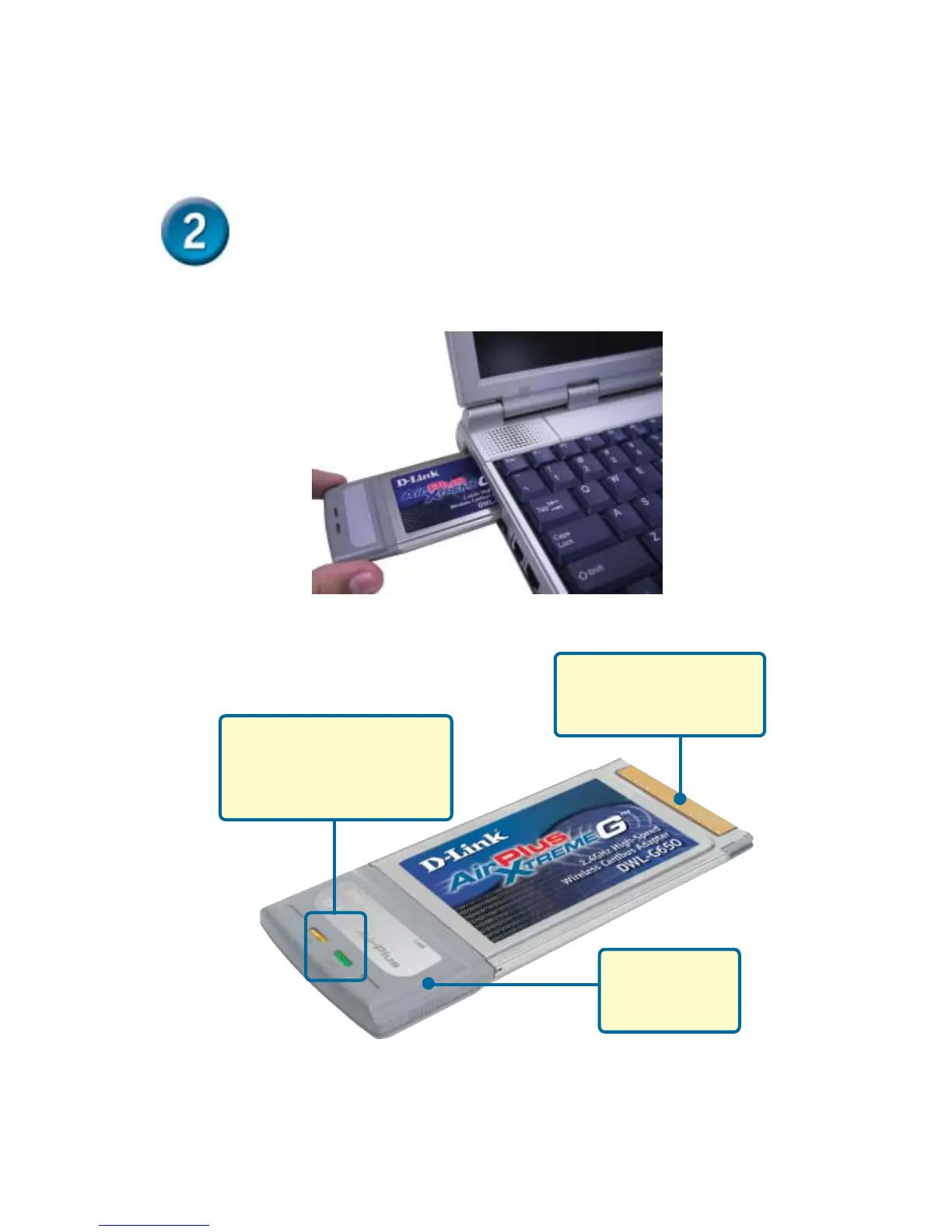
Installing the DWL-G650 Wireless
Cardbus Adapter in Your Computer
Link/Activity LED
Indicates that the DWL-G650 is
properly installed when the
computer is on and blinks when
data is being transmitted
Antenna
Used to wirelessly
connect to 802.11b
networks.
A. Make sure to turn off the laptop computer.
B. Locate the Cardbus slot on your laptop computer.
32-bit connector
This is the connector that fits
into the Cardbus slot of your
laptop.
C. Gently insert the DWL-G650 into the Cardbus slot in your laptop
computer (as shown.)








 To Next Page