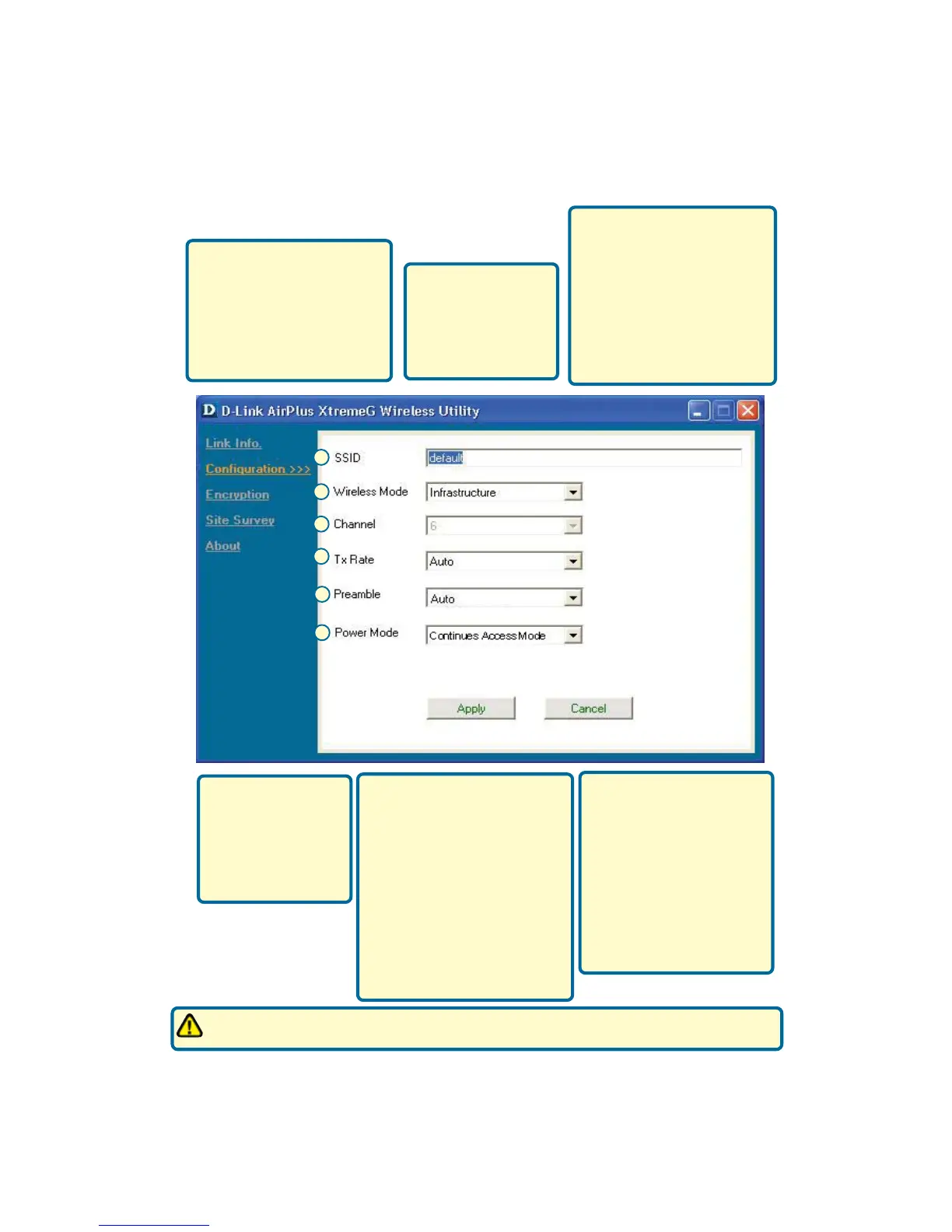
G. SSID: The Service Set
Identifier is the name as-
signed to the wireless
network. The factory SSID
setting is set to default. Make
changes here to match the
SSID on existing Wireless
Router or Access Point.
H. Wireless Mode:
The factory setting is
set to Infrastructure.
Ad-Hoc mode is used
for peer-to-peer
networking.
I. Channel: By default, the
channel is set to 6. Channel
selection is automatically
determined by the DWL-G650
depending on the channel
setting of the access point
selected for association. To
change the channel settings,
the Wireless Mode must be
set to Ad-hoc.
J. TxRate: You can
adjust the transmis-
sion rate to get the
best signal possible
depending on your
usage and your
environment.
K. Preamble: By default,
D-Link Air Products are set to
Auto Preamble. The Preamble
defines the length of the CRC
block (Cyclic Redundancy
Check is a common technique
for detecting data transmis-
sion errors) for communica-
tion between the Access Point
and wireless network adapt-
ers. High network traffic areas
should use the shorter
preamble type.
Appendix
K
H
I
G
J
L. Power Mode: By default,
Power Mode is set to
Continuous Access Mode.
Continuous Access Mode
— this default setting
consumes the most power.
Maximum Power Save —
this setting consumes the
least power. Power Save
— this setting consumes a
moderate amount of power.
The preamble setting of the DWL-G650 must match the preamble setting of the Wireless
Router or Access Point in order to communicate on the network.
L








 To Next Page