16
Editing a Video
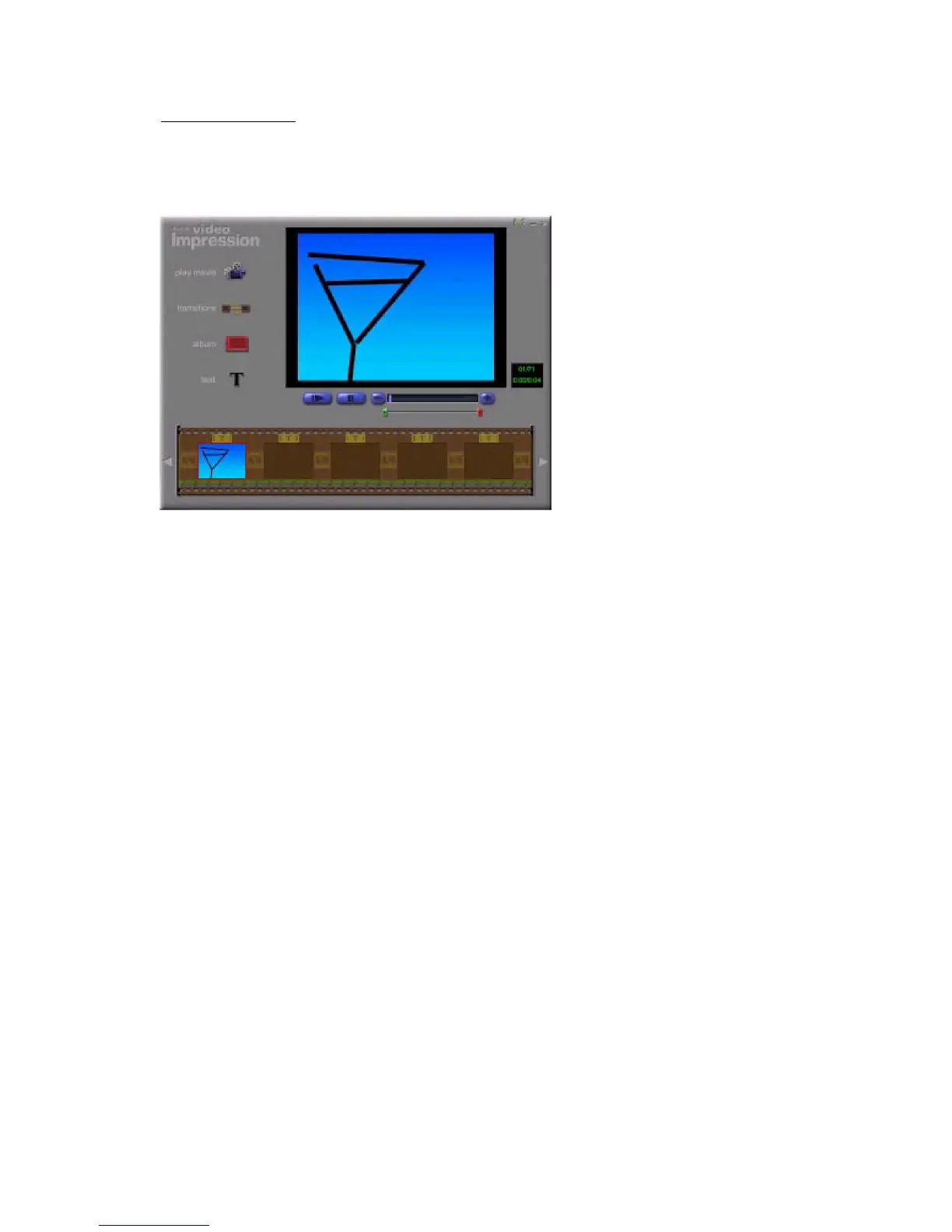
Options on the Edit Screen for Video Files
Play - starts the video.
Pause - stops the video. Clicking the button again resumes play.
Previous Frame (-) - moves the video back one frame.
Next Frame (+) - moves the video forward one frame.
Playback Slider - shows a marker that moves across the slider as the video plays.
Starting Mark - allows you to set where you want the video to begin (the green mark).
Ending Mark - lets you set where you want the video to finish (the red mark).
Movie File Edit Screen



 To Next Page