4
Ultra-e
TM
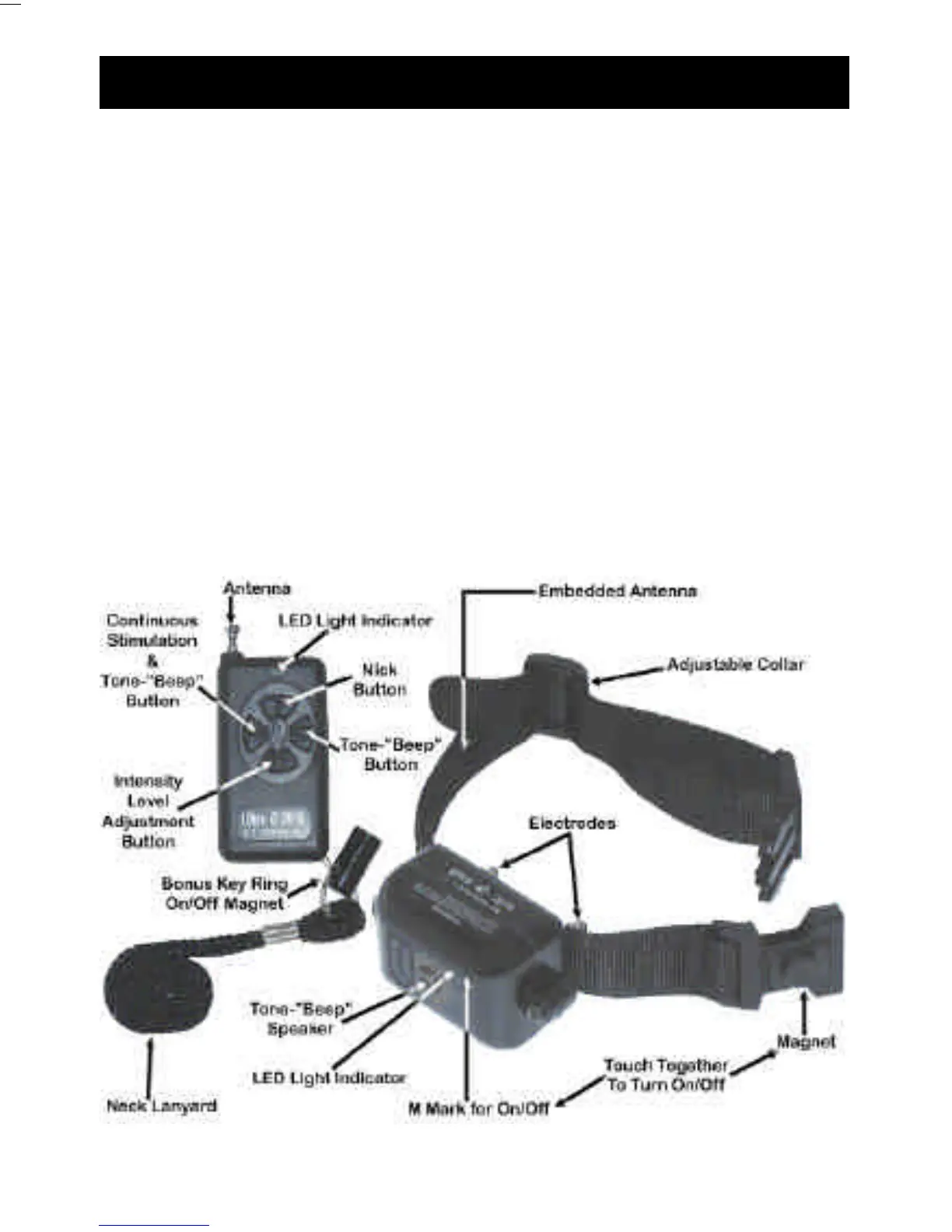
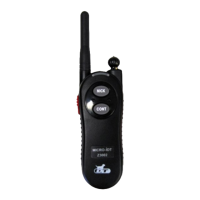
Model and Function
Ultra-e 2010
Button Functions:
# I - “Nick”
# II - Continuous Stimulation & Tone-”Beep” Simultaneously
# III - Tone-”Beep” only
# IV - Intensity Level adjustment
(See page 11 for instructions on how to change Ultra-e
TM
batteries)
Transmitter Collar/Receiver
17
6) Q : My Transmitter LED lights when any button on
the transmitter is pushed, and the collar LED is
blinking (indicating the unit is ON), but the unit
is not working.
A: The transmitter and collar frequencies are not in
synch. Try the following procedure to restore...
Trouble Shooting Questions & Answers cont.
1. Turn the collar ON by touching the magnet to the M
on the collar. You should hear a long “beep”
followed by a series of short “beeps” which indicate
the current level of intensity (i.e. 5 beeps indicates the
unit is on intensity level 5). DO NOT MOVE THE
MAGNET.
2. Keep the Magnet on the M until you hear 3 beeps
from the collar.
3. Now push one of the buttons on the Transmitter (it
does not matter which button you push).
4. You should now hear a series of 5 beeps.
5. Release the Magnet from the M .
6. Turn the unit OFF, and then turn back ON.
7. If the unit is still not working repeat steps 1-5.
5) Q : The LED Lights on my Transmitter and
Collar/Receiver have gotten very dim.
A : This indicates a low batteries. You may continue
to use the unit until it stops working.




 To Next Page