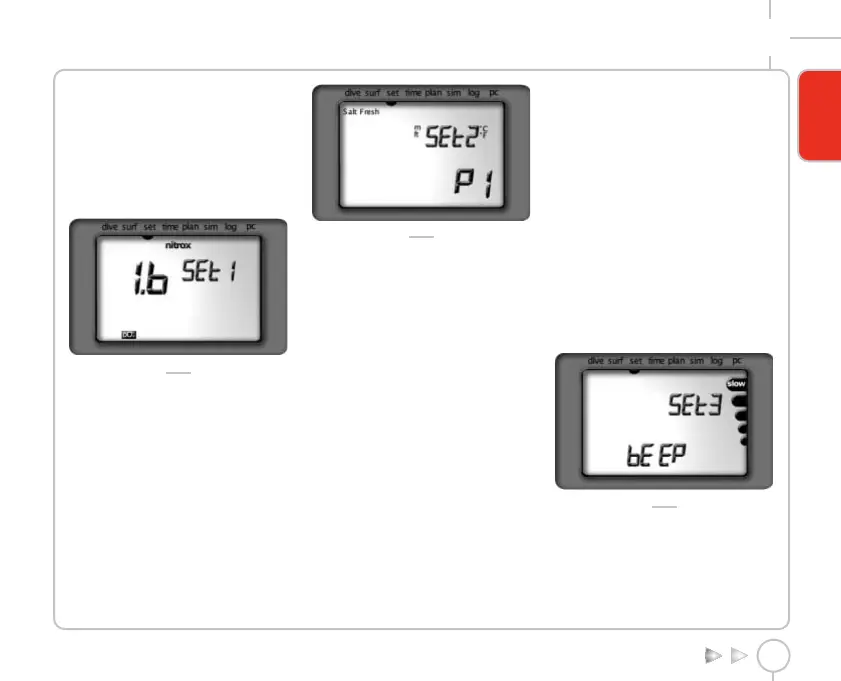
MAXIMUM O2 PARTIAL PRESSURE SETUP
The maximum partial pressure of O2, which
triggers an alarm if exceeded, can be
programmed between a minimum of 1.2 bar
(17.4 psi) and a maximum of 1.6 bar (23.2 psi)
in increments of 0.1 bar (1.45 psi) (fig. 4).
Increase the value by pressing the <-> button.
Press the <Mode> button to save the changes
made and advance to SET2.
FIG. 4
SET2 - MAIN PARAMETER SETUP
The display initially shows the various parameters
which can be programmed in the SET2 function
group (fig. 5):
Altitude program.
"°C" or "°F" temperature units.
"m" or "ft" depth units.
"salt" or "fresh" water.
FIG. 5
To enter SET2 press the < Mode > button for
approximately 2 sec.
To skip to SET3 press and immediately release the
<Mode> button.
To go back to SET1 press and immediately release
the <-> button.
ALTITUDE PROGRAM
On entering this setup, the currently selected
altitude program (P0, P1, P2, P3) is displayed;
press the <-> button to select the next
altitude program. Press the <Mode> button to
skip to the next parameter.
TEMPERATURE UNIT SETUP
On entering this setup, the currently selected
unit of measurement will start blinking; use the
<-> button to change the setting. Press the
<Mode> button to skip to the next parameter.
DEPTH UNIT SETUP
On entering this setup, the currently selected
unit of measurement will start blinking; use the
<-> button to change the setting. Press the
<Mode> button to skip to the next parameter.
FRESH/SEA WATER SETUP
On entering this setup, the currently selected
option (fresh or seawater) will start blinking.
Use the <-> button to change the setting. Press
the <Mode> button to skip to SET3.
SET3 - OPTIONAL PARAMETER SETUP
The display initially shows the indications of the
parameters which can be programmed in the SET3
function group (fig. 6):
"BEEP".
Ascent rate icons.
To enter SET3, press the <Mode> button for
approximately 2 sec.
To skip to SET4, press and immediately release the
<Mode> button.
To go back to SET2, press and immediately release
the <-> button.
FIG. 6
BEEPER SETUP
This function is used for inhibiting or enabling
the audible alarms.
On entering this setup, the 'beep' message
appears together with the current setting (ON
or OFF).
DARWIN DIVE COMPUTER
9
ENGLISH
Darwin.qxd 29/03/2002 16.45 Pagina 9



 To Next Page