ENGLISH10
Operations
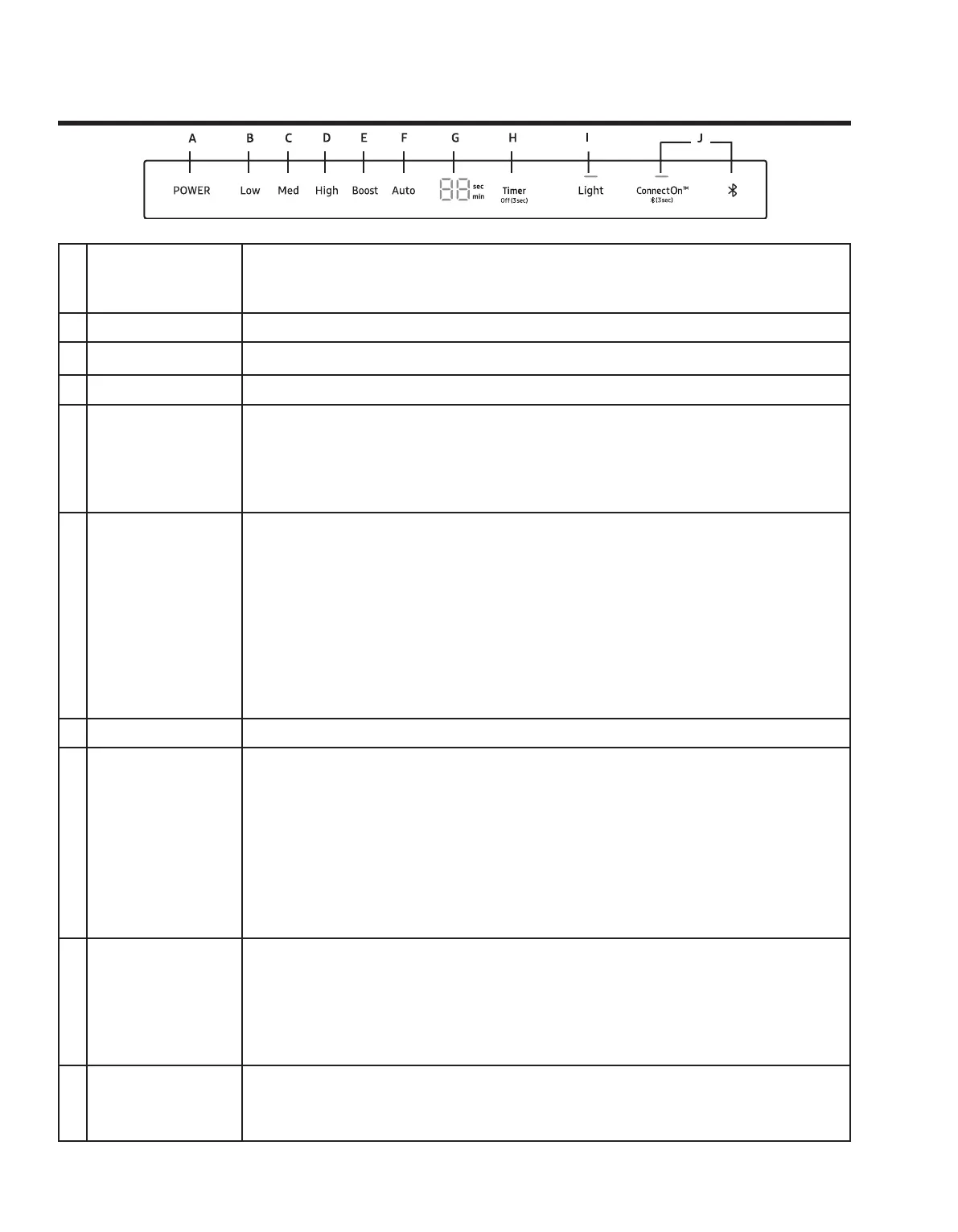
A Power
• POWER button and the hood will be activated at default speed (de
•
B Low • Low button and the hood will be activated at low speed.
C Med • Med button and the hood will be activated at medium speed.
D High • High button and the hood will be activated at high speed.
E Boost
Boost button and the hood will be activated at maximum speed for 10
minutes. After 10 minutes, the hood will slow to high speed.
• High & Boost
• HighBoost
F Auto
• AutoAuto is
activated, the fan speed will increase as the cooktop heat increases and decrea
se as the cooktop heat decreases.
• Low, Med,
High or Boost
Auto button.
•
Bluetooth) the hood will operate at low speed, until Power button is pressed.
•
tooth with a compatible Dacor cooktop.
G Timer Display • Shows the timer settings.
H Timer
Setting the Timer ON
• Timer button to set the working time.
• Timer, you add 10 minutes to the displayed time, up
to a maximum of 99 minutes. The hood will stay on for the amount of time you
have set.
• After the Timer
Setting the Timer OFF
• Timer button for 3 seconds and the Timer function will turn off.
I
Light
Sound
• Light button. The lights come on at the high setting.
• LightLight
button a third time, the lights turn off.
Muting / Unmuting the hood
• Light button for 3 seconds to turn off the hood sounds.
•
J
ConnectOn
(Auto Connectivity)
• ConnectOn button to activate the function.
• The hood will turn on/off automatically following the cooktop.
•



 To Next Page