EasyManua.ls Logo

Dacor DHD30M700WS - Troubleshooting

Dacor DHD30M700WS
52 pages
Print Icon
To Next Page IconTo Next Page
To Previous Page IconTo Previous Page
Loading...
ENGLISH14


issue, contact Dacor (see Warranty and Service for contact info).
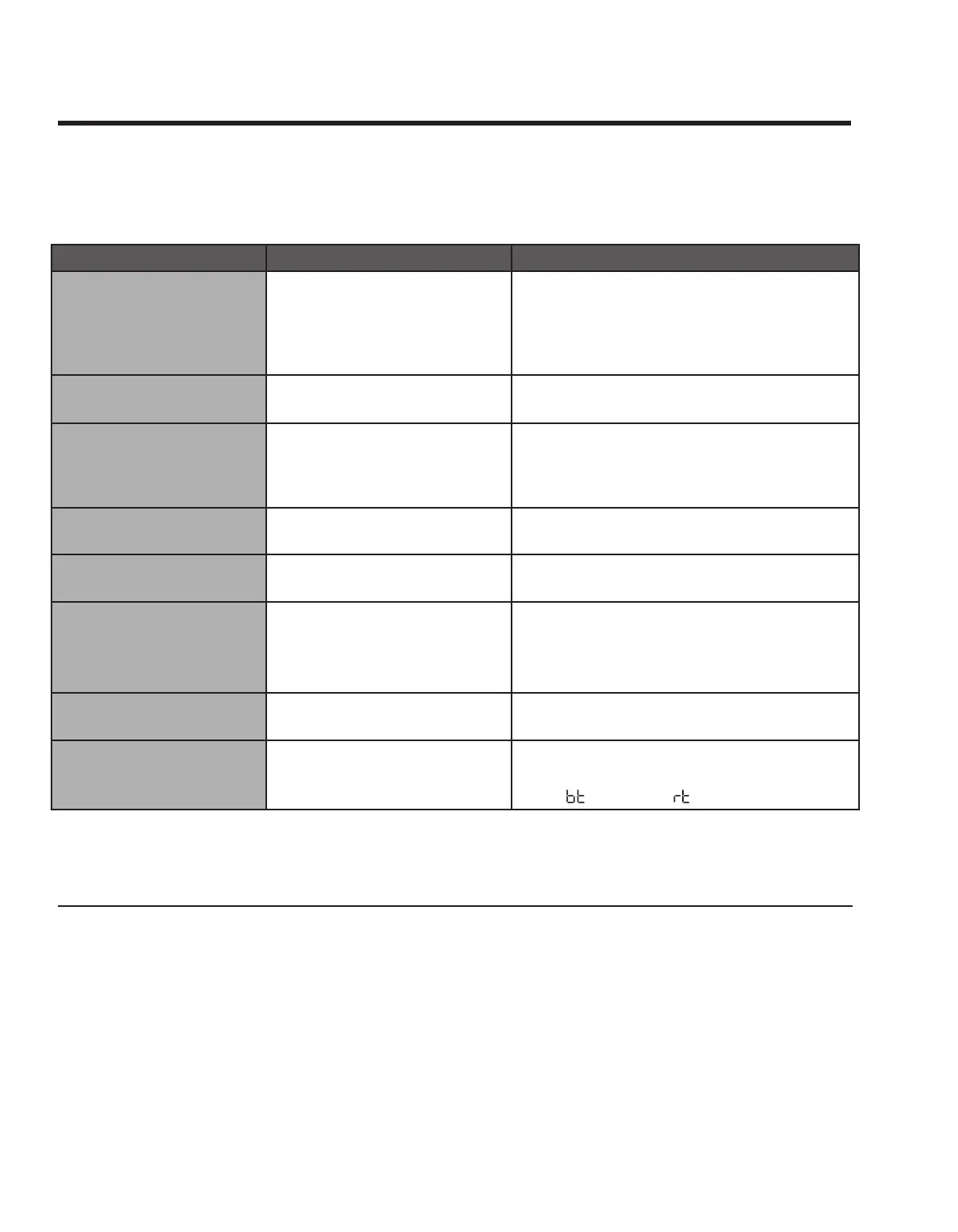
Problem Cause Solution

panel not lit; fan lights not
working)



Hood not connected to the
power source
Check hood’s main power switch; turn on
power at source; check for tripped breaker
or blown fuse.
Call your electric company
Connect it to power source

panel lit; fan working)
 Call for service

smoke properly



ting clogged
See Operating instructions section





set

Max time 99 min.

panel lit; lights working)
 Call for service
 ConnectOn was started
ConnectOn
is enabled or if units paired via Bluetooth with
a Dacor cooktop is on; press POWER to turn off
the fan
ConnectOn not working
The hood is not connected to the
cooktop
Only a Dacor compatible cooktop can be paired
with the hood.
Bluetooth light blinks or
shuts off automatically
The hood has trouble connec
ting to a compatible range or
cooktop

Light and ConnectOn for 5 secs (display
shows changes for )


Getting Help
Before requesting service:
1. Review Troobleshooting
2. 
3. 
Hours of operation: 
Phone: 
Product Information: knowledgebase.dacor.com
Website: www.dacor.com
Troubleshooting

Related product manuals