EasyManua.ls Logo

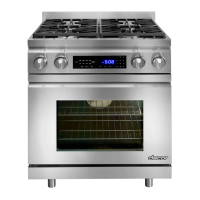
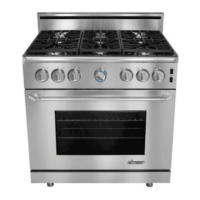
Dacor DOP36M96GL Series - User Manual

Dacor DOP36M96GL Series
106 pages
Print Icon
To Next Page IconTo Next Page
Loading...
User Manual
Modernist Pro Range
DOP36M96GL*
NX9900R_PRO RANGE_DOP36M96GL_DG68-01105C-00_EN.indd 1 2019-02-06  2:30:19

Questions and Answers

  • R
    Richard SimmonsAug 16, 2025
    How to fix Dacor Ranges surface burners that won't light?
    • T
      Todd CortezAug 16, 2025
      If the surface burners on your Dacor Ranges do not light, even with proper power and gas supply, try these solutions: * **Control Knob:** Push in the control knob and turn it to the Lite position. * **Burner Caps/Base:** Ensure the burner caps are correctly placed and the burner base is properly aligned. Clean the electrodes.
  • R
    robertpittmanAug 19, 2025
    Why is the oven door locked on my Dacor DOP36M96GL Ranges?
    • N
      nelsonrichardSep 12, 2025
      If the oven door on your Dacor Ranges is locked, it could be due to a tripped circuit breaker or a power failure while the door was locked. To resolve this, activate Control Lockout, and then unlock the control. See the Child Lock section on page 68.
  • M
    Maria RussellAug 22, 2025
    What to do if I smell gas from my Dacor Ranges?
    • M
      Margaret DrakeAug 22, 2025
      If you smell gas with your Dacor Ranges, ensure the surface burner knob is in the OFF position. If the burner isn't lit and the knob is off, or if you suspect a gas leak: * Clear everyone from the building. * Immediately call your gas supplier from a neighbor's phone, as your own phone may cause a spark. Follow their instructions. * If you cannot reach your gas supplier, call the fire department.
  • C
    Cynthia WhiteAug 25, 2025
    Why won't the burner ignite on my Dacor Ranges?
    • B
      brittanybrownAug 26, 2025
      If the burner on your Dacor Ranges doesn't ignite, check these potential causes: 1. **Unplugged cooktop:** Ensure the power cord is plugged into a grounded outlet. 2. **Blown fuse or tripped circuit breaker:** Replace the fuse or reset the circuit breaker. 3. **Gas supply issue:** Refer to your cooktop's Installation Instructions to ensure the gas supply is properly connected and turned on by a qualified technician.
  • C
    Christopher MillerAug 28, 2025
    What to do if my Dacor DOP36M96GL oven will not turn on?
    • A
      alexis21Aug 28, 2025
      If your Dacor Ranges oven won't turn on, consider these possibilities: * **Plug:** Ensure the oven is completely plugged into a live, properly grounded electrical outlet. * **Fuse/Breaker:** Replace the blown fuse or reset the tripped circuit breaker. * **Overheating:** Allow the oven to cool down if it's too hot from previous use. * **Wiring:** Call for service if there is incomplete service wiring. * **Power Outage:** Check if house lights turn on. If not, contact your local electric company.
  • J
    Jessica DonovanAug 31, 2025
    Why is there excessive smoke during self-cleaning cycle of my Dacor DOP36M96GL Ranges?
    • W
      wendy82Aug 31, 2025
      If you notice excessive smoke during the self-cleaning cycle of your Dacor Ranges, it's likely due to excessive soil in the oven. To resolve this, press OFF, open the windows to ventilate the room, wait for the self-cleaning cycle to cancel, wipe up the excessive soil, and then restart the self-cleaning cycle.
  • S
    sandra99Sep 3, 2025
    Why does the display go blank on my Dacor Ranges?
    • B
      Bryan MunozSep 3, 2025
      If the display on your Dacor Ranges goes blank, check whether a fuse in your home has blown or the circuit breaker has tripped. Replace the fuse or reset the circuit breaker.
  • B
    Bethany WardSep 6, 2025
    What to do if the oven door won't open after self-cleaning cycle on my Dacor Ranges?
    • M
      Melissa BoydSep 6, 2025
      If the oven door of your Dacor Ranges won't open after a self-cleaning cycle, it's likely because the oven is still too hot. The automatic door lock will release once the oven cools down sufficiently, allowing you to open the door.
  • V
    victoriawestSep 9, 2025
    Why isn't my Dacor DOP36M96GL oven clean after self-cleaning?
    • S
      sergiohernandezSep 9, 2025
      If your Dacor Ranges oven isn't clean after a self-cleaning cycle: * The oven controls were not set correctly. See the Self Clean section on page 61. * The oven was heavily soiled. Wipe up heavy spillovers before starting the self-cleaning cycle. Heavily soiled ovens may need to be self-cleaned again or for a longer period of time.
  • M
    maria33Sep 12, 2025
    How to make oven racks easier to slide in my Dacor Ranges?
    • A
      Amanda ThomasSep 12, 2025
      If the oven racks in your Dacor Ranges are difficult to slide, especially if they are shiny and silver-colored, it may be because they were cleaned during a self-cleaning cycle. To fix this, apply a small amount of vegetable oil to a paper towel and wipe the edges of the oven racks with it.

Summary

Before You Begin

Installer and User Guidance

Information for installers and users regarding manual usage and appliance details.

Energy Saving Tips

Guidance on efficient oven usage to conserve energy.

Oven Vent System

Information on the location, function, and proper use of oven vents.

Regulatory Notice

FCC Compliance Information

Details on FCC compliance, regulations, and potential interference with devices.

Industry Canada Compliance

Information regarding Industry Canada technical specifications and compliance requirements.

Important Safety Instructions

Manual Symbols and Warnings

Explanation of warning symbols (Warning, Caution, Note) used in the manual.

California Proposition 65 Warning

Warning regarding cancer and reproductive harm.

Massachusetts Installation Requirements

Specific installation requirements for Massachusetts.

General Safety Precautions

General safety precautions to reduce risks of fire, shock, injury, and death.

Fire Safety Precautions

Precautions to reduce the risk of fire, electric shock, and injury.

Gas Safety Procedures

Safety precautions related to gas usage and leak detection.

Electrical and Grounding Safety

Safety guidelines for electrical connections and grounding.

Location Safety Requirements

Safety precautions related to the installation location of the range.

Cooktop Safety Guidelines

Safety precautions for using the cooktop.

Oven Safety Guidelines

Safety precautions for using the oven.

Self-Cleaning Oven Safety

Safety precautions for operating the self-cleaning feature.

Overview

Appliance Layout

Diagram and labels identifying the main components of the range.

Control Panel Display

Explanation of the control panel display elements and indicators.

Included Accessories

List of accessories and components included with the range.

Using the Cooktop

Burner Operation

Description of the different types of burners and their ignition functions.

Cookware Selection

Guidelines for selecting and using appropriate cookware for optimal performance.

Grates and Wok Grate

Instructions on placing, using, and cleaning burner grates and the wok grate.

Using the Oven

Basic Settings Configuration

How to configure clock, date, time, and language settings for the oven.

Kitchen Timer Function

Instructions on setting and using the kitchen timer feature.

Cooking Modes and Timing

Using timed cooking, delay start, and understanding oven functions.

Temperature Adjustment

Instructions on setting and adjusting the oven temperature.

Baking and Broiling Guidance

General guidance for basic baking and broiling operations.

Rack Positioning and Baking

Information on recommended rack positions and multi-rack baking.

Gliding Rack Usage

How to install, use, and remove the extendable gliding rack.

Broiling Recommendations

Guide for broiling various foods, including times and positions.

Specialized Cooking Features

Overview of special functions like Keep Warm, Proof, Healthy Cook, and Temperature Probe.

Cleaning the Oven

Information on using the self-cleaning function and general oven cleaning.

Sabbath and Smart Features

Using Sabbath mode, iQ Control, Child Lock, and Wi-Fi connectivity.

Display and System Settings

How to adjust display settings, volume, lighting, and system preferences.

Care and Maintenance - Cooktop

Cooktop Surface Cleaning

Steps for cleaning spills and maintaining the cooktop surface.

Stainless Steel Care

Procedure for cleaning and maintaining stainless steel surfaces.

Burner Components Maintenance

Instructions for cleaning control knobs, burner grates, caps, heads, bases, and electrodes.

Care and Maintenance - Oven

General Oven Cleaning

Cleaning painted parts, decorative trim, stainless steel, and convection filters.

Oven Racks and Gliding Rack Care

Care instructions for oven racks, including lubrication and cleaning.

Rack Supports and Oven Door

Procedures for removing and reinstalling rack supports and cleaning the oven door.

Changing the Oven Light

Instructions for replacing the oven light bulb, with safety precautions.

Troubleshooting

Gas and Burner Issues

Troubleshooting common gas safety and surface burner problems.

Control and Display Problems

Troubleshooting issues with the control panel, display, and touch controls.

Oven Performance Issues

Troubleshooting common oven problems like not turning on, smoking, or poor cooking.

Error Codes and Information

Explanation of displayed error codes and their solutions.

Warranty and Service

Product Warranty Coverage

Details on what is covered and limitations of the Dacor product warranty.

Warranty Exclusions and Out of Warranty Service

Exclusions from warranty coverage and information on out-of-warranty service.

Open-Source Announcement

Dacor DOP36M96GL Series Specifications

General IconGeneral
BrandDacor
ModelDOP36M96GL Series
CategoryRanges
LanguageEnglish

Related product manuals