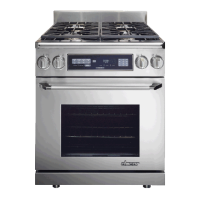
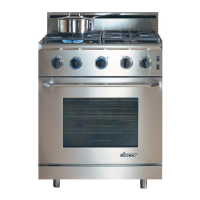
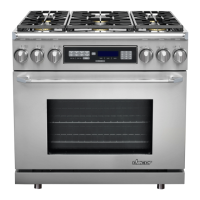
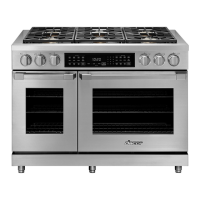
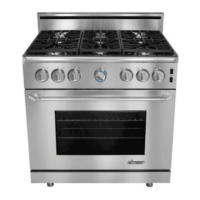
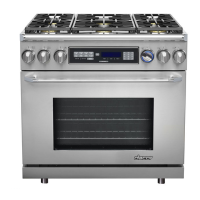
Use these instructions to change the trim color on the ER30D, ER36D and ER48D series ranges.
WARNING: To avoid burns, do not disassemble the range until it has cooled.
WARNING: To avoid personal injury, wear safety glasses during installation.
CAUTION: To prevent damage to the range, use only the tools indicated in these instructions.
NOTE: It is not necessary to pull the range out from the wall to change the trim color.
DANGER:
Electric shock hazard! Before installation, disconnect power
at the circuit breaker or fuse box.
Trim Replacement Kit
AERTK30, AERTK36, AERTK48
INSTALLATION
INSTRUCTIONS
RANGE MODELS: ER30D, ER36D AND ER48D
Part No. 101516 Rev. E
Kit Part Number Identication
Tools Required
Phillips Head Screwdriver (4-40)•
Torx Driver (T20)•
2 Clamps•
Range Size Trim Color
CH = Chrome
CP = Copper
BR = Brass
BC = Black Chrome
AERTKXXYY
Parts included with this kit
Trim Rings
30-Inch Ranges (4)
36 and 48-Inch Ranges (6)
Door End Caps
30 and 36-Inch Ranges (2)
48-Inch Ranges (4)
Range End Caps (2)
Extra Screws
<COMPANY NAME>
SCALE:2:1
SIZE
DWG. NO.
A
REV.
MATERIAL
FINISH
--
--
DO NOT SCALE DRAWING
APPLICATION
USED ON
NEXT ASSY
DIMENSIONS ARE IN INCHES
TOLERANCES:
FRACTIONAL ±
ANGULAR: MACH ±
BEND
±
TWO PLACE DECIMAL
±
THREE PLACE DECIMAL
±
NAME
DATE
DRAWN
CHECKED
ENG APPR.
MFG APPR.
Q.A.
SHEET 1 OF 1
WEIGHT:
COMMENTS:
THE INFORMATION CONTAINED IN THIS
DRAWING IS THE SOLE PROPERTY OF
<INSERT COMPANY NAME HERE>. ANY
REPRODUCTION IN PART OR AS A WHOLE
WITHOUT THE WRITTEN PERMISSION OF
<INSERT COMPANY NAME HERE> IS
PROHIBITED.
PROPRIETARY AND CONFIDENTIAL
Part #
101505
Part #
83669
Part #
83571
Screw Part # Use Quantity
ER30D ER36D ER48D
101505 End Caps 2 2 2
83571 Trim Rings 12 18 18
83669 Handle End Caps 2 2 4
100385 Handle Mounting 2
100026 Handle Mounting 2 4
Part #
100026
Part #
100385



 To Next Page

