»W
hat is a function, STANDBY POWER “0”?
• Standby power is the electric power consumed by electronic appliances without operang on inserng the plug into a socket.
• STANDBY POWER “0” is a funcon reducing standby power consumpon.
• This product can save energy in a standby mode, by seng the STANDBY POWER "O" mode.
To turn on the oven, press and hold ECO buon unl display is turned on and beep sounds aer plugging in.
The oven goes to STANDBY POWER “0” mode automatically after 10minutes without using or press and hold STOP/CLEAR
buon unl display is turned o.
Press and hold ECO (ZERO-ON) buon again unl display is turned on and beep sounds, you can use the oven.
• If you insert plug into a socket, the oven is STANDBY POWER “0” mode. So the display shows nothing. To cancel STANDBY
POWER “0” mode, press and hold ECO (ZERO-ON) buon unl display is turned on and beep sounds. (Because the oven
is turned power o automacally aer 10 minutes without using. The display shows nothing.)
»F
IRST SET UP
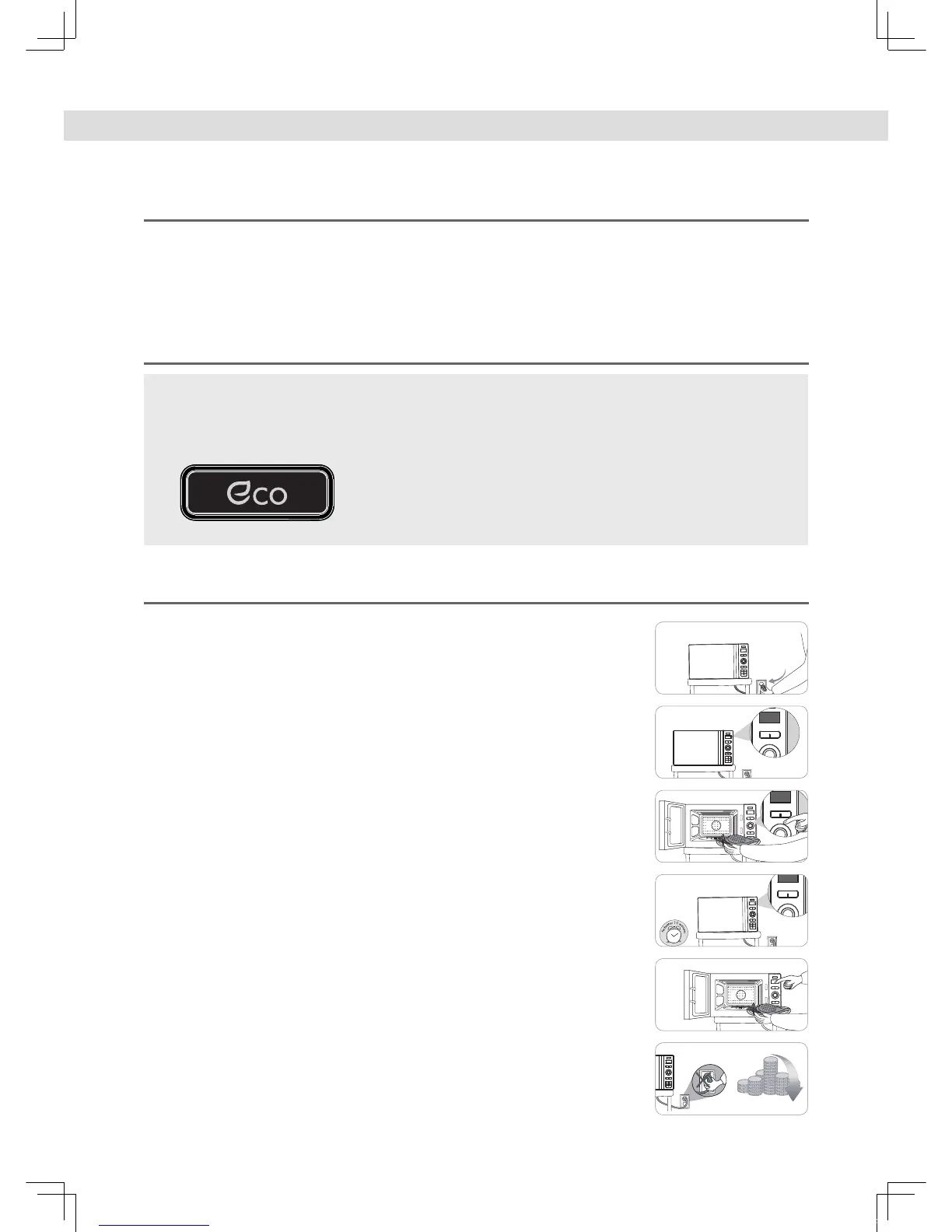
1. Connect the plug into the socket.
4. Ten minutes aer cooking is nished the oven will
automacally go into Zero Standby and use no power.
2. Zero Standby mode is selected automacally.
(The display will be turned o.)
5. To use oven again repeat step 3.
3. • Press and hold ECO buon unl LED display is turned on
and a beep sounds.
• The oven is now ready for use.
6. Save energy and money without the hassle of unplugging
the appliance..



 To Next Page