13
For best results, some recipes call for one Power Level for a certain length of time and another power level for a
different length of time.
Your microwave oven can be set to change from one to another.
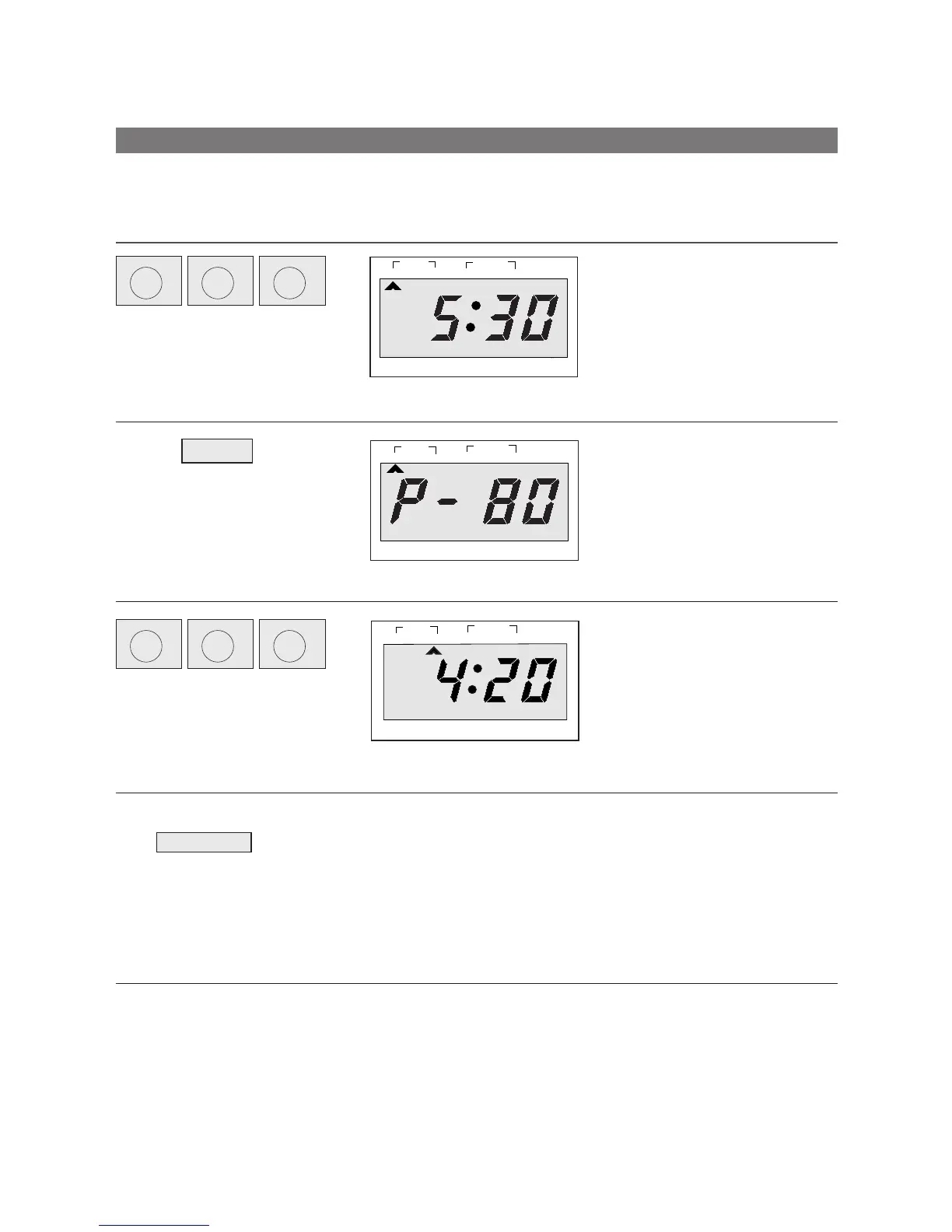
1. Touch the TIME set pads for
the cooking time you want in
the first stage.
EXAMPLE : To set the time to “5:30”.
• Touch 1 min 5 times.
• Touch 10 sec 3 times.
2. Touch M-HI pad.
The STAGE2 indicator lights and
“P-80” is displayed.
3. Touch the TIME set pads for
the cooking time you want in
the second stage.
EXAMPLE : To set the time to “4:20”.
• Touch 1 min 4 times.
• Touch 10 sec 2 times.
5. Touch START pad.
When you touch START pad, both STAGE1 & 2 indicator lights come on,
STAGE1 indicator light starts blinking to show you that the over is cooking
in the first of two cook stages. The oven will cook at the power you select-
ed for stage one. At the end of stage one, the oven will beep and start
stage two, the STAGE1 indicator goes off and the STAGE2 indicator
starts blinking. The display counts down the time remaining in stage two
when stage two ends, you will hear 3 heeps.
START
lb
oz
DEFROST AUTO
START
WEIGHT TIME
LOCK
STAGE
1
2
NO CUPS
lb
oz
DEFROST AUTO
START
WEIGHT TIME
LOCK
STAGE
1
2
NO CUPS
M-HI
Cooking in Two Stages
DO THIS THIS HAPPENS...
1HOUR
min
1000g
10
10MIN
min
100g
1
1MIN
min
10g
10
1HOUR
min
1000g
10
10MIN
min
100g
1
1MIN
min
10g
10
g
g
g



 To Next Page