11
OSD Functions
ICON CONTROL FUNCTIONS
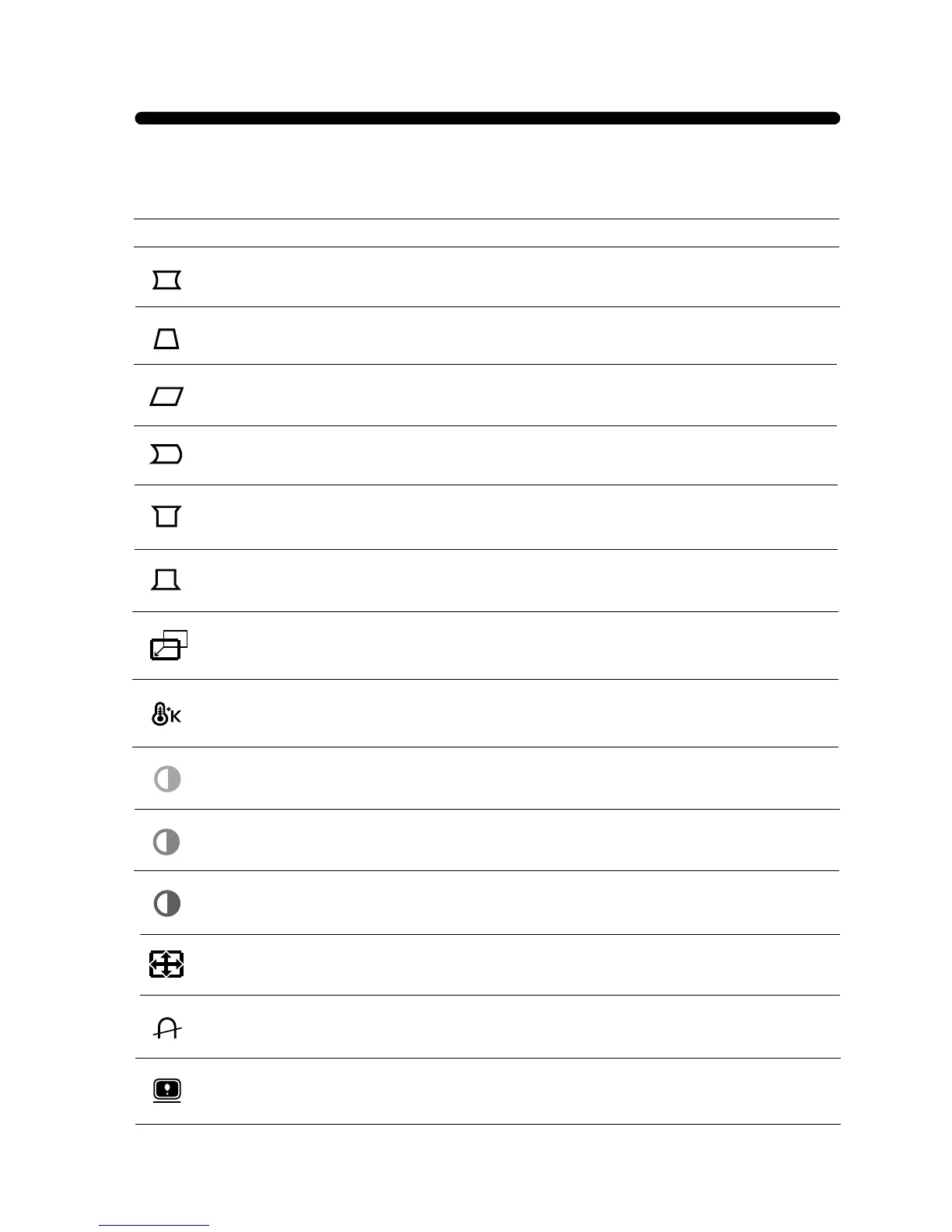
Adjust the pin corner bottom when the bottom sides of the screen are bowed.
B. PIN CORNER
Adjust the parallelogram when the screen is leaning left or right.
Adjust the pin corner top when the top sides of the screen are bowed.
T. PIN CORNER
PARALLELOGRAM
Adjust the trapezoid of the screen by moving the lines inward or outward.
Adjust the side balance when the sides of the screen are bowed towards left or right.
PIN BALANCE
TRAPEZOID
Adjust the left and right margins for more convex or more concave margins.
PINCUSHION
Choose different preset color temperatures or set your own customized color parameters.
COLOR TEMP
Adjust the position of the display horizontally (left or right) and vertically (up or down).
H. CENTER &
V. CENTER
Adjust the red gain.
Adjust the green gain.
Adjust the blue gain.
RED GAIN
GREEN GAIN
BLUE GAIN
Adjust the width (horizontal size) and the height (vertical size) of the display.
H. SIZE &
V. SIZE
Display horizontal & vertical frequency and polarity.
STATUS
Degaussing keeps the monitor free from unwanted magnetism that can result in color
impurity.
DEGAUSS


 To Next Page