12
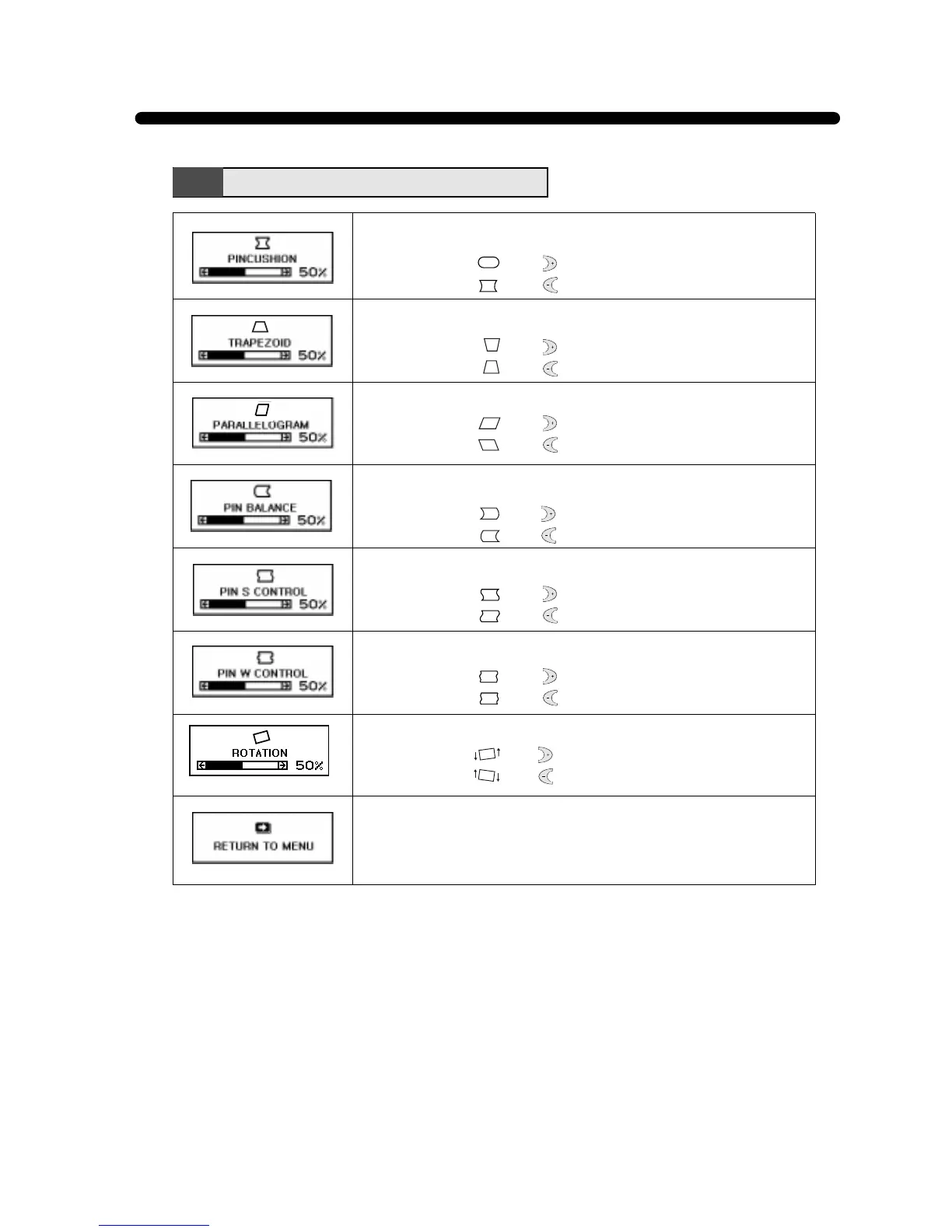
Adjust the rotation when the screen is tilted left or right.
• Image turns to by .
• Image turns to by .
Adjust the left and right margins for more convex or more concave
margins.
• Image turns to by .
• Image turns to by .
Adjust the trapezoid of the screen by moving the lines inward or
outward.
• Image turns to by .
• Image turns to by .
Adjust the parallelogram when the screen is leaning left or right.
• Image turns to by .
• Image turns to by .
Adjust the side balance when the sides of the screen are bowed
towards left or right.
• Image turns to by .
• Image turns to by .
Adjust the pin S control when the sides of the screen are in a S
shape.
• Image turns to by .
• Image turns to by .
Adjust the pin W control when the sides of the screen are in a W
shape.
• Image turns to by .
• Image turns to by .
Geometry Menu Functions
Return to the Geometry Menu Window.



 To Next Page