SETTINGS
Tap Settings and can directly change the settings on
the app.
Through the Daewoo Home Connect app, you can
remotely control the security panel.
You can also set the arming and disarming time, which
is simple and convenient.
ADD A SIM CARD
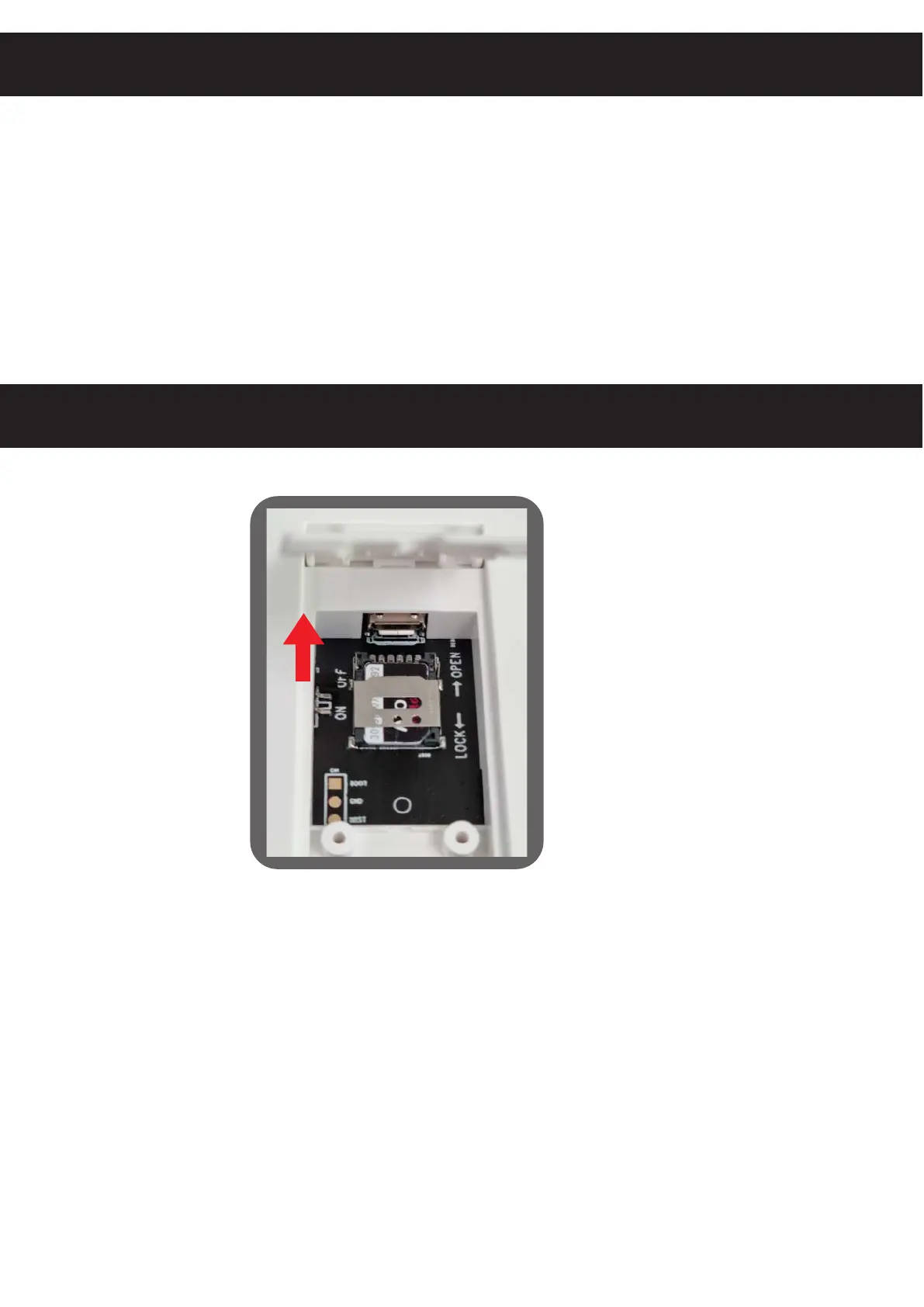
To install a SIM card, gently slide the metal cover
towards the USB connector. Then insert the SIM card
as shown in the picture.
Close the metal cover on the sim card to hold it in place.
This manipulation is very delicate and fragile. If you
damage the metal cover, this will not be considered
under warranty.


 To Next Page