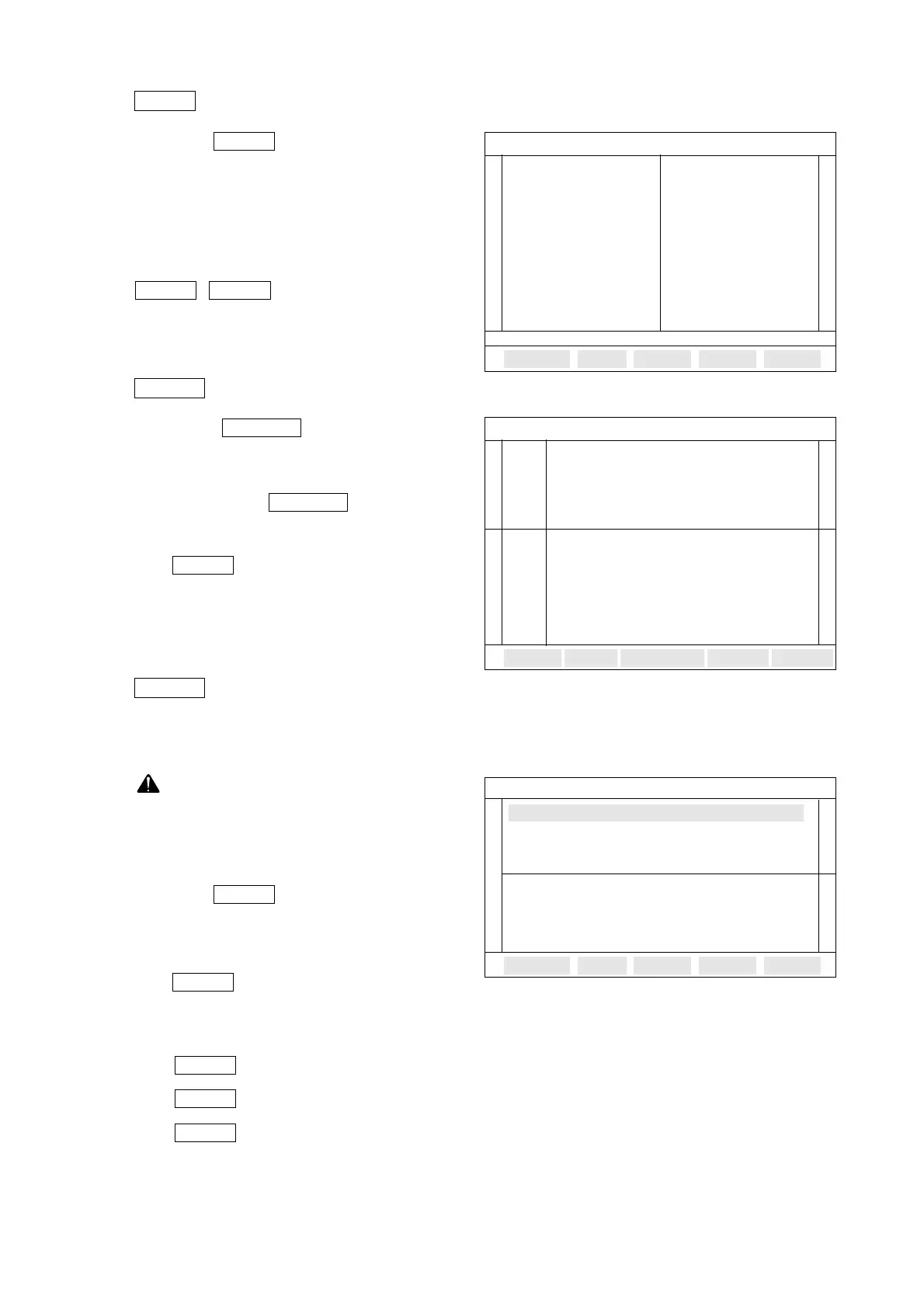
5.4.3 function
Press the F2 function key then
22 sensors data is displayed on the
screen. But the full screen does not dis-
play regular sensor data value
If sensors data are over 22 then use the
, key to view next page
se - nsor data.
5.4.4 function
Press the F3 function key
then you can select sensor data dis-
played by graph. At first, user selects a
sensor to use the F1 function
key.
F1 = : Graph value displayed
on screen is frozen to
allow analysis.
5.4.5 function
In this function, user can test a volt or frequency or duty ratio in comparison with the displayed
sensor data via oscilloscope probe.
User must remember the ECU pin
number before MULTI test to use
REPAIR HINT or refer to D12TIS
DIAGNOSIS & REAIR HINT.
Press the F4 function key then
the screen for sensor data & multimeter
will be displayed as shown on the right.
F1 = : Testing value displayed
on screen is frozen to
allow analysis during pressing the F1 key.
F2 = : Voltage meter
F3 = : Frequency meter
F4 = : Duty meter
Tested value of each meter is displayed at each 1
µs
sampling term.
DUTY
FREQ
VOLT
FIX
MULTI
MULTI
FIX
SELECT
GRAPH
GRAPH
PGDNPGUP
FULL
FULL
- 146 -
SENSOR DATA FULL SCREEN
ENG.RPM RPM HEATER L OFF
RACK SEN V HEATER R OFF
P.TARGET V
P.ACTUAL V
W.T.S °C
R.OFFSET V
P.OFFSET V
M.CLEAR OFF
START SW ON
DIAG.SW ON
SHUT-OFF OFF
SENSOR DATA
EENGINE RPM........ 1024 RPM
MAX --
-----
--------------------------
MIN
WATER TEMP.SENSOR ... 60°C
MAX ---
----
- - -----------
------ --- -- -
--
MIN -
FIX
SENSOR DATA & MULTIMETER
02 FUEL RACK SENSOR........................V
03 PRESTROKE TARGET.......................V
04 PRESTROKE ACTUAL.......................V
VOLT METER CH : A
00.0 V
RANGE : DC 0 - 50 VOLT
DUTYFREQVOLTFIX
01 ENGINE RPM.................................RPM



 To Next Page