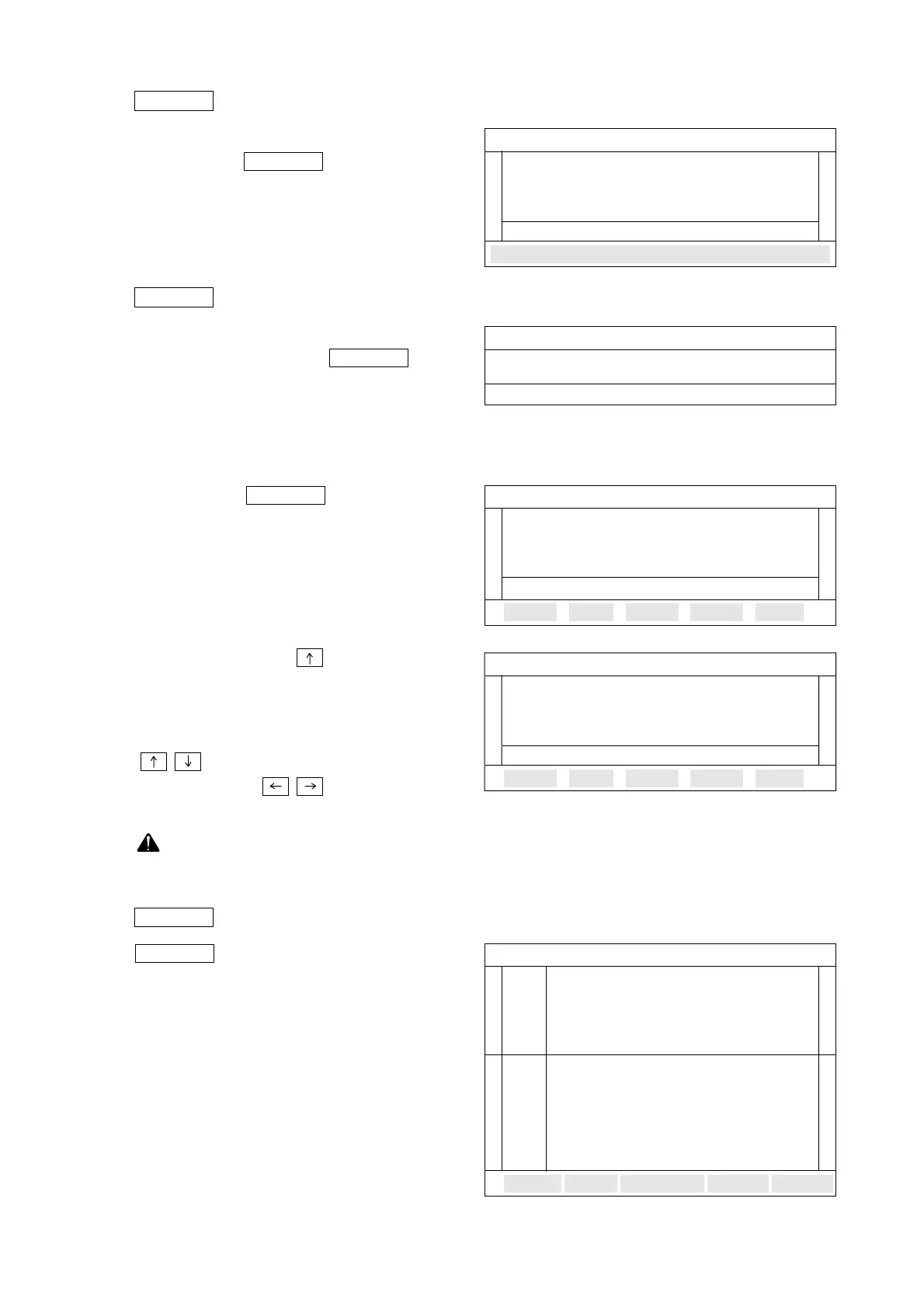
5.6.4 function
User must adjust a interval of recording
time use the F3 key before
flight record started.
The time change interval is 0.1 sec and
the time range is 0.1 sec ~ 10.0 sec.
5.6.5 function
This function is used to display the
recorded data using the F4
key. When user presses the F4 key as
shown on the right :
Input the flight record saved memory
number.
And press the F1 key for the
output screen.
Self-diagnosis fault sensor number
should be displayed at first and then
recorded sensor data displayed as
shown on the right.
Then press the up( ) key for see
STEP 01.
User can see flight record data each one
step by means of using up, down keys
( , ) for increase one step, or using
left, right keys ( , ) for move 10
steps.
There will be no output when total
step is 0.
5.6.6 function
F5 key is used to see graph
view for the items recorded.
RAPH
GRAPH
OUTPUT
OUTPUT
OUTPUT
TIME
TIME
- 149 -
FLIGHT RECORD
01 ENGINE RPM........................ RECORD
05 WATER TEMP.SENSOR.......RECORD
06 RACK SENSOR OFFSET......RECORD
07 PRESTROKE OFFSET..........RECORD
IME INTERVAL : 0.1 sec
SELECT RECORD TIME OUTPUT GRAPH PRINT
SELF-DIAGNOSIS DATA
Diagnosis fault : 03 EA
C15 C21 C22
TOTAL : 10 STEP : 00
PRINT
FLIGHT RECORD OUTPUT
MEMORY No.(0~9) : 1
Select a saved memory number.
FLIGHT RECORD
01 ENGINE RPM................................RPM
05 WATER TEMP.SENSOR..................°C
06 RACK SENSOR OFFSET...................V
07 PRESTROKE OFFSET.......................V
TOTAL : 0010 STEP : 0001
PRINT
SENSOR DATA
EENGINE RPM........ 800RPM
MAX --
-----
----------------------
MIN
WATER TEMP.SENSOR ... 40°C
MAX ---
------
--- - ----
------ --- -- -
-- -
MIN -
FIX



 To Next Page