INTRODUCTION
76
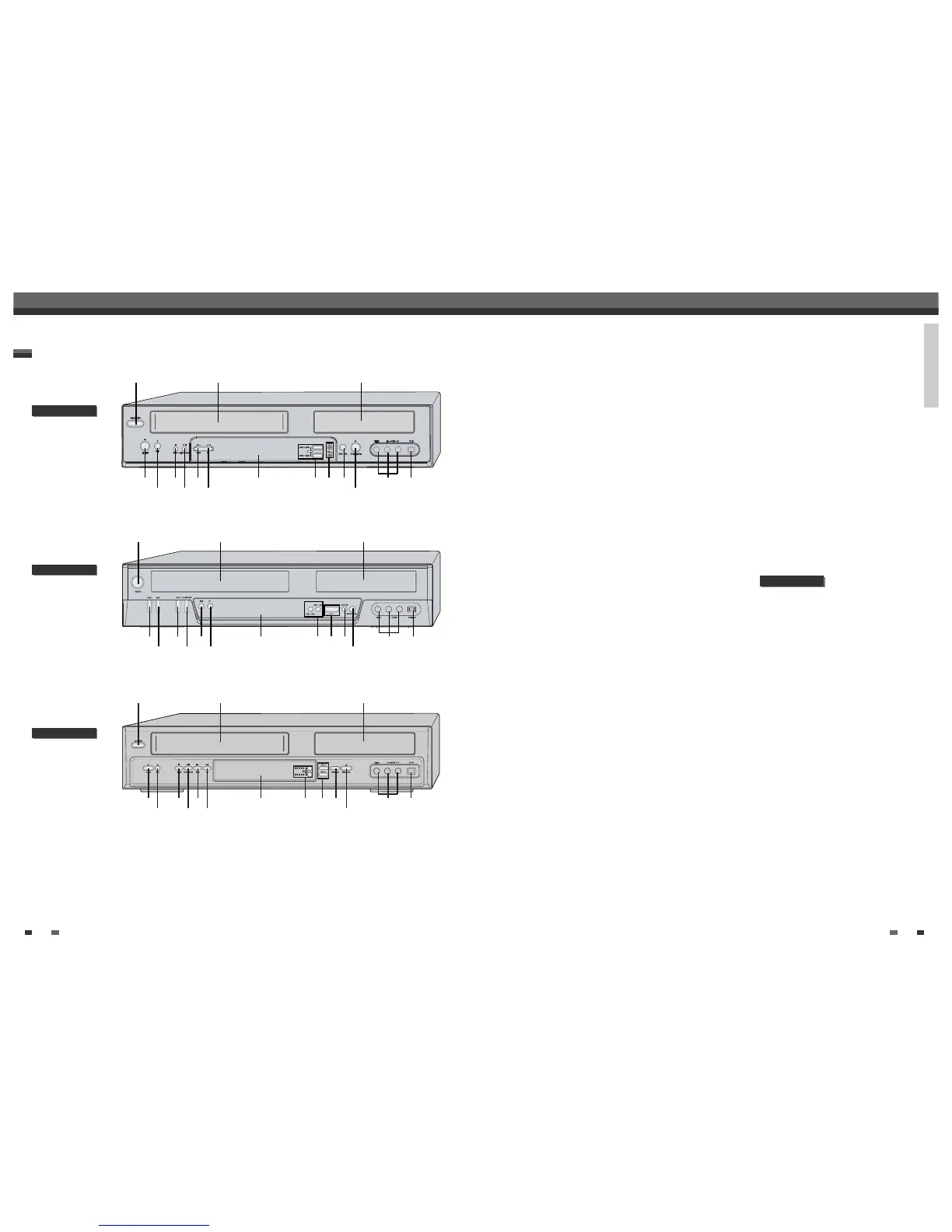
Front Panel
!
POWER (STANDBY/ON)
Turns the DVD Recorder+VCR on and off.
@
Cassette Compartment (VCR deck)
Insert a video cassette here.
#
Disc Tray (DVD deck)
Insert a disc here.
$
VCR EJECT
Ejects the tape in the VCR deck.
%
REC
Starts recording. Press repeatedly to set the
recording time.
^
STOP
Stops playback.
&
PLAY/PAUSE
Starts playback of a disc or tape. Pauses playback
or recording temporarily.
*
REW
DVD: Skips to previous chapter.
VCR: Rewinds the tape during Stop mode. Press
during Play mode for fast reverse picture search.
(
FF
DVD: Skips to next chapter.
VCR: Advances the tape during Stop mode. Press
during Play mode for fast forward picture search.
)
Front Panel Display
Shows the current status of the DVD
Recorder+VCR.
1
COPY
Copies from DVD to VCR (or from VCR to DVD).
2
PR+/–
Scans up or down through memorized channels.
Also moves up and down in DVD navigation
menus.
3
SELECT DVD/VCR
Toggles control between the DVD deck and the
VCR deck.
4
OPEN/CLOSE
Opens or closes the disc tray.
5
Front AV (VIDEO, L-AUDIO-R)
Connects to the audio/video output of an external
source (VCR, Camcorder, etc.).
6
DV IN
Connects to the DV output of an external source
(VCR, Camcorder, etc.).
! @ #
5
%
$
&
^
(
*
4
3) 621
Identification of Controls
Identification of Controls
DV model only
Identification of Controls
DF-x5xx
DF-x7xx
DF-x4xx
! @ #
5
%
$
&
^
(
*
4
3) 621
! @ #
5
%
$
&
^
(
*
4
3) 621



 To Next Page