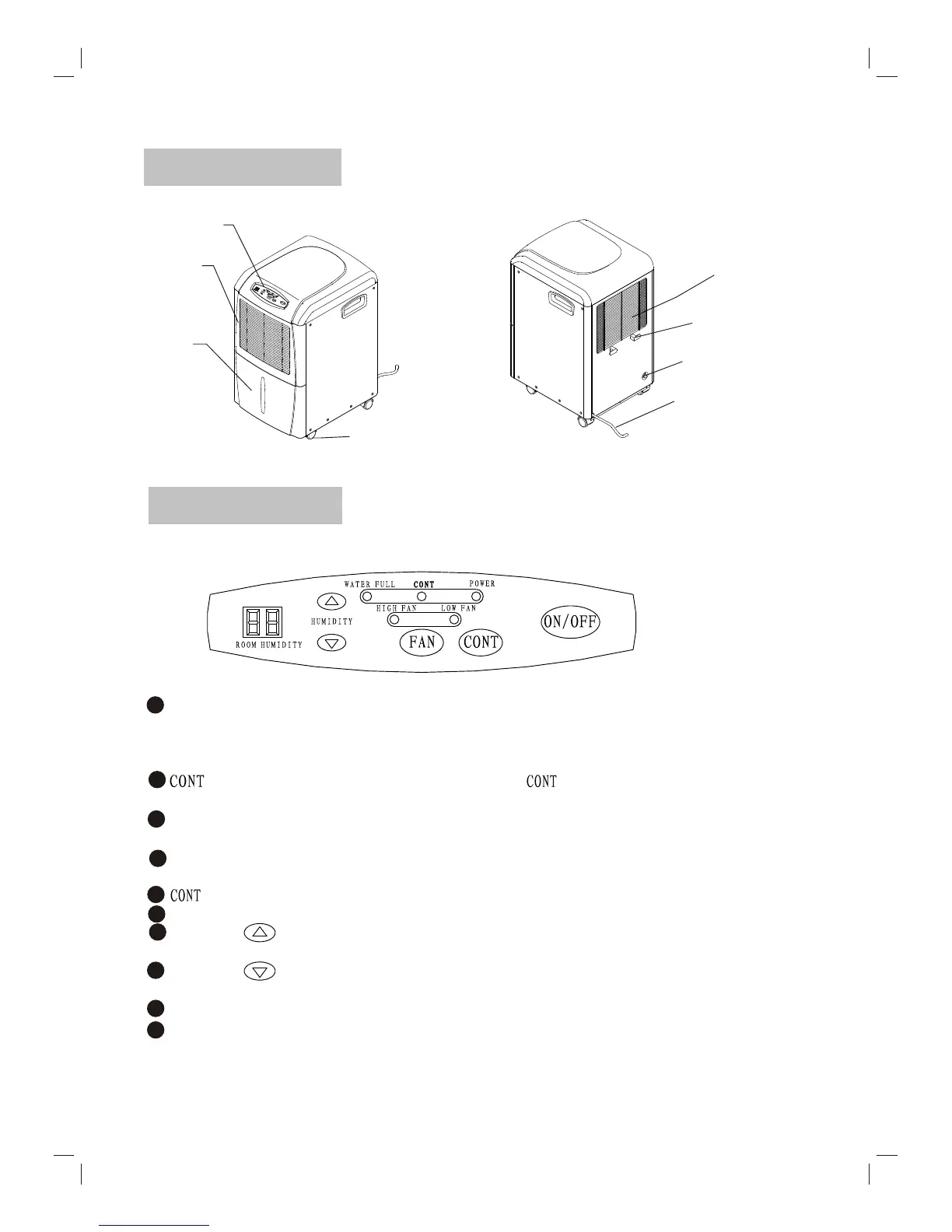
NAMES OF PARTS
Control Panel
Wiring Ear
Power Cord
Air Outlet
Air Inlet
Water tank
Castors
CONTROL PANEL
ON/OFF Button: When the unit is connected to the power(initial power), the POWER indicator
will flash slowly. Press the ON/OFF button at this time, the unit will directly go into
DEHUMIDIFYING operation with the original factory humidity setting( 60%RH).
Press the ON/OFF button again, the unit will stop operation.
Button: When the unit is in operation, press the Button will go into CONTINUOUS
DEHUMIDIFYING mode.
FAN Button: By pressing the FAN button, the fan speed will change in sequence below:
HIGH FAN-------LOW FAN------HIGH FAN.
POWER indicator: At the first time to connect to the power, it flashes slowly The POWER
indicator lights when the unit is turned on, and dark when the unit is turned off.
indicator: Lights when the unit is on CONTINUOUS DEHUMIDIFYING mode.
WATER FULL indicator: Lights when the bucket is full, and the unit stops operating.
HUMIDITY Button: When the unit is in operation, the setting humidity will go up by
pressing this button every time, the range of adjustment is from 35%RH to 80% RH.
HUMIDITY Button: When the unit is in operation, the setting humidity will come down
by pressing this button every time, the range of adjustment is from 80%RH to 35%RH.
HIGH FAN indicator: Lights up when HIGH FAN speed is selected.
LOW FAN indicator: Lights up when LOW FAN speed is selected.
1
2
4
5
6
7
8
3
2
Drain Hole
(For permanent drainage)
9
10



 To Next Page