41
¨d
GB
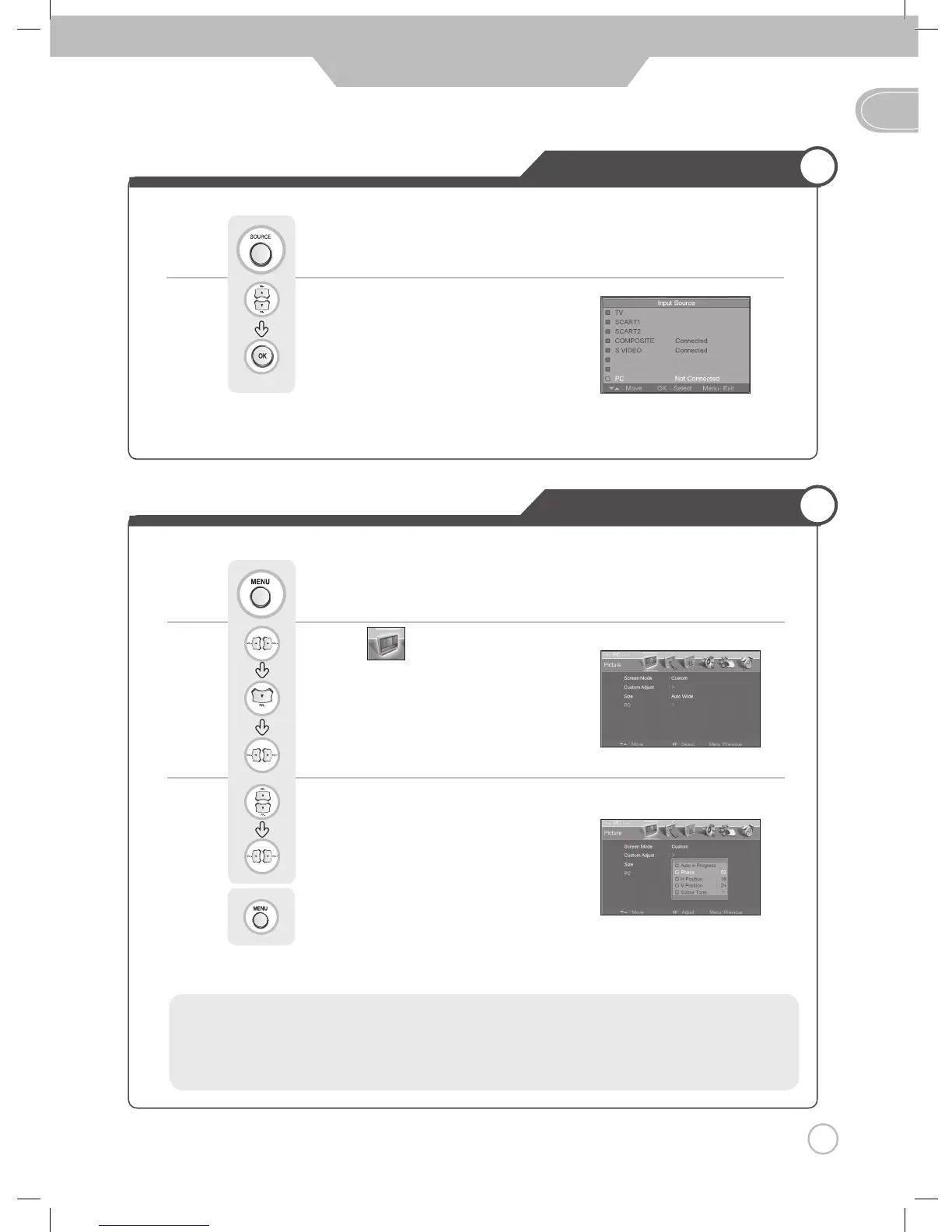
Using TV as a Monitor
Adjusting PC Picture
• PC Mode must be on in order for you to use the TV as a monitor.
Use to move to "PC".
Press to select.
Press button on the remote control.
Use to move to .
Press to move to "PC".
Press to select.
Use to move to desired category.
Use to adjust the setting.
Press to go back to the previous menu.
Press .
• Auto Adjustment in progress
• Phase : It adjusts the phase shift of the image. Use when image appears blurry or out of focus.
• H-Position : It moves the image on the picture horizontally.
• V-Position : It moves the image on the picture vertically.
Monitor



 To Next Page