35
AV Selection
Setting screen modes
Adjustment of Screen Size in TV and AV mode
- Press “
AV
” button on the remote control then screen changes as follows:
TV AV1 AV2 Component HDMI PC TV
- When you select HDMI or PC mode, check to the following.
1. For optimum picture quality, use to the below computer or set top box output.
Using other formats or refresh rates may result in reduced picture quality.
* DLT-19W4/22W4 : 1440 x 900 at 60Hz refresh rate
* DLT-20J1/20J3/20J9 : 640 x 480 at 60Hz refresh rate
2. If the message “No signal” appears on the screen, adjust the PC output to a format listed in the PC input resolu-
tion table on page 19.
Note :
• The menu disappears if you do not operate any button for about 60 seconds from the menu appearing.
• See page 17 for connection method of Camcorder and Video.
Setting various screen modes
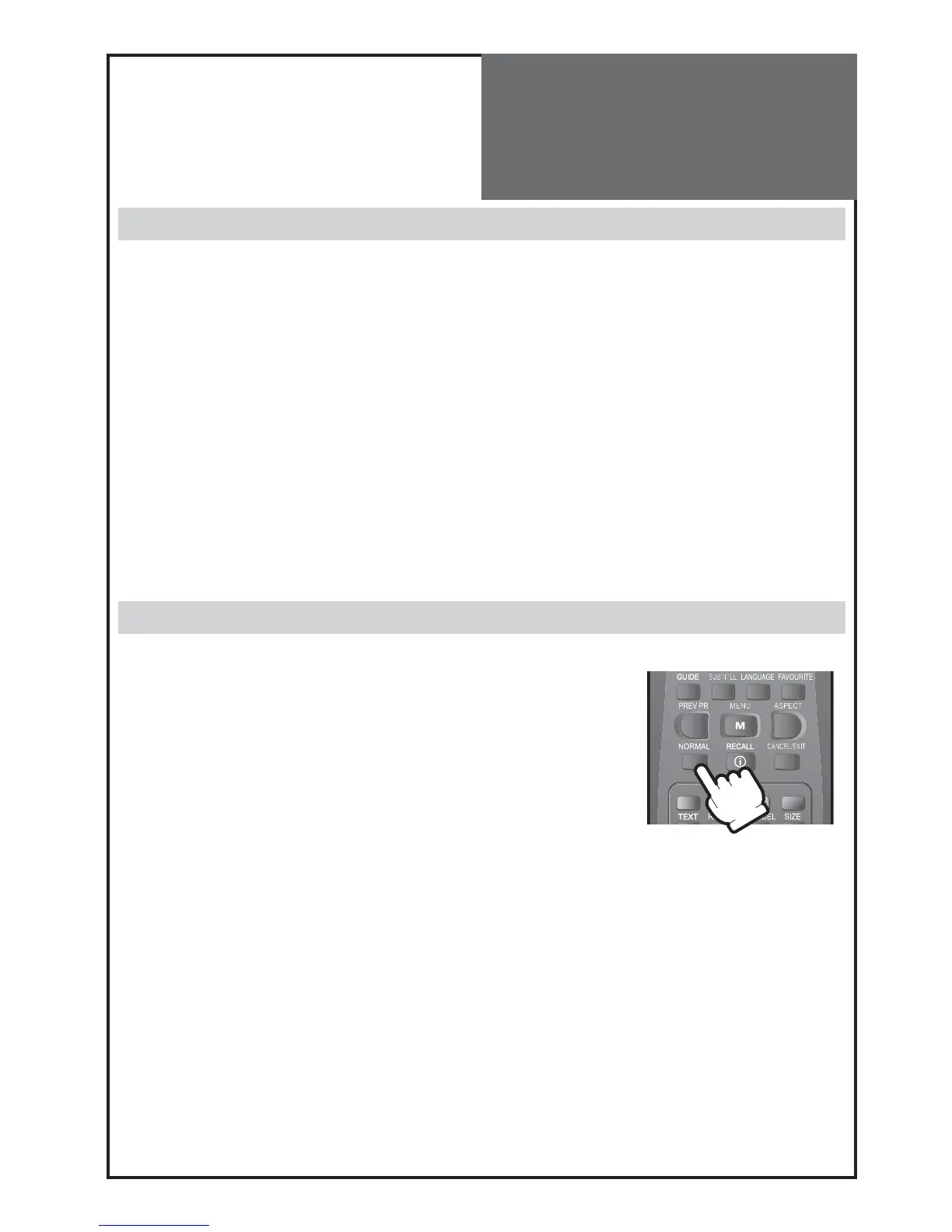
- User can select various screens designed for a good picture without adjusting The brightness, contrast or colour
individually by pressing “
NORMAL
” button on remote controller.
• The screen changes as follows:
Normal Movie Dynamic Favourite Normal
• The screen adjustment status changes as the following screens are displayed
sequentially whenever pressing the “
NORMAL
” button.



 To Next Page