22
PR
PR
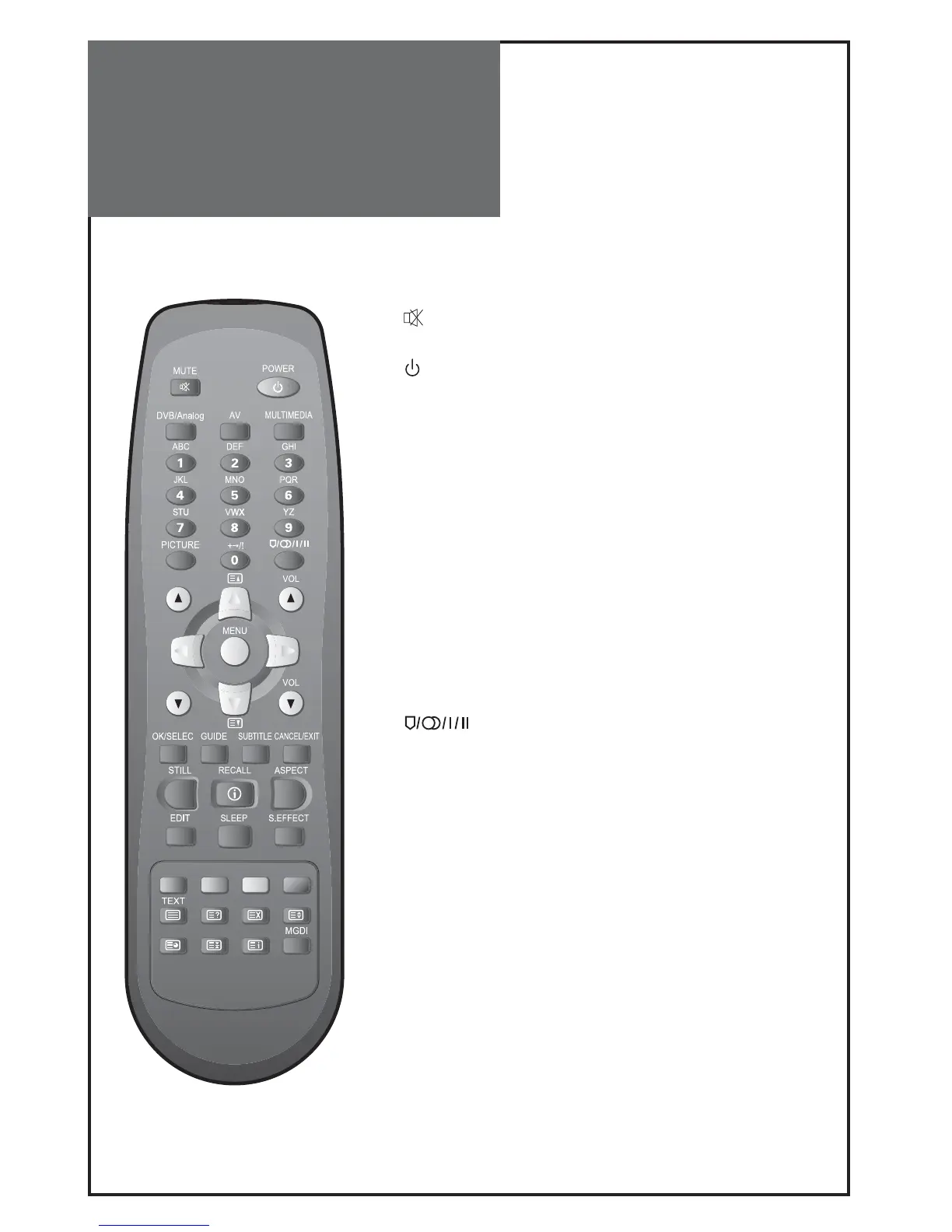
Parts of the Remote
Controller
This remote controller is universal; thus, it may be convertible for TV, Video, CTV, etc.
1.
(MUTE) : Press this button, and the sound goes off.
Press again, and the sound returns.
2.
(POWER) : TV on/off button in Stand-By mode.
3. MULTIMEDIA : Each time you press this button, the TV will cycle
through: PC => HDMI => Component => PC
4. AV : Each time you press this button, the TV will cycle through:
TV => AV1 => AV2 => AV3/S-Video => TV
5. SLEEP : Sleep Timer setting.
SLEEP TIMER : OFF => 15 => 30 => 45 => 60 => 75 => 90 => 105
=> 120 => OFF
6. NUMBER : Press the numbers on this board, you can select PR directly
in TV mode.
Note:
When the current state is ST-BY, you can turn on the TV
using a digit key. Then, a PROGRAMME is selected accord-
ing to digit number.
7. S.EFFECT : Using this button, you can listen to the virtual sur-
round sound.
8.
: You can select sound mode in Mono, Stereo, Dual1,
Dual2, NiCAM STEREO. It works only in TV mode.
9. VOL : Adjust the volume.
10. PR : Changes program on your TV.
11. / : Move the cursor up/down in the menu.
12. / : Access and adjust item in the menu.
13. OK/SELECT : Auto Tuning Start and Manual Tuning Store.
14. EDIT : Move on edit mode directly.
Note :
This button is also for uses channel skip and teletext.
15. STILL : Press this button to freeze the picture.
16. DVB/Analog : Each time you press this button, the TV will cycle
through DVB & RF Analogue.



 To Next Page