48
PR
PR
PR
PR
PR
PR
ON
OFF
LANGUAGE
TIMER
CHILD LOCK OFF
MGDI DEMO
OSD HALFTONE 0
POSITION ACCESS EXIT
FUNCTION
LANGUAGE
TIMER
CHILD LOCK OFF
MGDI DEMO
OSD HALFTONE 0
POSITION ACCESS EXIT
FUNCTION
LANGUAGE
TIMER
CHILD LOCK OFF
MGDI DEMO
OSD HALFTONE 0
POSITION ACCESS EXIT
FUNCTION
EXITMGDI
Other Functions
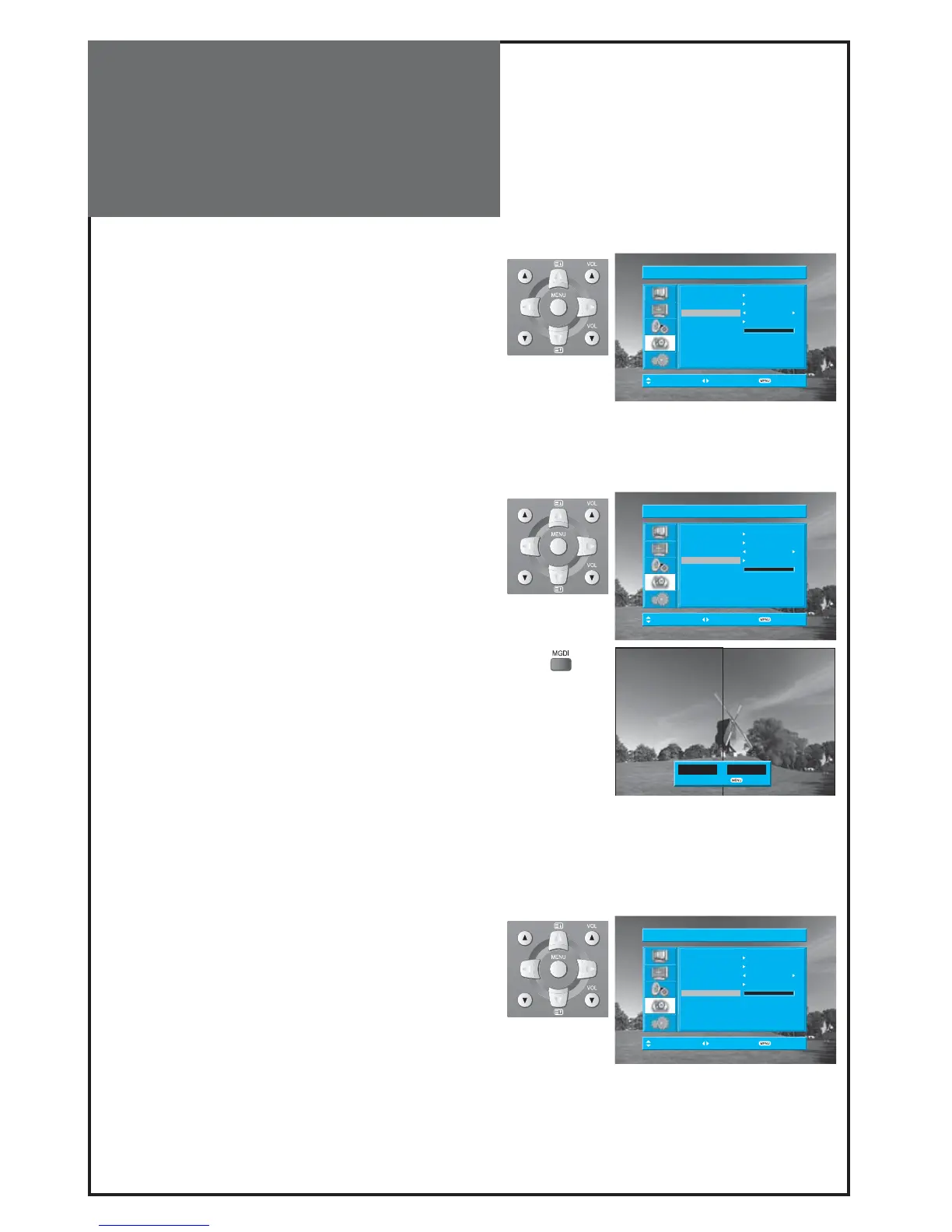
1. Setup of Child Lock
• Move to Child Lock in the Function menu.
• Select Child Lock to “On” using the “” button
Note :
• This prevents the use of the TV set without the remote
control.
• If TV set is set up Child Lock, LED will cycle through red/
off for the ST-BY mode.
• If the Child Lock is “On”, then the set can only be switched
back on using the remote control.
2. Setup of MGDI Demo
• Move to MGDI Demo in the Function menu.
• Press the “” button, and then screen changes as be-
low.
• Press the “MENU” button, and then return to origin
screen.
Note :
• One can move on MGDI DEMO menu directly using „MGDI”
button on the remote control.
3. OSD Halftone
• Move to OSD Halftone in the Function menu.
• Press the “” button, and then the OSD’s transparency
changes from 0 to 100 by 25 (5 steps).
• Press the „MENU” button, and then return to origin screen.



 To Next Page