22
POWER
MULTI
MEDIA
MUTE
DVB/Analog
AV NORMAL
VOL PR / PAGE
VOL
CANCEL / EXIT MENU
M
ASPECT
GUIDE
SUBTITLE LANGUAGE FAVOURITE
RECALL S.EFFECT
ABC DEF GHI
JKL MNO PQR
STU VWX YZ&.
STILL SLEEP
TEXT REVEAL T.CANCEL SIZE
S-CODE HOLD MIX INDEX
P.MODE P.STILL P.SWAP P.PR▲
P.INPUT P.SIZE P.PR▼
PR / PAGE
OK /
SELECT
123
456
78
0
9
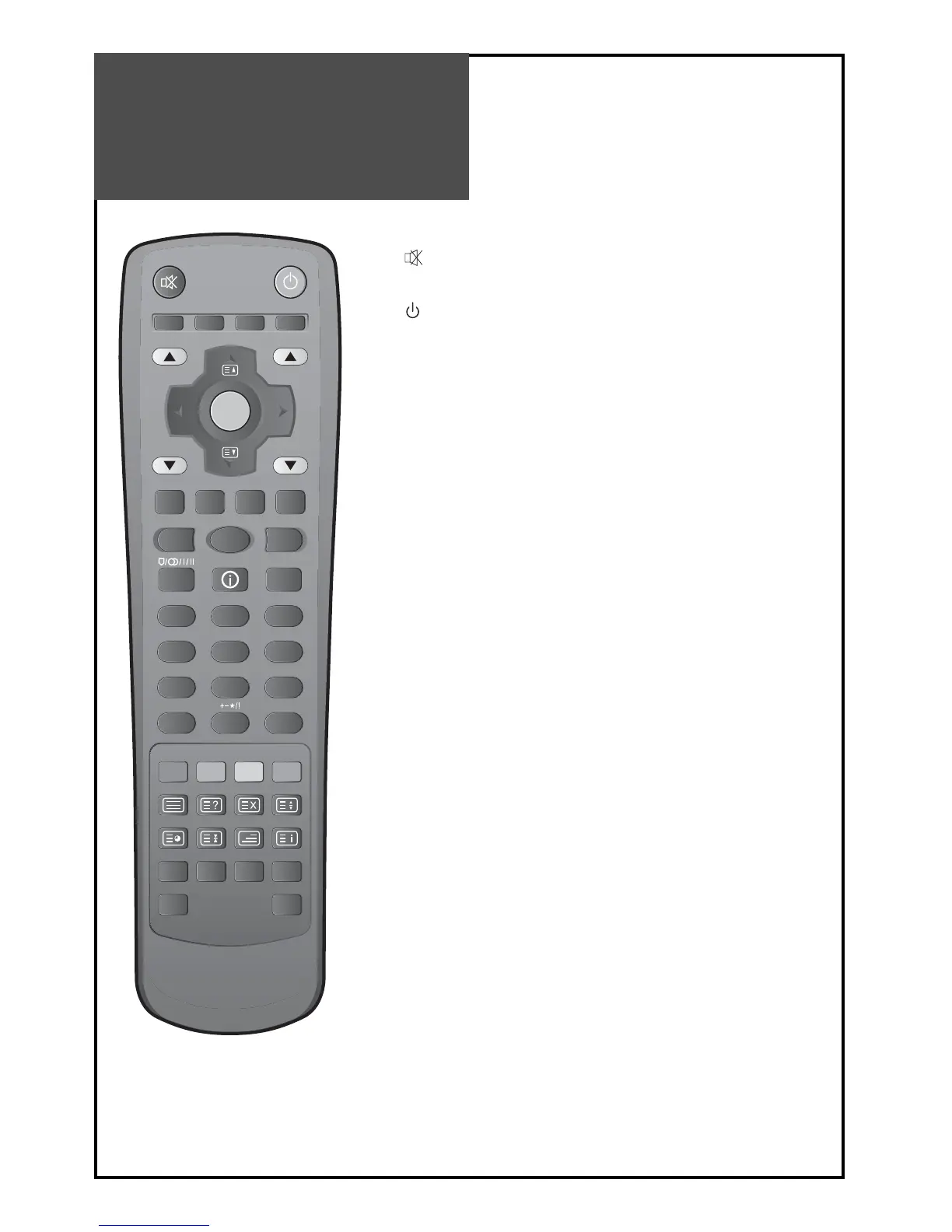
Parts of the Remote
Control
1. (MUTE) : Press this button, and the sound goes off.
Press again, and the sound returns.
2.
(POWER) : TV on/off button in STANDBY mode.
3. DVB/Analogue : Each time you press this button, the TV will toggle be-
tween DVB & RF Analogue.
4. MULTIMEDIA : Each time you press this button, the T V will cycle through:
COMP PC HDMI1 HDMI2 COMP
5. AV : Each time you press this button, the TV will cycle through:
TV AV1 AV2 AV3/S-Video TV
6. NORMAL : The NORMAL buttonchanges picture mode as follows:
Normal Cinema Dynamic Favourite Normal
7. VOL : Adjusts the volume.
8. PR/PAGE : Changes the program on your TV.
9. / : Moves the cursor up/down in the menu.
10. / : Accesses and adjusts item in the menu.
11. OK/SELECT : Auto Tuning Start and Manual Tuning Store.
12. GUIDE : Move to Now/Next EGP at Guides on DVB MENU direct-
ly. See page 34.
13. SUBTITLE : Select the Subtitle On/Off on DVB MENU directly, or
show the subtitle if it has on the DVB MENU. See page 37.
14. LANGUAGE : Move to Language at CI Menu on DVB-T directly.
See page 39.
15. FAVOURITE : Move to Favourites channel on DVB-T directly.
See page 33.
16. CANCEL/EXIT : Using this button to move upper menu or exit
the menu on DVB-T.
17. MENU : Menu display button.



 To Next Page